Up next in 10

Build a FFMPEG WASM Audacity Clone Audio Editor to Trim & Apply Effects in Browser Using HTML & JS
Jun 29, 2025

Check the full description to see all Payment Links to Buy Source Code:
Buy the Source Code with PayPal (in USD):
https://www.paypal.com/ncp/payment/C8FMAE89ECGSN
Live Demo of App: https://freemediatools.com/ultimateaudioeditor
Buy the Source Code with Stripe (in INR):
https://buy.stripe.com/bJe28t5fq2G20wRbjK14f1L
More Payment Options:
https://procodestore.com/index.php/product/build-a-ffmpeg-wasm-audacity-clone-audio-editor-to-trim-apply-effects-in-browser-using-html-js/
Watch My Visual Studio Code IDE Setup Video For Fonts,Themes & Extensions
https://youtu.be/Bon8Pm1gbX8
Show More Show Less View Video Transcript
0:00
live stream so in this live stream I
0:01
will show you uh a ffmppg web assembly
0:06
clone video audio editor that I
0:08
developed directly in the browser so
0:12
this audio editor allows you to edit
0:15
your audios directly in the browser
0:17
itself so this is actually the demo of
0:19
the application that you're seeing right
0:21
here i have deployed this tool on my
0:23
website
0:24
freemediatools.com/ultimateauudioeditor
0:28
i've also given the link in the
0:29
description of this video so the
0:31
interface of the application looks like
0:33
this you have uh the button here to
0:35
actually load your MP3 audio file and uh
0:40
as soon as you select this you just need
0:42
to select a simple audio file and
0:45
automatically the fmpp library will load
0:48
in the background and it will construct
0:51
this waveform for the audio file so you
0:53
will get this nice little timeline as
0:55
well and we have these play button so if
0:58
I click the play button you will see the
1:00
Hello guys welcome to this video so you
1:02
see you just you click this so we have
1:04
the stop button as well so as soon as
1:06
you click the start button the audio
1:09
will start playing and you will see this
1:11
nice little timeline using this timeline
1:13
you can actually trim out unnecessary
1:16
part inside your audio simply use the
1:18
timeline here to trim out specific part
1:21
of the audio so this code is entirely
1:24
inside HTML CSS and JavaScript so if you
1:27
want to only trim this portion right
1:29
here using this timeline you can trim
1:32
out this portion and now we have this
1:35
option of export audio so now what it
1:38
will do it will only export this much of
1:41
portion and download this MP3 file as an
1:45
attachment here you will see so now we
1:47
have successfully trimmed or cut the
1:49
audio file directly in the browser
1:51
itself and if I try to open this output
1:54
file
1:57
so you will see the audio file has been
2:01
successfully cut only these 15 seconds
2:03
that we'll try to trim out is exported
2:06
so basically you use the timeline right
2:08
here provided by this audio editor and
2:11
you can trim out specific portions we
2:14
have the export audio button so this
2:16
code is entirely inside HTML CSS and
2:18
JavaScript if you need to purchase this
2:21
full source code the link is given in
2:23
the description of the video guys so
2:28
you will be getting this uh
2:31
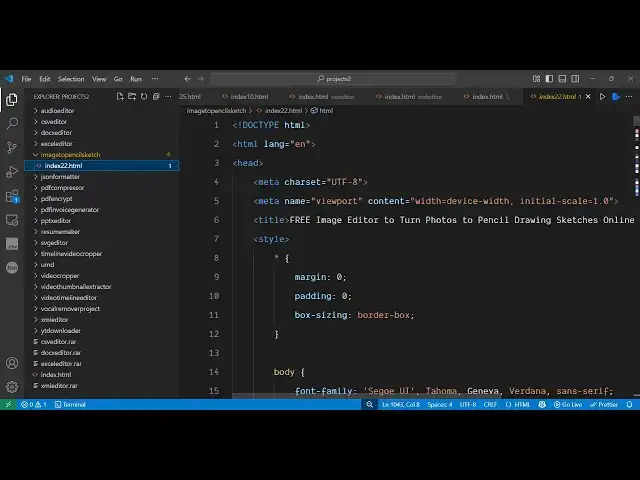
uh HTML CSS and JavaScript so this will
2:35
be the directory structure you have this
2:37
HTML file here which is the main file a
2:42
single file right here if you see it is
2:45
entirely coded inside HTML CSS and
2:47
JavaScript no serverside code is
2:49
involved so you will see round about 757
2:52
lines of code here so we have we are
2:55
using ffmppg web assembly for this
2:57
project and all the binaries of ffmppg
3:01
web assembly I have pre-ompiled it and
3:03
store it in this single folder so you
3:05
will not face any problem running ffmppg
3:08
directly in the browser so after
3:10
purchasing it you simply run this
3:12
project in the browser inside your VS
3:14
code and now you will see your
3:17
application will directly open it's very
3:20
easy to deploy this application as well
3:23
only a single HTML file is there so
3:26
after that the ffmpg web assembly will
3:28
initialize itself then you can trim out
3:31
specific portions like this and then we
3:34
also have various effects that you can
3:36
apply to the audio file on the left hand
3:38
side you will see we have different
3:40
kinds of audio effects similar to
3:42
Audacity which is a audio editor desktop
3:46
related software so you can basically
3:49
increase or decrease the speed of the
3:51
audio you can change the pitch of the
3:53
audio file using these sliders so let's
3:56
suppose I only want to
4:00
increase the speed of this portion and
4:03
then after that we will click preview
4:05
button so to preview the actual so image
4:09
which contains two faces you can try
4:10
this purchasing there is a buy button is
4:12
given just below the video you can see
4:14
that it has increased the speed here you
4:17
can even change the pitch as well
4:20
increasing the pitch here again click
4:22
the preview button and again play
4:29
you can decrease the speed you can
4:30
decrease the pitch as well all these
4:33
filters are ready made available and
4:37
fading filter echo filter you can try
4:40
this the application is deployed before
4:43
purchasing it you can try this if you
4:45
are interested then you can all the
4:48
payment links are given in the
4:49
description of the video so definitely
4:51
check all the payment links you can
4:53
decrease increase the volume treble echo
4:56
all these filters are there
4:59
and then after applying the filter you
5:01
simply click the preview button to
5:03
preview the filter and also you can trim
5:06
out unnecessary part using this timeline
5:09
editor that is provided right here
5:13
then click export audio to export the
5:16
output audio and for building this if
5:19
you don't know about ffmpg web assembly
5:21
it's a utility where we it allows you to
5:24
use ffmpg directly in the browser so we
5:27
are using this uh library for building
5:30
this project directly right in the
5:32
browser itself so we are using FMPG web
5:35
assembly so if I show you the code here
5:38
in the JavaScript if you see
5:45
as you can see we are using these ffmppg
5:47
commands right here to actually write
5:50
the file here to apply all these filters
5:53
that you see in the audio player
5:56
so all these filters if you see
6:00
we are including this ffmpg web assembly
6:02
in the script tag here so
6:05
once you get the source code you can
6:07
easily modify it or uh see the how it is
6:10
built here it's a single page
6:12
application audio editor you can perform
6:14
all these capabilities so thank you very
6:17
much for watching this video and I will
6:19
be seeing you in the next one
#Music Equipment & Technology
#Multimedia Software