0:00
so in this live stream I will show you a
0:03
Canva clone kind of an image to pencil
0:06
drawing sketch editor that I developed
0:08
inside the browser and it uses HTML CSS
0:11
and JavaScript uh this is actually the
0:14
application that you are seeing on the
0:15
screen here uh which is developed
0:17
entirely inside HTML CSS and JavaScript
0:19
it's a complete static kind of an
0:22
application here so I have deployed this
0:25
on my website uh freemediatools.com
0:28
you can visit this if you go to
0:31
freemediatools.com/image2
0:34
pencil sketch i have also given the link
0:36
in the description so when you land on
0:38
this application you just need to select
0:40
uh any sort of uh PNG JPG or any sort of
0:48
so simply select your image after you
0:54
it will convert your image to a pencil
0:57
sketch here you will see uh just let me
0:59
just open the zoom it tool to zoom
1:04
so it has all the features which has
1:08
Canva also have so as you can see it has
1:11
converted this image to this pencil
1:18
this is the original image and this is
1:20
the pencil sketch and we also have these
1:23
filters available to us on the left hand
1:25
side uh you can apply these filters and
1:28
accordingly the image will update here
1:30
on the right hand side
1:34
and then we also have these filters here
1:38
you can change the intensity of the
1:40
pencil sketch here you will see that as
1:42
soon as I'm moving the slider here you
1:44
can see it is increasing or decreasing
1:48
and you can even change the contrast
1:50
level of the pencil sketch as well so
1:54
the brightness as well so now if you're
1:58
okay with the result we also have a
2:00
download button so you can download your
2:03
output image and as soon as you click
2:05
the download button you can download
2:07
your output image so if you need the
2:09
full source code of this application the
2:11
link is given you can check out all the
2:14
payment links I've given in the
2:15
description of the videos so after you
2:17
purchase it you will get this zip file
2:20
which will contain this single
2:21
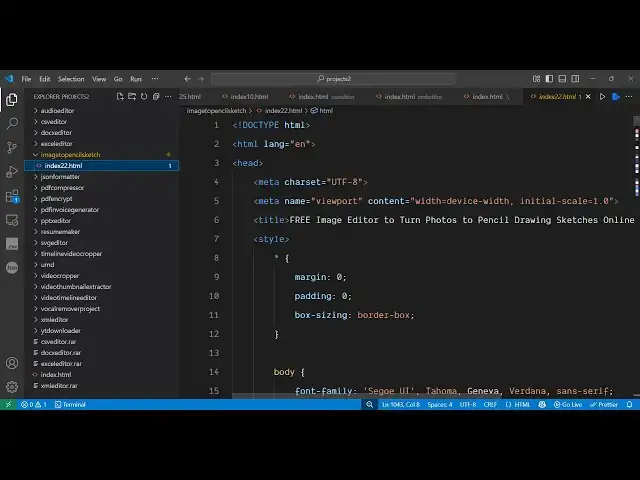
index.html HTML file which basically
2:25
runs entirely in the browser here so as
2:27
you can see almost 1,000 lines of code
2:30
here uh so once you purchase it uh you
2:34
can easily open it locally as well
2:39
inside your VS code you can open this
2:41
application locally here you can see now
2:44
it will start locally so no serverside
2:47
code is involved so you simply select
2:57
and then it will transform your image to
2:59
this pencil sketch and then using these
3:01
sliders you can actually control
3:06
you can even provide a blur filter as
3:08
well so you can see all these so before
3:11
purchasing it you can try this tool i
3:13
have deployed this on free
3:15
mediatools.com image to pencil sketch so
3:17
I've also given the link in the
3:19
description of this video additional
3:21
features also comes so you can see the
3:23
filters available similar to Canva so
3:26
you can apply these filters as well and
3:29
accordingly the image will update on the
3:31
right hand side and uh this is the
3:33
actual Canva clone image to pencil
3:37
drawing sketch editor that I developed
3:39
here entirely inside HTML CSS and
3:41
JavaScript so you can see
3:44
this is the entire code of the
3:46
application so it's entirely built
3:48
inside HTML CSS and JavaScript so the
3:51
link is given guys in the description of
3:53
the video you can directly purchase the
3:55
application the source code
3:58
and uh thank you very much for watching