Up next in 10


Get the full source code of application here:
Show More Show Less View Video Transcript
0:00
Uh hello guys, welcome to this video. So
0:02
in this video, I'll show you yet another
0:03
AI assistant for your Google Chrome
0:05
browser to basically do the repetitive
0:08
task and save time and this called it's
0:11
called this extension is called as ask
0:13
Steve and it's a time-saving AI agents
0:16
which basically run inside your
0:18
browsers. So let's suppose if you have a
0:20
repetit repetitive task that you are
0:22
wasting time then you can install this
0:25
extension and a bunch of AI agents are
0:28
available for you. So once you install
0:30
this extension you can sign up using
0:32
your Google account. So simply grant the
0:35
permission.
0:40
So after granting the permission you
0:43
will be redirected to the dashboard
0:45
area.
0:47
So once it is authenticated you can
0:50
click okay. So
0:54
now to get started right here you will
0:56
basically activate this extension and
0:59
this icon will show right here.
1:04
So these are some of the instructions
1:05
which are there. So this icon will show
1:08
right here. If you visit any page
1:12
simply activate this and inside the chat
1:15
prompt with open right here. So here you
1:17
can actually ask anything. So it can be
1:20
a general question as well.
1:24
Top frameworks for node in 2025. So this
1:27
is actually a AI assistant as well. So
1:30
here you can ask any sort of questions.
1:32
It will answer. You can copy this answer
1:35
to clipboard as well.
1:38
You can even ask let's suppose a coding
1:40
question as well. So build a
1:44
calculator in HTML, CSS and JavaScript.
1:49
So it will generate the code for you as
1:51
well. So
1:55
so all the basic AI features are there
1:58
inside this extension Steve AI and there
2:01
is a second feature is a agents feature.
2:04
If you see
2:06
if you click this now it has a bunch of
2:09
agents. You can even create your own
2:11
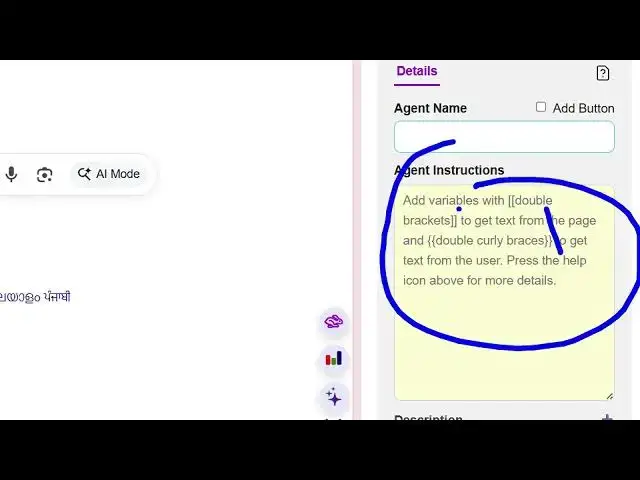
custom agents as well by clicking the
2:12
new button
2:14
and give it a name. just provides uh
2:17
instructions and then click on save. So
2:20
you can even connect with the
2:23
local LLM models if you have inside your
2:26
system or you can have an API. Let's
2:29
suppose you are having open AI cloud,
2:31
GPT, Gemini. So here you can replace
2:34
your own parameters as well. So these
2:37
options are also available and uh the
2:40
basic one is the summarize one. So if
2:42
you are reading an article suppose uh
2:48
if you're not understanding something
2:49
you can simply select the text and uh
2:54
let's suppose uh you're writing or
2:58
just select the text and click on this
3:00
summarize this
3:02
and click on
3:06
save. So now your agent is saved right
3:09
here and uh
3:15
and you basically see this run button.
3:17
After selecting this text, click on run.
3:19
So now this will explain this line to
3:21
you the agent and it basically
3:24
summarizes in bullet points. Floats can
3:27
represent scientific numbers. So in this
3:29
easy way if you're reading something if
3:31
you don't understanding something you
3:33
select the text
3:36
and then click on summarize this click
3:40
on run.
3:42
So then it will show you this what is a
3:45
module. It will show these bullet
3:47
points. You can copy this response
3:49
coming and similarly we have other
3:51
agents as well. Uh chat chart this for
3:55
me. do something generate synonymous
3:57
improve this email make this more clear
4:00
and concise as well. So
4:03
like this. So this is the thing right
4:07
here in the free account you get 989,000
4:10
credits.
4:12
Once you run the agents you cost some
4:14
credits. So you can even add a own model
4:17
as well. So you can see that by clicking
4:19
this button.
4:22
So definitely try this extension Steve
4:24
AI.
#Software
#Business & Productivity Software
#Intelligent Personal Assistants