Up next in 10


Linux - File Permissions
Show More Show Less View Video Transcript
0:00
so till now we have seen how we can
0:02
create and manage your files and
0:04
directories now let us see how we can
0:07
see the permissions of files and
0:09
directories which we create into a Linux
0:11
operating system so into our LS - in
0:15
command we have seen we have list of
0:17
permissions which may define for files
0:20
and directories
0:20
now how you understand those particular
0:23
permissions and how we can change that
0:25
permissions that we are going to see
0:27
here so before we change first we should
0:29
understand how we can check for
0:31
deformations and what are the
0:32
permissions they are so basically if you
0:35
are talking about the file permissions
0:36
they are of two three types one is for
0:40
owner permission
0:41
so basically when a particular directory
0:44
or file is created that user is a owner
0:48
of the directory who has created the
0:50
file so we have to set the permission
0:52
for the owner basically the owner has
0:55
the full control information so that he
0:57
can create delete modify the existing
1:00
file or directory' the next one we have
1:03
that is called as a group formation now
1:05
if I am talking about the group
1:07
formation the owner decides which are
1:09
the users can be added in to its stroke
1:12
so he can add the users manually into
1:15
the group and then he can assign the
1:17
permission from the group of users
1:19
there is no limitation of the group of
1:22
users which and we can add into a users
1:25
group the next formation is for the
1:27
others so apart from the owner and the
1:30
group the public which are going to
1:33
access your file for them also we can
1:35
set the formation so there can be a full
1:38
control permission read-only what is a
1:40
permission you want you can give so
1:42
which are the kind of formations which
1:44
we can set for this particular trait
1:46
groups that is owner group and public
1:49
permission that is other permission that
1:51
we are going to see so as like your
1:54
Windows operating system and any other
1:56
particular permission which we define we
1:58
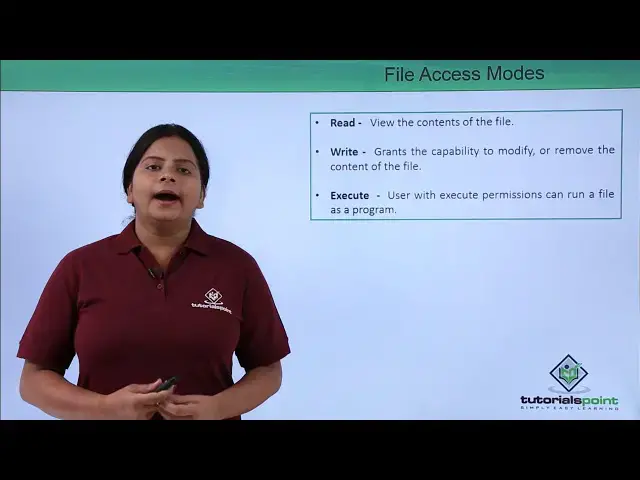
basically have read write and execute
2:00
permission even here so read permission
2:04
will provide a read access to us file or
2:06
a directory write formation will allow
2:10
you to create or modify or delete
2:13
that particular directory and its
2:15
content same way we have the execute so
2:19
execute formation provides you to access
2:21
the data or the particular list which we
2:24
have into the directory so basically we
2:27
have three type of formation if you
2:29
locate all this free diaper formation
2:31
that will be a full control or we can
2:34
also provide the permissions such as
2:35
read and execute or I just read write
2:39
and execute or just read permission so
2:42
the permissions can be modified or it
2:44
will be asked for you which permission
2:47
you want to provide on the owner group
2:49
and others now while we are defining the
2:52
permission as like we have seen we also
2:54
have the commands here to do everything
2:57
so here we are going to see how we can
2:59
check for deformation now if I want to
3:01
check for the permission generally your
3:04
Linux has Mbits assigned for deformation
3:07
like such way like here we can see the
3:10
file formation we generally have has
3:12
four different blocks where all these
3:15
blocks has a different permission sets
3:17
like here we can see it is just - means
3:20
nothing into it that means it is a file
3:22
formation one directory you can see it
3:25
is written as D that means it is a
3:27
directory and we are going to assign the
3:29
permission to a directory then the three
3:31
bit groups we have RW x that means read
3:35
write execute permission for this group
3:38
and the first group is your owner group
3:40
here we can define this is the fur which
3:43
has the owner permission as read write
3:45
and execute same way here read write and
3:48
execute for the directory same way this
3:51
block is for your groups so for user the
3:56
owner can add multiple users into the
3:58
group and the group will have this
4:00
formation which is called as a read and
4:01
execute we can find W is missing in
4:04
between that means it doesn't have great
4:06
information the next we have that is
4:09
read and execute formation again read
4:11
and execute is for public formation that
4:14
for others so this ten bits has one bit
4:17
over here which will be used for
4:19
identifying whether it is a directory or
4:21
offer the second three bits block will
4:25
be used for defining the form
4:27
for your owners again the next three big
4:31
blocks as we know this is blank but it's
4:33
still we have the - over here that means
4:35
it is black we do not have defined any
4:38
right formation but still the bits are
4:40
used so that three right is showing you
4:42
three bit blocks are used for the group
4:44
formation and the remaining three will
4:46
be for others same for your directories
4:50
as well so this trajectory and file
4:52
formation has the same kind of formation
4:54
same three groups we have that is owner
4:56
group and others only this will be
4:58
different that will be that file have
5:00
only - in first break while the
5:02
directory has D so if I want to change
5:07
or modify this formation or if I want to
5:09
assign a manual formation to a
5:12
particular directory and a file we have
5:14
a command called as chmod
5:16
so this chmod can be used for changing
5:19
the formation or creating or assigning
5:21
the permission for a specific directory
5:23
or a file but again this chmod can be
5:27
used in two different ways either you
5:29
can use the symbolic method like you can
5:32
add subtract the permissions by using
5:34
some of your symbols or you can use the
5:37
octal permission or of self permissions
5:40
that means you are going to use the
5:42
numbers for defining deformations so how
5:45
you are going to use this what type of
5:47
formations or both type of way how you
5:49
can create your permission or change
5:51
your permission for a directory and a
5:53
file that we are going to see into next
5:56
slide
#Programming
#File Sharing & Hosting