Up next in 10


Linux Delete Files
Show More Show Less View Video Transcript
0:00
so here we are going to see how we can
0:02
delete offer now already we have seen
0:04
creating modifying changing the location
0:06
of the file copying the file but not the
0:09
deletion but if I want to delete a file
0:11
we have the command in the Linux
0:13
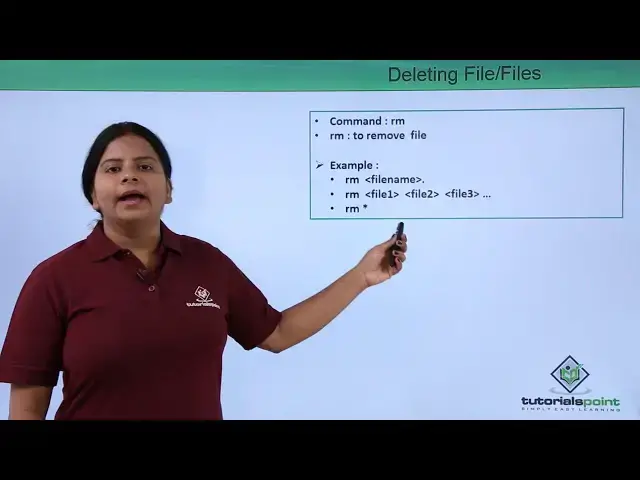
operating system that is your RM RM
0:16
means remove so we can remove the file
0:19
from the original location or if we are
0:22
located somewhere else so for that just
0:24
we need to define the path of the
0:26
destination location or the file
0:28
location and we can delete the file if I
0:30
want to remove the file we can remove in
0:33
multiple ways we can either give the
0:35
command RM file name first deleting of
0:39
specific file if I want to delete
0:41
multiple file at a time we can also give
0:44
the command RM and multiple file names
0:47
same way if I want to delete all the
0:49
files like if you have 2530 files in the
0:52
same location and you want to flush out
0:54
all the files you can go for RM and a
0:57
strict sign where the abstract sign are
0:59
ask your wildcard character where it
1:03
includes everything into that particular
1:05
present directory so you can delete all
1:07
the files by using the RM command let us
1:10
check into the terminal how we can use
1:12
this command into the existing directory
1:15
so in LS we can check these are the
1:18
files which I have created earlier into
1:20
this desktop and we can also see it
1:22
graphically these are the files I have
1:24
now whatever if I want to delete a file
1:26
so for that I'll just give the come on
1:28
RM RM and the file name for example data
1:31
1 it is deleted right RM if I want to
1:36
delete multiple file I can give the file
1:38
name like file1 and file2 we can define
1:44
multiple file name so we can check it is
1:46
again tallit it same thing if I want to
1:49
delete a file or if I want to delete all
1:53
files into this particular directory I
1:55
can just give come on
1:56
RM and a string so you can find all the
2:00
files as been deleted so this is how
2:03
generally we delete a file into your
2:05
Linux operating system you know by using
2:07
your one file if you want to delete use
2:10
it you can use our n data 1 or n eat the
2:12
file name
2:13
Aurum multiple file names and RM are
2:16
strict for deleting all defaults so into
2:19
next video we are going to check more
2:21
about your own X file systems
#Programming
#Software