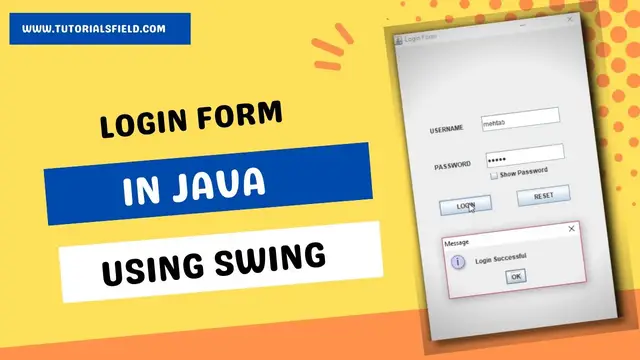

Login Form in Java Swing | Source Code | GUI Login Form
Feb 20, 2023
This video will teach how to create a GUI Login Form in Java Swing using JFrame along with the source code provided. A login form or login page is the core functionality of any application. It is usually used to check the authenticity of the user. If the user gives a valid username and password, he/she can log into the system. Otherwise the system will deny accepting the user’s login request. I am providing the steps below that I have used in my video to create the GUI Login form or Login page in Java Swing.
Steps
#1 Importing Packages
#2 Creating a Class LoginFrame.java
#3 Creating Object of LoginFrame class
#4 Setting Layout Manager of JFrame
#5 Adding Components to our JFrame
#6 Adding Event Handling to JButtons(LOGIN,RESET) and JCheckBox(showPassword)
#7 actionPerformed() method
Download the Source Code of the Login Form in Java using Swing
https://www.tutorialsfield.com/download1/
Related Video
Java Button Click Event https://youtu.be/Zan-si4oiL0
Java Database connectivity with MySQL using Eclipse IDE
https://youtu.be/kiuEl1hRbNA
Calculator App in Java Using Swing https://youtu.be/ZhEaf_aEG04
Related Articles
Java Button Click Event https://www.tutorialsfield.com/jbutton-click-event/
Java JFrame Tutorial
https://www.tutorialsfield.com/jframe-java-tutorial/
Java JTextField Tutorial
https://www.tutorialsfield.com/javax-swing-jtextfield/
Java Swing JButton Tutorial
https://www.tutorialsfield.com/javax-swing-jbutton/
Java Swing Password Field Tutorial
https://www.tutorialsfield.com/java-swing-password-field/
Calculator App using Java Swing
https://www.tutorialsfield.com/simple-calculator-program-in-java-using-swing/
Calculator App using Java AWT https://www.tutorialsfield.com/simple-calculator-program-in-java-using-awt/
Menu Driven Calculator Program in Java
https://www.tutorialsfield.com/menu-driven-calculator-program-in-java/
Show More Show Less