Up next in 10



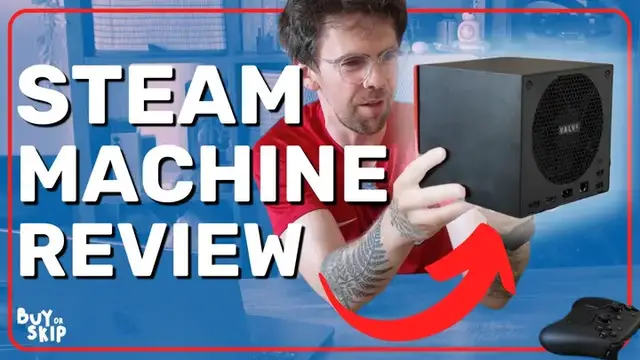
Is the Steam Machine the perfect living room gaming PC or just too pricey for what it offers? In this video, Jason England reviews the Steam Machine and tries to answer this question. The console like experience, silent operation, and awesome controller makes it impossible to deny this is a special device, but the price makes it hard to justify. Watch to find out why you should buy the Steam Machine and why you might want to skip!
Show More Show Less View Video Transcript
0:00
So the Steam Machine is here, and I really wanted to love this thing
0:05
This was supposed to be that perfect middle ground between a games console and a gaming PC
0:12
But at $1,049 without the controller, it's kind of in no man's land
0:26
You were the chosen one. It was said that you would destroy the console wars, not join them
0:33
Let me go into all the reasons why I do love this thing. And trust me, there are a fair few
0:38
Because this thing does the thing that Steam Deck does so well. It takes something as massively complicated as PC gaming
0:46
and makes it a plug and play experience, just like a console
0:51
You've got all of the bigger, well, smaller things, such as stuffing it all into a six inch cube. You've got a semi-custom AMD GPU that runs on
1:02
RDNA 3 architecture, so something similar to what you found from AMD a couple of years ago
1:07
There's 16 gigabytes of DDR5 RAM and eight gigabytes of VRAM. That's a problem. Up at the
1:14
front you've got two USB-A and a microSD card slot. Super helpful for if you've got a bunch of games
1:19
installed on your Steam Deck. You can just pop that out, pop it in here and you don't need to
1:23
We download everything. On the back, you've got two USB-A, USB-C, gigabit ethernet
1:29
your figure eight power adapter, HDMI display port. Now, technically that HDMI port is HDMI 2.1
1:36
but Linux doesn't support it yet, but it probably will do in a future update
1:41
And the fact that they've managed to pack it all into this and put a giant heatsink and a fan on the back
1:47
which means that the air comes in through the front and out the back, really, really quietly
1:53
In fact, it did so quieter than my PS5. That's a pretty solid effort given how small this thing is
2:01
One of my friends looked at it and immediately thought of the GameCube. And now I can't get it out of my head
2:07
Also, I know that this is the review of the box, but shout out to the controller
2:11
It is so comfortable to use. The buttons feel great on it
2:15
And also the touchpads once you get used to them makes it an absolute breeze to use things like on keyboards or even going around the Linux desktop mode that on here And of course one of the big wins here is
2:29
SteamOS which I love it on the Steam Deck. It looks just as great on a big screen TV as well
2:36
There are some weird oddities to it. So for example say you download a game, you open it
2:43
and you're like, oh, Steam Machine's website said I could run this at 4K
2:47
but why can I only pick 1080p? Well, turns out you've got to go into the properties of each game you install
2:54
change the resolution from default to 4K. Hopefully that's something Valve can update and fix soon
3:00
And last but not least is what I'm going to call all of the games console niceties of it all
3:06
So we've talked about the small size of it. We've talked about the thermal management, which is pretty impressive
3:10
but this is going to get a bit nerdy. I want to talk about the HDMI 4
3:15
because it's an HDMI CET which means that just like pretty much every games console
3:20
you can buy right now instead of it just sending video to your TV
3:24
it can also send a little bit of code to your TV on standby that says hey
3:28
I'm turned on I'm in HDMI 2 and the TV will turn on automatically
3:33
and give you that signal. That is something that unless you're willing to figure out
3:39
some weird dongle situation is something that a PC cannot do. In these ways, Valve has made a box
3:47
that gets around some of those peak frustrations of PC gaming. And for those reasons, I do love it
3:57
but it's so complicated. Now, the reasons why you should skip it
4:04
where do I begin? So first of all, to Valve's defense, they have cooked up a pretty decent
4:13
system for 1080p gaming and a little bit of 1440p to hit that 60 frames per second mark
4:21
that most TVs will do. Their promise of 4K60 is a bit of a dicey one. Now don't get me wrong
4:31
It absolutely is possible. You've just got to turn on a whole lot of FSR
4:37
switch it to ultra performance, and then you probably get it But then games like Black Myth Wukong end up looking a bit like a watercolor painting Valve may say it 4K60 Stick to either 1080 or 1440p to get the most out of it
4:55
And even at that, that 8 gigabytes of video memory in here will start to struggle. As you can start
5:01
to see it really stutter in games like Black Myth Wukong. Then say you want to go over to ray tracing
5:08
Cyberpunk 2077, 1080p, 17 frames per second. Didn't even run at 4K until I juiced up the FSR
5:17
and pull on frame generation. And even at that, I had to turn off ray tracing. So whatever you do
5:24
don't try to RT on this thing. You're going to have a bad time. And let's take a journey through
5:30
Valve's marketing of this. At first, they really started pushing hard about this being
5:35
a console that's also a PC while leaning on the console bit more. Now with it coming out
5:44
they're really leaning more on that, oh, and it's also a PC that you can do stuff on kind of bit
5:50
And on the PC side, as you'll start to realize there's laptop parts in here to keep the wattage
5:57
low. And as you can see by the Geekbench scores, you're getting what I would call
6:02
casual productivity performance. Fine for doing a little bit of Chrome browsing
6:08
fine for a little bit of word processor work, but anything more intensive and you'll see this start
6:13
to sweat and slow down. But that will be all fair and good, I say to myself, so long as that price
6:19
remains fair for it. So long as it's something within the same realms as the PS5 Pro. The PS5
6:27
Pro is expensive and it's also limited to the PlayStation library whereas that openness of this
6:34
I would take a slight knock in performance to get that accessibility to my Steam library but then
6:40
also have Linux to potentially put emulators on here and stuff like that but $1,049 or 879 quid
6:53
for my fellow Brits. Like I said, this changes the whole conversation
6:57
from this being the middle ground between a console and a PC
7:02
to essentially being in no man land and being really difficult for me to recommend So what do we ultimately think of this
7:14
Well, it's a heartbreaker really. I really, really wanted to love this thing
7:20
But at this price, with what it can do, it's a skip at the moment
7:27
Now I'm hoping that this RAM crisis dies down so that the price of this can be brought down to something that I would consider reasonable
7:36
because there's a lot to like about this from the way that SteamOS really brings PC gaming
7:44
and focuses it into a console gaming experience. I also love the size of it and the design
7:51
It's not a blaring RGB laden gaming PC. It's just a box. But when you take a look at what we call
7:59
that price to performance ratio. How much are you getting out of it for every dollar you put into it
8:06
That is way out of sync right now for how much Valve is asking for it. They acknowledge that this
8:14
isn't the price they wanted to sell it at. You've probably seen some of the interviews where Valve
8:19
has basically hinted towards this being around 800 bucks, 700 bucks, which is a much fairer price
8:27
for this thing. But at four digits? Damn it. This was supposed to be the thing, but it's not
8:41
And I want to know what you think. Would you pick up something like this? What would be the price
8:47
that would make you go for it? Because I have no doubt that if there's ever an opportunity where
8:55
Valve could reduce the price of this, then they probably would. What would be the number that
9:01
gets you to buy this? And also if you're pondering picking up one yourself and you want to see what
9:07
a game performs like on this thing, let me know. I'm doing a live Q&A. I'll put the link in the
9:12
description below. And as always, I've been Jason England from Tom's Guide and I'll talk to you soon. Cheers
9:25
Bye
Computers & Electronics