Up next in 10



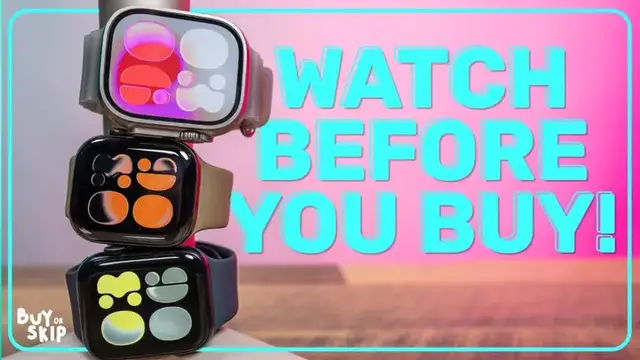
Deciding between the Apple Watch Series 12, Ultra 4, and the budget-friendly SE 3? This year, the choice is more complicated than ever with controversial new AI features and a fundamental redesign of the health sensors. We break down what really matters before you buy.
Show More Show Less View Video Transcript
0:00
Wait, my watch is doing what
0:02
We need to have a very honest conversation before you press buy on a new Apple Watch
0:09
Choosing an Apple Watch used to be simple. Buy the SC to save money, buy the Series model for the slim bezels
0:15
or buy the Ultra for the battery life and rugged sports. But this year, that logic completely breaks down
0:23
Your decision actually comes down to two major hardware thresholds. A physical redesign under the back crystal that fundamentally changes health tracking
0:31
and a new AI feature set that is making nearly everyone I talk to already feel extremely uncomfortable
0:40
And after spending time with these watches, I actually think one of those changes matters way more than the other
0:46
So if you're trying to decide whether the Series 12 or Ultra 4 are actually worth the money
0:52
or whether you should just save on the SE3 instead, here's what you need to know
0:59
Let's start with the controversial one. The Series 12 and Ultra 4 introduced something Apple
1:05
is calling audio intelligence and it's exclusive to and powered by the S11 chip. And these are the
1:11
two audio intelligence features you need to know about, Live Rewind and Siri Recap. Neither is
1:17
available for me to demonstrate yet, but Live Rewind essentially gives your Apple Watch a 15
1:22
second rolling memory of what's just been said around you. In practice, you're going to double
1:27
press the digital crown and the watch can surface a transcript of the last 15 seconds. This is for
1:33
sure a hot take, but I actually think there's a compelling use case here. If you struggle with
1:39
ADHD, struggle with auditory processing, or just have a tendency to miss what someone says
1:45
being able to essentially rewind a sentence could be genuinely useful. But Siri Recap is where things get considerably more complicated
1:55
Instead of just recalling those 15 seconds on demand, Siri Recap uses those audio ambient passes to create an itemized summary of your day
2:03
And I think that's where the reaction shifts from, oh, that's useful, to wait, my watch is doing what
2:10
So the privacy architecture here is incredibly important. According to Apple, the raw audio isn't saved, uploaded, or even retrievable by you
2:21
Audio is buffered locally. Machine learning processes it using the secure exclave
2:26
And then the raw audio is erased. What remains is encrypted data representing what the system identified
2:33
And audio intelligence requires you to explicitly opt in. For some added security measures, Live Rewind also plays an audible chime, even if your watch
2:42
is on silent, and puts a little microphone indicator on the screen, while Siri Recap
2:47
doesn't identify individual speakers and is designed to exclude sensitive information. For me that makes this considerably less alarming than the phrase always listening makes it sound But it doesn completely resolve the issue because even if Apple never receives the recording the people standing around you don
3:07
necessarily agree to have their conversations processed by the computer on your wrist. And that
3:13
is the social question Apple is going to have to overcome, especially as cameras and microphones
3:18
ambient AI become increasingly common in things like smart glasses. Personally, live rewind is a
3:25
feature here I could actually see myself using. Siri recap, I'm going to need considerably more
3:31
time with it before I'm convinced that I want a wearable computer summarizing my day back to me
3:37
If ambient AI is a non-starter immediate turnoff, the SE3 skips audio intelligence completely and
3:44
saves you some money in the process too. But if live rewind sounds genuinely useful
3:49
Series 12 is your way in. But I definitely wouldn't spend Ultra 4 money just for audio intelligence
3:58
The far more practical reason to upgrade to the Series 12 or Ultra 4 is actually hiding in the
4:04
back glass. And this is the single biggest reason the SE 3 is no longer my automatic recommendation
4:11
Historically, you weren't giving up that much in terms of health tracking capabilities by buying the cheaper Apple Watch
4:18
This year, you are. The Ultra 4 and Series 12 now use eight trapezoidal photodiodes arranged in concentric rings around the larger green LEDs
4:28
Combined with improved efficiency of the new hardware, Apple can now continuously sample using the green light throughout the day without completely destroying your battery life
4:37
There is also a very small quality of life benefit I wasn't expecting to care about, but now I love it
4:43
If you sleep with an Apple Watch, you might know the common experience of rolling over and suddenly seeing that bright green sensor light escaping from underneath your wrist
4:53
The new geometry does a much better job containing that light against your skin
4:58
And with the Series 12, I'm seeing considerably less of that annoying green glow
5:03
Tiny upgrade, but if you sleep with your Apple Watch every night, you'll probably appreciate it every night
5:08
More importantly, though, you can actually see the difference the continuous sampling makes while you're awake
5:14
Your heart rate complication is updating in real time. And then inside the heart rate app, there's a rolling two minute chart
5:21
And HRV, including overnight and recovery data, is much easier to surface now directly from the watch
5:27
So if you're working out and trying to maintain a heart rate zone, or if you're wondering why your heart rate may have suddenly spiked, you're getting a much more immediate picture of what's happening
5:37
And this is where the buying decision gets pretty interesting. If you mostly want an Apple Watch for notifications, steps, occasional workouts, and basic health tracking, the SE3 does still do those things perfectly well
5:50
You do not need to spend more just because Apple put eight trapezoids on the back of a watch But if health and fitness tracking are a major reason you wear an Apple Watch this is fundamentally better sensing hardware And unlike an app update Apple just can add
6:07
that to the SE3 layer. The new sensor also helps power a new daytime vitals view alongside overnight
6:14
vitals that we already had, so the watch can now potentially flag shifts in your metrics during the
6:19
day before you even go to sleep. And of course, better sensors only matter if Apple actually does
6:25
something useful with all of this extra data. Some of that will come through the redesigned
6:30
health app later this year, which Apple says will put more emphasis on things like sleep trends
6:35
heart data, and longevity metrics. I can't yet judge that experience at all because the new
6:41
health app isn't available yet. And that's going to be a recurring caveat with the series 12
6:46
Apple is selling you hardware today for some experiences that aren't completely finished yet
6:51
But one thing I could start testing is the new readiness score. Mine hasn't actually been generated yet because the watch needs seven nights with at least
6:59
four hours of sleep to establish a baseline, which I'm just a little bit embarrassed to
7:04
admit I haven't given it. But as someone who already uses an Oura ring every day to gauge recovery, native readiness
7:10
on Apple Watch is one of the additions I'm definitely most excited about. Now, there is one other health-related feature on the Series 12 and Ultra 4 that isn't getting
7:21
nearly enough headline coverage, but one that Apple Watch users have wanted forever
7:28
Steps. Yes, steps. Apple redesigned its pedometer engine within the new chip
7:34
with improvements particularly aimed at distance estimates during things like indoor walks and treadmill runs. But honestly, that's not what most people are going to notice
7:44
they're going to notice that there is finally a native real-time steps complication
7:50
No third-party app, no delayed syncing. You can just look at your Apple Watch and see your steps updating while you walk
7:57
It sounds ridiculous that I'm celebrating this on an Apple Watch in 2026
8:01
I'm fully aware, but here we are. And all of this gets to why I'm much more bullish about the Series 12 than I expect it to be
8:10
Audio intelligence is the flashy upgrade. Siri Recap is going to generate headlines, but it's continuous heart rate sensing, better recovery information, and more useful real-time activity data that are the things that actually change the experience of wearing this watch every day
8:27
Which brings me to a feature that I know for a fact ultimately determines which of these three watches you'll want to buy, and that is how long you can actually wear them
8:39
The SE3 is still rated for 18 hours. That's workable, but if you're trying to track activity
8:45
all day and sleep all night, you're gonna have to be pretty intentional about your charging habits
8:50
The Series 12 maintains 24-hour everyday battery life, despite all of this higher frequency sensing while outdoor workout battery life actually increases to 10 hours Then there Ultra 4 50 hours That more than double the Series 12 and a nice little boost from the older
9:06
Ultra watches. And fast charging means 15 minutes on the charger can give you another 18 hours of
9:11
use. And this is the main reason I would consider spending Ultra money. The Ultra is for the person
9:18
who genuinely needs multi-day endurance, along, of course, with the added durability, outdoor
9:24
and diving capabilities that already define the ultra line. If that's not you, I think the Series
9:30
12 makes a lot more sense. After going through everything that's actually new, I think Apple
9:38
flipped the lineup more than a little bit this year. The SE used to be the Apple Watch I could
9:43
recommend almost automatically to anyone who asked me which one they should buy. It is still a very
9:49
good smartwatch. In fact, if you primarily want basic notifications, activity tracking, and those
9:55
Apple Watch features on your wrist for as little money as possible, it's probably all you need
10:00
This year, it's also the obvious choice if you actively don't want any of that ambient audio
10:05
intelligence running on your watch. But you're making a bigger hardware compromise this year
10:10
If health and fitness are a major part of why you own an Apple Watch, I think the Series 12
10:15
is extremely worth it. And importantly, I'm not saying that because of Siri Recap
10:21
because of HealthAge, or because of some AI feature that Apple showed on stage that I can't
10:25
even properly test yet. It's because the new sensor hardware, continuous heart rate tracking
10:32
better recovery information, real-time steps, and 24-hour battery life affect what the watch can do
10:37
every single day. And this is what Apple Watch upgrades are going to be based on going forward
10:42
So in other words, it's far more future proof. So for most people buying a new Apple Watch this year, Series 12 is my pick
10:52
And then there's the Ultra 4. I actually think buying advice for this is the easiest
10:58
Don't buy the Ultra 4 because you want Apple's best health tracking. The Series 12 gives you that
11:04
Spend the extra money because you specifically need what makes an Ultra an Ultra
11:09
50 hours of battery life, extreme durability, diving capability, that massive screen, or just those serious outdoor features
11:17
But to summarize one more time, SE3 for the basics and lowest price, Series 12 for almost everyone else
11:24
Ultra 4 if you already know exactly why you need an Ultra
11:27
And that is a very different recommendation than I would have given you guys a year ago
11:32
I'm going to keep testing all three of these watches, especially audio intelligence, readiness
11:37
and the new health features as they become actually available to test. So if there's
11:42
something specific you want to see, make sure to let me know in the comments. That's it for this
11:47
one. Thanks for watching. I will catch you next time
Computers & Electronics