Up next in 10



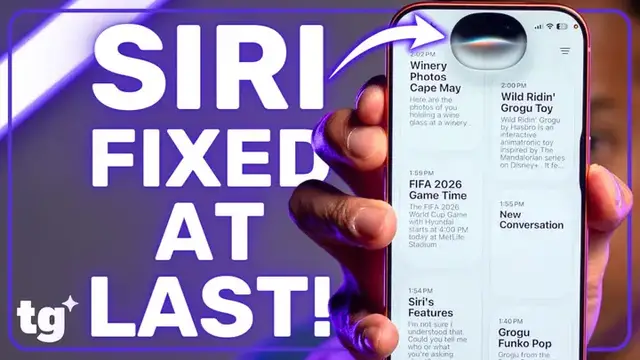
In this episode of Setup Essentials, John V dives deep into the massive iOS 27 Siri AI rollout. Siri is no longer just a glorified kitchen timer! It’s a true, agentic personal assistant. We break down the top new features, real-time workflows, and the crucial hardware requirements you need to know.
Show More Show Less View Video Transcript
0:00
Hey guys, welcome back to Setup Essentials, the Tom's Guide series dedicated to helping
0:04
you get the absolute most out of your tech. Up until recently, Siri felt less like a functional assistant and more like a glorified kitchen timer
0:13
But with iOS 27, Apple has finally delivered Siri AI and it actually feels intelligent
0:19
Before we look at what Siri AI can do, I have a quick hardware warning
0:24
While basic Siri AI will run on an iPhone 15 Pro with 8 gigabytes of RAM, Apple's most
0:29
advanced on-device features strictly require the newer 12GB RAM models, like the iPhone 17 Pro or
0:35
iPhone 17 Air series. For this video, I'm testing Siri AI on the iOS 27 developer beta using the
0:42
iPhone 17 Pro. Now, depending on when you watch this video, the public beta may be out. Either
0:48
way, you'll need a version of iOS 27. I'll make it easy and leave a download how-to article in
0:53
the description. If your phone's loaded up, let's jump into the essential Siri AI features I think
0:58
you should try first. Let's start with the Siri app. For 15 years, Siri has just been a transient
1:05
overlay, but now say hello to the dedicated Siri app. This acts as a permanent hub for all your
1:11
interactions. It organizes your past multi-turn conversation logs pretty much identically to
1:16
chat GPT For example I asked Siri to create a pros and cons list for carless test driving I can jump right back into that workspace when I ready to write my review continuing the conversation seamlessly Next up is Photo Library Deep Search
1:32
Photo Library Deep Search completely changes how you interact with your memories. You don't need to remember dates or locations anymore
1:38
You can just describe visual details. Watch this. Hey Siri, find that photo of me holding a wine glass at a winery
1:44
and just like that siri understands the context and pulls it up
1:50
moving on to on-screen contextual awareness siri can finally see what you're looking at in real
1:57
time for example i want to copy a set of hashtags or captions from a post to use on my own i don't
2:04
have to manually highlight the text anymore i just summon siri and say copy the caption in this post
2:09
here is the caption from the post boom it copied everything i can even do this on web pages like
2:17
the tomsky.com home page i can say copy the captions under this first post
2:22
here is the text from the first post and just like that siri does the heavy lifting
2:29
siri i can also anticipate your next move by giving you intelligent actions right on your
2:35
phone when you're inside a messages thread and a friend reminds you to do something sir reads
2:39
and offers a shortcut to create a reminder or calendar event right there
2:43
This also applies to your emails with a feature called Smart Calendar Invites If you open up a disorganized email in Apple Mail app or Gmail you can just tell Siri add this to my calendar
2:56
Siri looks through the text, extracts the exact time, date, and details
3:00
and builds the invite for you seamlessly in your native calendar app
3:04
In addition to contextual awareness on your screen or in your apps
3:08
Siri's finally getting eyes. By combining Siri AI with the updated camera app
3:12
we get true visual intelligence natively on iPhone. If you see something in the real world and have no idea what it is
3:18
you just point your lens at it in Siri mode. Whether you're trying to figure out if a weed in your backyard is toxic to your pets
3:25
trying to look up the exact fuel requirements for a rental car, want more information on the book in front of you
3:30
Siri can see what your camera sees and answer appropriately. But what happens when you start to pull all these features together
3:37
Finally, we have reached the holy grail of this entire iOS update. multi-step cross-app actions
3:43
Up until now, Siri could only do one isolated task at a time. Now, Siri can act as an actual fluid agent across your entire phone
3:51
For instance, if I forgot about an event invitation buried deep in my inbox
3:56
I can just ask Siri to look it up and log it into my schedule, and then also show me a preview of the map directions
4:02
Can you find that email from Hyundai about the event today and add it to my calendar and also give me driving directions to MetLife I added the FIFA 2026 World Cup game with Hyundai to your calendar for today
4:20
from 12.30pm to 8pm. Can you show me those driving directions now
4:27
Getting driving directions to New York, New Jersey Stadium. as of the time i'm filling this video this cross-app fluidity is strictly limited to your
4:39
iphone's native apps third-party developers are working on support and once it's fully figured
4:44
out hopefully it'll work like the task automation features i've tested with google gemini on the
4:50
galaxy s26 which can already interact with third-party apps to do things like order dunkin
4:55
donuts via DoorDash completely on your behalf. It's still the early days for an iOS 27 beta
5:02
and Apple understandably has some bugs to iron out, but Siri is finally becoming the personal
5:07
assistant we were promised over a decade ago. Which of these features are you planning to test
5:11
out first? Let me know your thoughts in the comments below, hit that like button if this
5:15
walkthrough will help you out, and make sure to subscribe to the channel for more setup essentials
5:19
I'm Jon V, and I'll see you in my next video. We'll see you next time
Computers & Electronics