Up next in 10

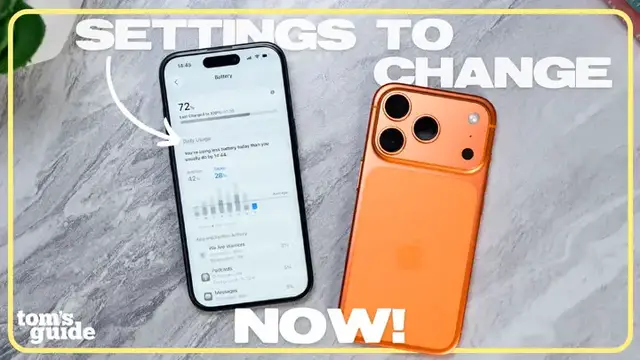
How to Make Your iPhone Battery Last Longer (Settings That Matter) | Setup Essentials
Dec 24, 2025


Struggling with iPhone battery life? In this episode of Setup Essentials, Paul shows you how to check the battery on your iPhone, what iPhone battery capacity really means and the iPhone settings for battery life that actually make a difference. He covers how to check battery life on an iPhone, tips on how to maintain iPhone battery health long-term, and how to know when it’s time for an iPhone battery replacement since you can’t truly increase battery health on an iPhone once it declines.
But what can you do to make it last longer? By the end, you’ll know exactly how to adjust your habits and settings to squeeze the most out of your iPhone’s battery
Show More Show Less View Video Transcript
0:00
All right, so a lot of you guys asked for this one, which should offer a little reassurance that
0:04
iPhone battery life struggles are not just a you problem. Over time, iPhone battery life will start
0:09
to drain more quickly. That's all normal. All rechargeable lithium ion batteries are consumables
0:14
which means they have a limited lifespan. Eventually, no matter how careful you are
0:19
their capacity and performance will decline. But there's some good news. You can make your iPhone's
0:24
battery hold up longer than average. Sure, it's easy to blame iOS updates when your battery life
0:29
dips, but the truth is your charging habits, settings, and even environment all play a role
0:34
So in this episode of Setup Essentials, we'll go through the things you can do that actually make
0:38
a difference for keeping your iPhone battery healthy, including how to know when it might be
0:43
time for replacement. All right, so the first thing you should do is figure out your current
0:50
battery capacity. Get a baseline for how your iPhone's battery health is holding up, especially
0:55
if you have an older phone. I'm doing this on iOS 26. First, go to settings, battery, battery health
1:04
Here you'll see a percentage next to maximum capacity, and this number tells you how much
1:09
charge your battery can hold compared to when it was brand new. So if it says 90%, that means you're
1:15
getting 90% of the original battery life. Once that percentage drops, there's no way to increase it
1:21
again so if you're looking for how to increase battery health on iphone it's not really possible
1:27
you can't restore capacity you can only maintain what you have left and again some of the tips in
1:32
this video should help you out that said it might be time to get your iphone battery replaced apple's
1:37
rule of thumb when your iphone battery health hits 80 start thinking about a replacement for
1:42
the average user this usually takes around two years of daily charging cycles you can get a
1:47
a replacement directly from Apple or an authorized repair center, which is the safest way to go
1:53
If you notice sudden shutdowns or way less screen on time those are sure signs that you due for a repair And honestly it a great way to go Replaceable batteries mean you can get more years out of your iPhone But you probably noticing
2:05
that I have 100% battery capacity. That's because I'm doing this demo on the iPhone 17 Pro
2:11
and at the time of this review, it's practically brand new. The iPhone 17 Pro and iPhone 17 Pro Max
2:17
are the best iPhones for battery life ever. We got into the benchmarks in our videos
2:21
for the iPhone Air battery life and on our iPhone 17 Pro review
2:26
so go check those out if you haven't done so yet on our channel. Basically, the Cliff Notes version
2:30
is that this phone offers several more hours of battery life than the previous one
2:34
due to a number of improvements, but primarily, it's the A19 Pro chipset
2:38
and larger batteries. So, your alternative to replacing the battery on your older iPhone is upgrading to a new one
2:45
That's obviously a personal decision, but if you're interested, I'll link some of the best deals down below
2:49
Getting back to our iPhone battery life tips, this one is simple but useful
2:53
Turn on the actual battery percentage to help you keep track of how much battery you have left throughout the day
2:59
Go to Settings, Battery, toggle on Battery Percentage. This way you'll always know exactly what's left instead of guessing from that little icon
3:08
Your iPhone's display is one of the biggest battery life drains, but here's also the biggest change you can do to make your battery life last longer
3:16
First, turn off auto brightness by going to settings, accessibility, display and text size, and toggle the auto brightness option off
3:26
There is a disclaimer here, but it primarily applies to how bad it is if you leave your iPhone display at 100% brightness all of the time
3:35
Instead, why this is good, if you can keep your iPhone display brightness low and even as ambient lighting conditions change, your iPhone won't force the brightness back up
3:44
So, if you are going to use this trick, just make sure to do so responsibly
3:48
Next, switch on Dark Mode to be your default appearance. On these OLED displays black pixels use less power Go to Settings Display Brightness turn off automatic and toggle on dark
4:05
Finally, turn off always on display if you don't really need it. With each new iPhone, they get more optimized for the always on display
4:12
So this might not make a huge difference depending on which generation iPhone you have
4:16
But small changes here do add up over the course of a day. when your iphone battery life drops to 20 you probably get prompted to enable low power mode
4:26
low power mode is apple's built-in battery saver switch that when enabled reduces background
4:31
activity like automatic downloads email fetching icloud syncing and even dims your display it's
4:37
perfect when you're trying to squeeze extra life out of your phone but it's not really meant to be
4:41
used on the regular it's mostly to keep your iphone with enough juice for the essential needs
4:46
until you get to a charger. Speaking of charging, all iPhones now include a setting called optimized battery charging
4:57
This slows charging past 80% until you actually need it based on your routine
5:02
Why? Because lithium-ion batteries like to live in that 20% to 80% capacity range
5:08
Charging all the way to 100% or leaving your iPhone plugged in overnight puts stress on the battery over time
5:15
So to enable this, go to battery settings, charging, optimize battery charging
5:24
I've seen some people suggest bypassing this and just setting the charge limit to 80 or even 85%
5:29
but personally, I think the built-in setting does what's best, but feel free to try other methods if you want
5:37
If anything, I'd say it's more important to avoid charging in extreme heat or cold
5:42
Don't leave your phone in the sun or a hot car. Heat is one of the fastest ways to damage your battery health
5:48
Similarly, you can use your iPhone while charging, but if it's getting really hot, that's your cue to give it a break
5:54
Now another thing to keep in mind portable power banks They super handy but not all of them treat your iPhone battery kindly If you want the safest option stick to Apple own charging accessories For third gear look for certified MagSafe power banks Brands like Belkin
6:10
and Moffy are solid, and you'll even find them in Apple stores. I know a lot of people love
6:15
Anchor, myself included, but just be aware they've had a few overheating recalls. That doesn't mean
6:21
every product is bad, but it is worth being cautious. I'd suggest sticking to the ones that
6:26
again, are sold through Apple. And hey, if you want me to do a full breakdown of the best iPhone
6:31
power banks, just let me know in the comments. Going back to making your iPhone battery life
6:35
last longer, here's another sneaky drain. Background app refresh. If you don't need apps
6:40
constantly updating the background, turn it off or set it to Wi-Fi only. This cuts down on both
6:46
battery usage and data. Speaking of data, your iPhone uses a lot more energy on cellular
6:53
connections than Wi-Fi. If you're someone with a strong Wi-Fi connection, use that instead
6:58
Your battery will thank you. So that's it. The real ways to check, maintain, and stretch your
7:07
iPhone battery. Remember, you can't reverse battery capacity once it drops, but with the
7:13
right habits and settings, you can slow that decline and get the most life out of your device
7:18
both on a daily basis and more importantly, long-term. If you found this helpful, hit like
7:23
subscribe for more setup essentials, and let me know in the comments what's your go-to trick for
7:27
saving iPhone battery. Until the next one, I'll catch you later. Thank you
#Computers & Electronics