live_tv
Livestream Starting Soon
00
Hours
:
00
Minutes
:
00
Seconds
Up next in 10



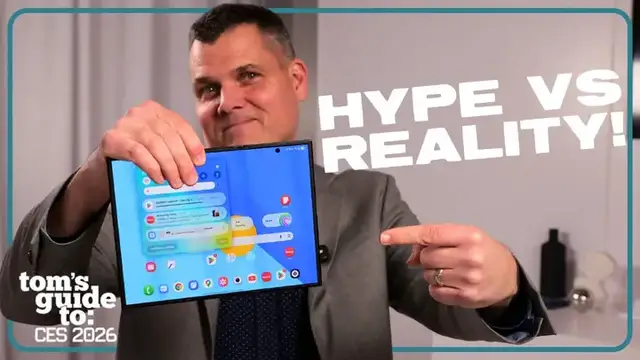
This probably isn't the first video you're watching about the Samsung Galaxy Z TriFold, but it is the one that's answering the questions that matter.
Mark goes hands-on with Samsung’s trifold phone to figure out how usable it really is, what the fold and creases are like, how it feels in daily use and who this phone is actually for.
When the hype wears off, is this actually a smartphone you'll want to buy?
Show More Show Less View Video Transcript
0:00
This is the Galaxy Z Fold 7. This is the Galaxy Z Tri-Fold, which is actually officially coming to
0:05
the U.S. And we want to answer all of your biggest questions about the biggest phone
0:10
slash tablet on the market at about 10 inches. Let's get into it. So one big difference between the Galaxy Z Fold 7 and the Galaxy Z Tri-Fold is the main display
0:23
So 8 inches over here, 10 inches here. But the reason why it seems so much bigger is because
0:28
of the aspect ratio. This is more square, so no matter how you hold it, you're going to have black
0:32
bars above and below the display. On the right-hand side here, you can see that the Galaxy Z Tri-Fold
0:38
is almost all screen, so it's a huge difference in terms of just the sheer immersive factor when
0:43
watching content. Another big difference with the Galaxy Z Tri-Fold versus the regular Galaxy Z Fold
0:49
7 is multitasking. The fact that you have such a large canvas gives you the ability to run basically
0:55
three apps at the same time. And you could make the case that this is like having three candy bar
1:01
phones in one when you're running those three apps. And you can save this as a shortcut so you
1:05
can just pull them all up just with a tap. So if you're back on your desktop and you want to go
1:09
right back into the apps that you had open before, you just swipe up and then you see it over here
1:15
saved. And then you're right back in running the three apps all together. For me, it's just like
1:22
not having to worry about running out of real estate, because sometimes you do with the Galaxy Z Fold 7
1:28
because you can run two apps side by side, and then maybe having a floating window above it
1:32
In this case, you just don't have to worry. One of the questions that you might have is okay so how much better is the multitasking Is it just about having like three apps instead of two Actually you can have a lot more especially when you have Dex mode enabled
1:44
So this basically gives you a desktop-like environment on the tablet portion of the Galaxy Z Trifold
1:51
So I could start opening apps like Chrome, and then I can bring in photos
1:56
I can then have YouTube. And what's great about this is that you can also just easily resize apps as well as you bring them in
2:03
So it gives you like really the ultimate in terms of flexibility. And I could just, I could keep going if I wanted to
2:08
So if I wanted to bring in like the phone app, I could do that too. This is basically the closest that you can get to a desktop experience right on your phone
2:16
If you're worried about folding and unfolding this phone the wrong way, Samsung actually guides you as you're doing it
2:21
So you don't make any mistakes. So for example, if I try to fold this way
2:25
I not only get this notification saying that you're doing a bad thing
2:29
But the phone starts to vibrate as if, hey, you might not want to break this really expensive foldable phone
2:34
The right way to do it is this way. So you fold it over here and then once over again
2:40
And that brings us to the design and why it actually folds the way it does. The reason why you don't have access to, let's say, two displays and then three
2:47
and it's just one in three, is because Samsung was more concerned about making sure
2:51
that they delivered something that was more durable when it came to the design
2:55
So a display is not always exposed on the outside when the phone is closed
3:00
So the only one that you have access to is this, which is the 6.5 inch
3:05
So when closed, the Galaxy Z Tri-Fold and the Z Fold 7 both have a 6.5 inch display
3:10
So you can use this as your main phone if you don want the big screen Speaking of size let talk about thickness because that one of the trade of having the Galaxy Z Tri And what you see here is that this is 12 millimeters and this is 8 over here So when closed you could definitely see and notice the difference
3:27
and feel it in your hand and in your pocket. And it's heavier too. So in terms of like where I would
3:33
put this and pocketability, I would say I would put the Galaxy Z Tri-Fold in a breast pocket
3:37
and still be fairly comfortable, but I can still feel it like weighing me down a little bit
3:40
or maybe in my back pocket without sitting down. Whereas this, I could put in my front pocket without a worry
3:46
So that's one of the things that you have to keep in mind when it comes to this foldable phone
3:51
But let's give Samsung credit where it's due because when open, the Galaxy Z Tri-Fold
3:54
is actually a little bit thinner than the Galaxy Z Fold 7 at about 4 millimeters versus 4.2
4:00
And it's just barely large enough to fit that USB-C port. So that's the design
4:04
Are there any other compromises when it comes to the form factor? Not when it comes to the cameras
4:08
because you're getting the same exact camera system as the Galaxy Z Fold 7. So that means a 200 megapixel wide
4:14
12 megapixel ultra wide, and 10 megapixel telephoto with 3X optical zoom
4:18
Although with the canvas this big, I wish that you could zoom in a little bit more. That carries over to the selfie cameras too
4:24
because you get a 10 megapixel selfie camera for the front display, as well as a 10 megapixel shooter for the inside
4:30
So you're probably wondering, how long is this thing gonna last on a charge? The good news is that there's a 5600 milliamp hour
4:36
battery on the inside, which is the largest in any Samsung phone. That includes the Galaxy S25 Ultra, which has a 5,000 milliamp hour battery
4:43
And the Galaxy Z Fold 7 has a 4,400 milliamp hour battery
4:47
There's actually a battery in each of these panels to give you even longer endurance than, hopefully, any Samsung phone on the market
4:53
And maybe any phone period But it really depends on what screen that you using If you using the main display you should be able to go all day We have to see what happens with the 10 panel And when you are running low on juice
5:04
there's more good news, because the Galaxy Z Tri-Fold has 45-watt charging
5:09
which is an upgrade on the 25 watts for the Z Fold 7. Let's talk about durability
5:13
While the displays themselves are just as durable as a Galaxy Z Fold 7
5:17
there is a trade-off in terms of the IP rating. So this is rated IP 48
5:21
as opposed to IP68 for the Galaxy Z Fold 7. And what that means is that while the water resistance
5:27
is just as strong on this particular foldable, the dust resistance is not as good
5:31
So particles could get in here when it comes to folding this device. So now to the burning question
5:37
that a lot of people are gonna have about the Galaxy Z Tri-Fold. What's the price and when can I get my hands on one
5:42
Samsung is not giving anything official yet, but they have told us that it's coming to the US this year
5:47
And then when you look at like foreign markets, it's about $2,400. So about $400 more than the Galaxy Z Fold 7
5:53
So I think it really comes down to, are you willing to pay extra for that extra real estate
5:57
and in terms of the more power and flexibility when it comes to multitasking
6:02
This might sound glib, but I think if you're willing to spend two grand on a phone, I think you're willing to spend a little bit more
6:07
to get something that's gonna give you the equivalent of a laptop in your pocket. So that's everything that we know so far
6:13
about the Galaxy Z Tri-Fold. And stay tuned for our full review to see if it's worth the premium
6:17
and carrying around something this big. And for more tech content, follow us at Tom's Guide on YouTube, TikTok, and more
6:24
For Tom's Guide, this is Mark Spoonhour
#Computers & Electronics