0:00
Listen, send me their three-in-one charging station
0:02
So in this video, I want to do a quick unboxing and test this out to see how well it works. And we're going to have some instructions, a USB to USB-C braided cable, the power adapter
0:10
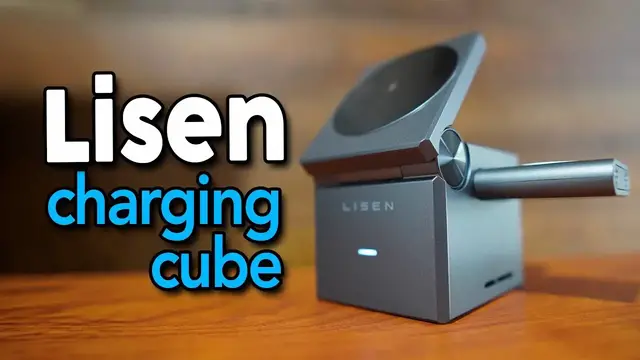
and finally the charging cube itself. So if you're familiar with a Rubik's Cube, this literally looks like the size of it
0:16
although it's probably a little bit taller than it is with. And a cool thing is that at the backside, this actually comes right off
0:23
and this is what's going to stick on the side. It's just like so, so right here I can charge my watch
0:29
And on the backside, we have the USB-C port. So this is where we can actually plug it in to charge it
0:33
Up top, we're going to have the wireless charger. This is for the phone. And this can also lift up
0:37
And it can angle all the way flat. Or it can angle just like this or anywhere in between
0:43
And on the inside, there's going to be one more wireless charger. And this is going to be for the headphones
0:47
And so here's my main setup. I like to keep it nice and clean. And I used to have this big power station on the top
0:53
And I really liked it because it had a bunch of ports. But I always had to keep wires in here
0:57
So I ended up moving this to the floor away from the desk. So it's cleaner. And now I can put the cube right on top and then just have to plug this in
1:05
So I plugged everything in and I also put some of these cable organizers to help with some cable management
1:10
And now you can see the cable under here. And here's what underneath looks like
1:15
You can just see a little bit in the backside but it definitely looks a lot neater especially since it not hanging over here So now I can charge not only my phone but also my earbuds and my watch And to start using this this can be lifted right up and my earbuds can be placed right in the back here
1:33
And now this kind of is in the way so let me put it on the other side. Hopefully it still charges
1:37
Yep, it's still going orange. My Apple Watch can go right over here. Let me swing it. And then my
1:44
iPhone. Oh, let me take the plastic off. My iPhone can go right on top. And just like that
1:51
everything's charging. And when I turn my iPhone sideways, it'll turn into this clock
1:55
Now, one thing to note is because I do have the iPhone 12 Pro Max, it's a little bit taller. So
2:00
when I try to rotate it, it kind of will hit the floor a little bit. So the best way to do this
2:05
is to either tilt this back a little bit more, or just to fully lift it off when I want to put it
2:11
in landscape mode. But overall I'm pretty happy with this Lissn charging cube. It looks really nice
2:17
and this most importantly keeps it clutter free so I don't have to have three separate charging
2:21
cables on top of my desk. I can just have this and I can charge everything and to make this even
2:26
more minimalistic looking when not in use this can be closed up and then we can also take this
2:31
out and it'll stick at the bottom just like so and since this is magnetized
2:38
just like that and now it's like a much cleaner looking aesthetic but yeah if you're looking for
2:45
a wireless charging station for your apple devices definitely check this one out by listen