Up next in 10



BougeRV CL03 Telescoping Camping Light Full Demonstration
Show More Show Less View Video Transcript
0:00
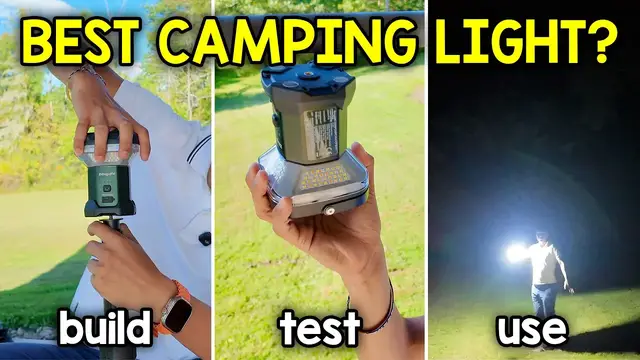
Bujarvi sent me their CL03 camping lights, so let's check it out
0:03
Here we have everything that comes in the box, which includes the instruction manual
0:07
the carrying pouch, a USB-C charging cable, and the light itself. And right off the bat, this thing has some good weight to it
0:13
It's going to feel solid. Now, the bottom of the legs seem to be made out of a lightweight metal
0:18
and it's going to be a lot more dense here in the center and the core. And up top, we have the lamp itself, which does seem to rotate
0:25
So I can actually rotate this counterclockwise, and it looks like I can just take out the light out completely from this tripod like stand
0:35
So if you just want to move this around, you can. There's going to be four magnets on the back side
0:40
And along right here is the screw hole. On sides, there's not much stuff besides a little bit of information on this side
0:46
Now up top, we can actually hold this like a little lantern, which is cool. So if I press this button once, only one side is going to turn on
0:53
Press it again, two sides turn on. Press it three times, three sides turn on
0:57
Press it four, four sides turn on. press a 5, the top part only turns on and everything else turns off and press it again and
1:03
Everything turns off now keep in mind if I do turn on one side or two or however many sides I want and I wait about five seconds
1:11
The next time I press this button It's just gonna turn off automatically and we're not gonna have like the other sides light up
1:17
Just like this now the cool thing about this is there's different colors
1:21
So first let me turn on all four sides here and if I press it two times
1:25
it gonna go from this white light to the yellow light to the red light and then back to the white light Also one other feature I want to mention is gonna be the magnets because I kind of glossed over at this so if you have anything magnetic you can just stick to this stick this on it So for example the side of my car and actually let me see if it fit on top
1:43
of this pole here. So, this is kind of like a pull-up bar, galvanized steel. Now, it's not wide
1:49
enough to hold all of it, but let's see if at least two of the magnets, yeah, at least two of
1:53
the magnets are held, and you can get a better view right over here. Yeah, so just two magnets are
1:58
held and I could actually yeah I'm letting this go and it is staying in place now I don't know how
2:03
sturdy this is going to be with wind so I probably wouldn't trust it but here you could see it is
2:07
swinging around um although it yeah it does feel pretty strong but I wouldn't just rely on just
2:13
using two of the magnets I would just use all four so use a surface that's wide enough that all four
2:17
can fit this tripod portion portion of it is actually pretty big and these legs just open up
2:22
like this there's going to be a button at the bottom where it's pushed so I just press the but not the bottom. Oh, and it just popped right open. And with gravity, it just fell down. So right
2:31
now it's just going to be on the floor. That's the first level. Now let me lift this up to the second
2:38
part. Now I'll tighten that. And this already is pretty tall. I'm six foot tall. So this is probably
2:44
five and a half feet or so. But now this next level is where it gets really, really tall. And
2:52
Yeah, this is very tall. So this is what we're working with. And I don't know exactly how bright this is
2:56
because it's currently daytime. So let me come back in a few hours and show you how bright this is
3:02
And when you want to put it back on the tripod, this easily can be put on like this
3:08
Let me go back to that high setting again All right so the light is on This is what it looks like during the daytime So let come back in a few hours and see how bright it gets So this is pretty bright and by the way I put it to the brightest setting because one thing I
3:21
forgot to tell you is that you can adjust the brightness of this simply by holding the power
3:27
button. So right over here we have that power button here and when I hold it down
3:33
it's gonna press twice telling me it reached its limit and then i'm gonna go down and then it blinks
3:41
twice telling me it's reached its limit uh for the lowest setting too and right now you can see
3:44
like a bunch of flies being attracted to this light so i'll leave it to the lowest setting now
3:49
let's switch to the different colored lights so here we have yellow light which looks pretty nice
3:56
here's a little bit further away and then we here we have the red light oh kind of spooky
4:01
white light again and then back to yellow and then I'll increase
4:07
all right that's the bright as bright as it can get and let's go back to yellow all right yeah that's as bright as it gets
4:22
and by the way this is lighting up a pretty good amount so here you could see
4:26
a little bit more of the outside here. And then now carrying it around like a regular lantern
4:33
is gonna be pretty useful. So I also wanna go inside the yard a little bit more
4:38
just so you could get a better idea of what it looks like. And I can just carry it with that handle Oh right over here And here you could see how it looks like when I light it up
4:53
So right now, I'm probably about 20 or so feet away. I'm further into the yard. I think I hear like some crickets going on
5:04
But yeah, this lights up a pretty good amount too. All right, so I'm basically on the other side of
5:09
the yard this is pretty far away I don't know how many feet this is probably over 50 feet
5:13
there's a bunch of bugs around me uh but yeah this is lighting up a pretty good amount and one thing
5:20
that I realized is that I probably don't need all four lights if I'm walking around I'd probably
5:25
just use three lights so let me see if I could just one two three yeah I just have the three
5:33
lights not the one towards me hopefully that makes sense so hopefully you got a better idea
5:38
of what this light looks like during the nighttime. But now the other thing I forgot to show you is putting this away
5:42
So I'll start by loosening this part up. So then this could close down
5:46
I'll tighten this. And same thing for this bottom portion. I'll loosen it up, push this down
5:53
All right, I think that's all the way down. Yep, tighten this part here
5:57
You can't really see it, but I'm doing this. And then lift these parts up, the legs
6:01
and then lock them into place. There, so now they won't open. And now let me grab that baggie it came with
6:05
and it fits perfectly inside here. And there, just like that, it's ready to be carried out
6:13
And then here we could see Boujard V the logo. And now this is how I can carry it around
6:19
But yeah, that's a quick look at the CL03 telescoping camping light
Computers & Electronics