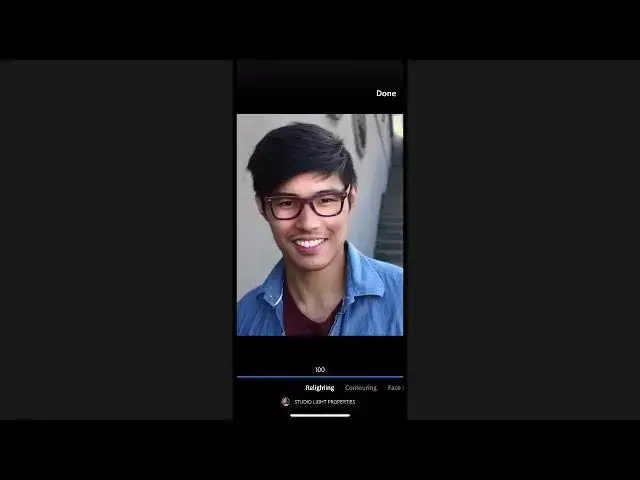

How to create natural effects with Photoshop Camera 2022
Aug 31, 2024

In this video we will learn how to create natural effects with Photoshop Camera 2022 - www.easy-tutorials.com
What you learned: Enhance portraits and scenic images from your camera phone with natural-looking effects
Add portrait styling with Portrait and Studio Light lenses
Both the Portrait and Studio Light lenses use AI technology to find the face of your subject, as well as the outline of their body, and create a live background blurring effect as you’re composing a shot.
Swipe left or right on the screen to see the different lens variations.
For best background blurring results, look for good contrast between your subject and the background.
Adjust the Lens Properties to fine-tune the image
The Lens Properties for the Portrait and Studio Light lenses have many settings in common, including options for skin smoothing, adjusting the level of lighting on the face, and options to control the quality of the bokeh, or background blurring.
The Face Distance setting can produce a more flattering result and correct the subtle lens distortion on faces that is caused when the camera is close to the subject.
Studio Light offers a Relighting setting that analyzes the structure of the subject’s face to apply its subtle lighting changes.
In the 2nd variation of the Studio Light lens, the Contouring property intelligently applies lighting modifications based on the contours of the subject’s face.
Studio Light also has a Background Fade property for dimming the background or making it black.
The Vignette option in the Studio Light lenses can be very effective for portraits to gradually darken the outer edges and draw attention to your subject.
Show More Show Less #Online Media
#Photographic & Digital Arts
#Camera & Photo Equipment