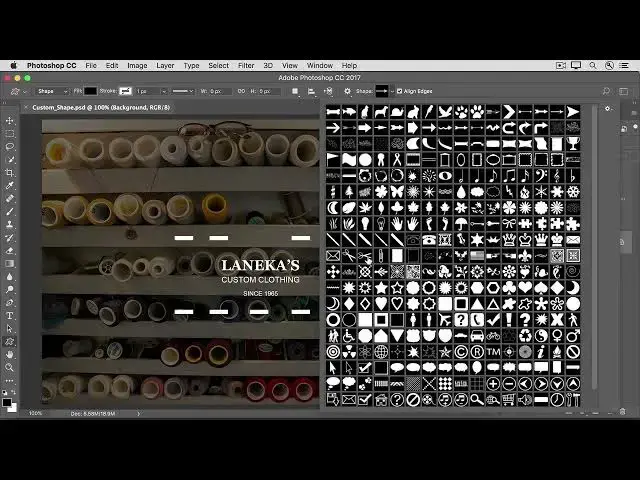

How to add a custom shape to an image in photoshop 2022
Aug 31, 2024

In this video we will learn how to add a custom shape to an image in photoshop 2022 - www.easy-tutorials.com
What you learned: To add a custom shape
In the Tools panel, click and hold the Rectangle tool (or whichever Shape tool is showing in your Tools panel) and select the Custom Shape tool.
In the options bar, click the down-facing arrow to the right of the Shape picker. To view all the custom shapes that come with Photoshop, click the gear icon on the right of the Shape picker, choose All from the menu, and click OK in the message that appears. Then click the bottom right corner of the Shape picker and drag it out so you can see all the shapes.
Show More Show Less #Photographic & Digital Arts
#Multimedia Software
#Computer Education