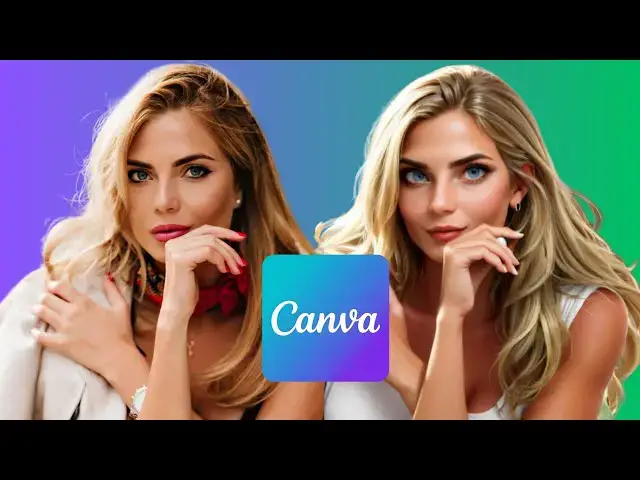

How to Turn Any Photo into an Anime Cartoon with Canva AI
Apr 3, 2025

Want to turn your photos into anime-style cartoons with just a few clicks? In this tutorial, I'll show you how to use Canva AI's 3DPortrait tool to easily create anime versions of your pictures.
🚀 In this video, you’ll learn:
✔️ How to upload and prepare your image in Canva
✔️ How to use the 3DPortrait AI tool to generate anime cartoons
✔️ Whether to keep or remove the background for better results
✔️ The common AI mistakes (like weird hands!) and how to work around them
✔️ Tips to improve the final look of your AI-generated anime images
This tool is fun, easy to use, and completely free on Canva! Give it a try and let me know in the comments what Canva AI tricks you’d love to learn next.
🎨 Level up your Canva skills! 🚀 Watch more tutorials here: https://youtube.com/playlist?list=PLPEQNZkdtbvtNmuoizgPrt6WSYdJh3tXs&si=FdCTdGMo10nc5E4j
#canva #canvatutorial #canvaai #photoediting #animeeffect #cartooneffect #aiart #digitalart #canvapro #graphicdesign #canvamagic #canvahacks #canvatips #phototransformation #animefilter #cartoonfilter #aiediting #designtricks #stepbystep #canvaediting
🔔 Subscribe for more quick & practical Canva tips on Skills Forge Pro !
💬 Drop a comment if you have any questions or want more design tutorials!
Show More Show Less #Clip Art & Animated GIFs
#Skins, Themes & Wallpapers
#Visual Arts & Design Education