0:00
hey there and welcome to Skills Forge
0:02
Pro In today's tutorial we'll show you
0:05
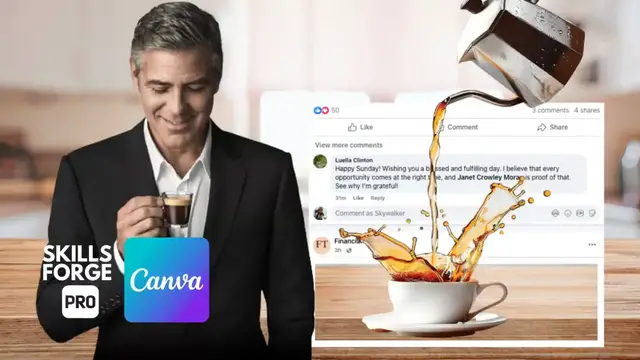
how to create stunning 3D social media
0:07
posts in Canva in just a few simple
0:10
steps and in under 3 minutes To start
0:13
grab a screenshot of a Facebook comment
0:15
to use as the base for this effect Make
0:18
sure to use the white version rather
0:20
than the dark mode appearance since most
0:23
users prefer the light theme Next select
0:26
a highquality background that
0:28
complements your design For this
0:30
tutorial I'm going with a blurry
0:32
well-lit kitchen to add warmth and
0:34
realism Simply head to the elements
0:36
photos section in Canva and search for
0:39
kitchen background Once you find the
0:42
perfect image place it behind your
0:46
screenshot Now let's bring in a
0:48
transparent PNG image of coffee being
0:50
poured Choose an image where the coffee
0:53
flows smoothly Ideally one with a nice
0:55
wavy motion as it jumps out of the mug
0:58
This will add a realistic and engaging
1:09
design Here's where the real magic
1:11
happens Select the coffee pouring image
1:14
Then navigate to Canvas AI tools and
1:29
Use the brush tool to carefully select
1:31
the coffee liquid as it flows from the
1:33
coffee maker into the mug Let Canva
1:36
process the selection It will isolate
1:38
the coffee liquid making it appear
1:40
separate from the rest of the image Once
1:42
the coffee liquid is isolated it's time
1:44
to arrange the layers for a true 3D
1:52
Right click on the Facebook comment
1:53
screenshot select layer and choose show
1:59
layers Position the grabbed coffee
2:01
element behind the comment screenshot to
2:06
depth Finally place the main coffee
2:08
maker on top of all layers to complete
2:11
the illusion And there you have it a
2:13
realistic 3D social media post that
2:16
grabs attention If you found this
2:18
tutorial helpful let us know in the
2:20
comments what other Canva techniques
2:22
you'd love to learn next Don't forget to
2:25
like subscribe and hit the notification
2:27
bell so you never miss a new tutorial