Up next in 10


Buy Galaxy S25 Edge and Get a free mystery box - https://howl.link/coipsfcvcftrb
Sign up for Z Flip 7, Z Fold 7 Mystery boxes - https://sammyguru.com/preorder/
Verify mystery box orders on our site after ordering - https://sammyguru.com/verification/
#samsung #update #galaxy
SammyGuru Rewards is Coming soon - https://sammyguru.com/verification/
Check out more on these updates at SammyGuru - https://sammyguru.com/breaking-major-leaks-gives-us-an-early-look-at-one-ui-8-update/
Check out the SammyGuru podcast: https://sammyguru.com/podcast/
Follow me on Twitter: https://twitter.com/jspring86az
Follow our Facebook Page: https://www.facebook.com/profile.php?id=100082984789870
Follow our Instagram: https://www.instagram.com/jspring86az/
Notification Shortcuts: https://bit.ly/3UBTekU
Shortcut Maker: https://bit.ly/40jVIXd
Lamicall Desktop stand: https://amzn.to/3TYQzkQ (USE CODE LAMICALLYT3 TO SAVE!)
Show More Show Less View Video Transcript
0:00
what's up YouTube jeff back from Samigur
0:02
here and today another very exciting
0:03
Samsung video for you guys Today I have
0:06
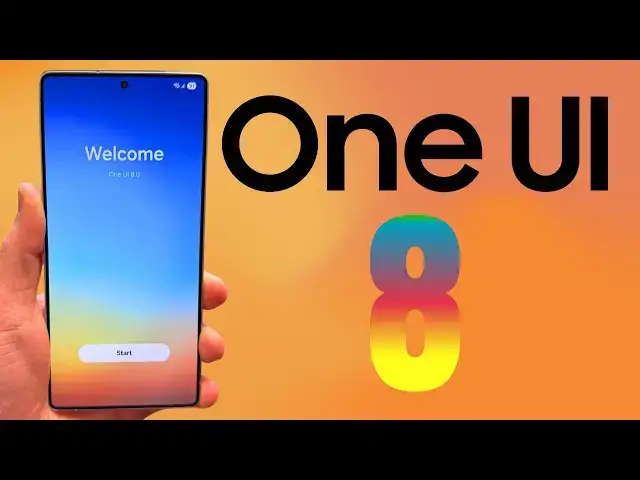
something very special I now have 1 UI
0:10
8.0 running on a Galaxy S25 Ultra and I
0:14
also have some great news for those of
0:15
you who would like to test out 1 UI 8.0
0:18
The beta program is going to launch very
0:20
soon and the stable launch is not going
0:23
to be far behind that So today I'm going
0:25
to talk a little bit about the build I
0:27
have running here A little bit about
0:29
when you can expect the beta to launch
0:31
and when we can expect stable to launch
0:32
based on some statements that have been
0:34
found Now this is not going to be a full
0:36
walkthrough of all the features that I
0:38
found first of all because I'm going to
0:40
save that for a later video cuz I've
0:42
only had it for about 16 hours I want to
0:44
spend some more time with it Also I'm
0:46
probably going to get some newer builds
0:48
as I you know get them and install them
0:50
Uh before we get started make sure you
0:51
guys check out our website samiggur.com
0:53
covering the latest Samsung news tips
0:55
tricks tutorials and reviews We did post
0:57
some information about the summer launch
0:59
of 1uia.0 yesterday Get in on the
1:01
mystery box program Tap on the orange
1:03
banner If you're going to order an S25
1:05
Edge you can go here and order your S25
1:07
Edge and get in on the mystery box
1:08
program You can also get in the ZFold 7
1:10
and Z Flip 7 signups You get a free case
1:13
cleaning kit desktop phone stand other
1:15
randomly inserted goodies All you have
1:17
to do is use our Samsung affiliate link
1:18
We pay for the program using the
1:20
proceeds from that We cover shipping We
1:22
cover all the products that go in there
1:24
Check it out in the pen comment
1:25
description if you're interested So
1:27
before we get into the launch
1:29
information let me show you guys here
1:31
You can see I am running 1 UI 8.0
1:34
Android 16 which you can see right there
1:37
the cool Android 16 animation on my S25
1:40
Ultra Now let me answer some questions
1:42
for you guys First of all this is the
1:44
build ending in BYE8 which is a beta
1:47
build Um it's one of the early test beta
1:50
builds for the upcoming beta which
1:52
people will be able to enroll in very
1:53
soon We'll talk about in a second Um
1:56
this build is not the newest one There
1:57
is another one that's slightly newer as
2:00
of making this video on May 14th I'm
2:03
going to try to install that one and
2:04
then do some analysis of what's new
2:06
there There's a couple of new things
2:07
that I've seen people post over on X Now
2:09
in terms of can you install this
2:10
yourself on a US phone the answer is no
2:13
Um this is a build that can only be
2:15
installed on an
2:17
international device for the Galaxy S25
2:20
Ultra This is an international model
2:22
unlocked Um that is basically all the
2:25
leaked builds that have come out are for
2:26
that model Now I'm not going to tell
2:28
anyone how to install this If you have
2:30
the appropriate model and you do a
2:32
little research on XDA on X other places
2:35
Reddit you'll probably be able to figure
2:36
it out but I don't want to entice
2:39
someone who may not really know what
2:40
they're doing or know what they're
2:41
getting into This is not something you
2:43
should run in your daily driver There's
2:44
a lot of drawbacks of doing this as well
2:47
and uh some potential things you need to
2:49
overcome uh when installing this
2:51
Obviously it's not even the official
2:52
beta This is a leaked build So now that
2:54
we've got that out of the way uh I can
2:56
tell you guys a couple of things I've
2:57
noticed Obviously a lot of people have
2:58
noticed some of the blur has changed
3:00
around the interface Um previously
3:03
leaked the gallery menu has changed It's
3:06
got some nice looking blur down here on
3:08
the gallery menu popup Lots of pop-ups
3:11
have you know lots of of new blur
3:14
effects to them Uh the animations have
3:16
also changed a bit comparing to my S24
3:20
uh S25 Ultra that's on 1 UI7 It's
3:23
definitely a little bit snappier on the
3:24
stock animations Um they've just changed
3:27
the general I think what Samsung calls
3:29
the emotiveness of it which is basically
3:31
how fast it animates back you know like
3:34
app icon animations and stuff It's been
3:36
slightly changed a little bit tweaked a
3:38
little bit You can definitely tell
3:39
there's quite a few other interesting
3:41
changes which I'll go through further in
3:44
uh the next video where I do a full
3:45
rundown The notification menu has been
3:47
like completely redesigned in a lot of
3:50
ways Um a lot of the various things like
3:52
sort and filter They've been grouped
3:54
together They still have manage
3:56
notification categories buried in
3:58
advanced settings I really wish they
3:59
would fix that They made some changes to
4:02
the battery menu when it comes to
4:04
battery protection You guys can see I'll
4:07
go through those in a little more in
4:08
depth And then they made some massive
4:10
overhauls to secure folder We actually
4:12
wrote an article about this Now with
4:14
secure folder you can set up separate
4:17
fingerprints So my thumb is actually my
4:20
unlock fingerprint You guys can see here
4:23
But if you go into secure folder check
4:25
it out My thumb doesn't work because it
4:27
lets you set up a separate fingerprint
4:29
for secure folder which I use my index
4:31
finger So this is because secure folder
4:34
now uses the private space API and you
4:37
can see there's the option to hide
4:38
secure folder as well So that is also
4:41
something new There's quite a few other
4:44
things that are coming that will be
4:45
coming up in this build that I haven't
4:47
installed yet that is an update to the
4:49
one I have There's the ability to read
4:52
the now brief Um DevOps uh I'll put a
4:55
link to his X in the in the description
4:58
I can never pronounce it correctly
5:00
DevOps over on X He leaked this stuff
5:03
including the ability to have it read
5:05
your now brief aloud There's also a new
5:08
animation when you open your
5:10
notifications in that build I'm hoping I
5:12
can install it and demonstrate some of
5:14
those things for you guys in the full
5:16
video Anyway I'm very excited to have 1
5:19
UI 8 early because obviously I can make
5:22
a lot more content and also I can kind
5:24
of update you guys on the progression as
5:25
we get to the actual beta launch But a
5:28
lot of you guys probably want to know
5:29
well when will that actual beta launch
5:31
occur the actual beta launch is now
5:34
scheduled to arrive in May So around 2
5:37
weeks away really one week cuz we wrote
5:39
this on May 8th Probably in the third or
5:41
fourth week of May Samsung could launch
5:43
the beta program which will be probably
5:45
for the Galaxy S25 series at first only
5:49
You'll have to make sure as always that
5:51
you have your Samsung members
5:53
application updated I don't even know if
5:55
I have members on here yet I don't
5:56
because this is an international model I
5:58
had to reset it to put 1 UI8 But make
6:00
sure you download Samsung members which
6:02
of course you know you can go and get
6:04
from the Galaxy Store It also depends on
6:06
the region you're in You know where you
6:07
can obtain it but you contain it from
6:09
the Galaxy Store Install that That's
6:11
where the beta banner will be if you're
6:13
in an eligible country probably UK
6:15
Germany Korea US right away You need an
6:17
unlocked model or in the US you can also
6:20
use T-Mobile But not only that yesterday
6:24
Google holded their held rather their
6:26
Android show to preview Google IO and
6:29
all the Android information at Google IO
6:31
And it was officially confirmed at that
6:34
event that 1 UI 8.0 will launch later
6:38
this summer Google revealed in that show
6:43
during one of the sessions where they
6:45
were talking about Android 16 because of
6:47
course Android 16 is actually going to
6:48
launch in June that several other OEMs
6:51
would be rolling this out and Samsung
6:53
was one of the OEMs who said they'd be
6:55
rolling out Android 16 which of course
6:58
is what 1UI 8.0 is based on later this
7:00
summer Now it's not a huge surprise
7:02
because we already have heard 1 UI 8.0
7:04
will come first in stable to the ZFold 7
7:07
and Z Flip 7 But if the beta is starting
7:10
at the end of May for the S25 series I
7:13
would guess probably the week after the
7:16
ZFold 7 and Z Flip 7 launch in July
7:19
we're probably going to get the S25
7:20
stable launch roll out almost
7:22
immediately because that's almost two
7:23
months of testing And this is not a
7:26
massive update like we saw with 1 UI7
7:28
It's more of a tweak from what I've seen
7:30
so far just a general like overview of
7:32
what they're trying to do here They're
7:34
trying to you know tune up some of the
7:35
animation things clarify some of the
7:38
things that were added to 1 UI7 that
7:40
maybe weren't clear in terms of features
7:42
improve some of those things like the
7:43
ability to have your now brief read
7:45
aloud to you Obviously adding some blur
7:47
elements in various places to make the
7:50
UI look a little cleaner look a little
7:52
nicer a little prettier Um but they're
7:54
not trying to make any sweeping changes
7:56
Now the one thing I'd really like to see
7:57
still that I think would go along with
7:59
that whole ethos is if they could change
8:02
this advanced setting manage
8:04
notification categories for each app and
8:05
just put it up here right below app
8:08
notifications in the regular
8:09
notifications menu That would really
8:11
help cuz it's not an advanced setting
8:13
There's a lot of average users who want
8:15
to change their ringtones for each app
8:18
or their notification sounds and they
8:19
can't do it without enabling that So
8:21
every year I make a video telling people
8:23
how to do it But if Samsung would just
8:24
put it here people would probably find
8:26
it Anyway hope you guys enjoyed the
8:29
video Let me know what you guys want me
8:30
to cover from 1 UI 8.0 now that I have
8:32
these early builds and as we get into
8:34
the beta Really excited Of course I'll
8:36
still be covering all the other updates
8:37
more 1UI7 stuff cuz I know people are
8:39
just getting it and some people are
8:41
frustrated with things So feel free to
8:43
keep dropping questions about that as
8:44
well Check us out at samiggur.com Make
8:46
sure you get the mystery boxes if you're
8:48
interested buying an upcoming device
8:50
Appreciate you guys checking it out I'll
8:51
see you in the next one
Science