Up next in 10


Sign up for S25 Edge, Z Flip 7, Z Fold 7 Mystery boxes - https://sammyguru.com/preorder/
Check out Josh's One UI 8 wallpaper pack - https://bit.ly/4jgkfGi
Check out all the best plans from our partners at LycaMobile - https://bit.ly/3QKuYw1
#samsung #update #galaxy
00:00:00 1 UI 7.0 Update Controversy
00:01:59 How to Merge Quick and Notification Panels in UI 6.1
00:03:00 Customizing Samsung Quick Panel Settings
00:04:30 Samsung One UI 8 Updates: Battery and Icon Feedback
00:06:00 How to Disable the Now Bar on Your Lock Screen
00:07:41 How to Follow and Manage Teams in Google Sports
00:09:15 Customizing Your Good Lock with RegiStar
00:10:49 Enhancing Battery Life on Android Devices
00:12:32 Customizing Widgets and Lock Screens with Lockar
00:14:11 Optimizing 1 UI7 Grid Layout and Widgets
00:15:58 Samsung Call Recording Features Explained
00:17:54 Samsung One UI 8 Feature Updates
SammyGuru Rewards is Coming soon - https://sammyguru.com/verification/
Check out more on these updates at SammyGuru - https://sammyguru.com/breaking-major-leaks-gives-us-an-early-look-at-one-ui-8-update/
Check out the SammyGuru podcast: https://sammyguru.com/podcast/
Follow me on Twitter: https://twitter.com/jspring86az
Follow our Facebook Page: https://www.facebook.com/profile.php?id=100082984789870
Follow our Instagram: https://www.instagram.com/jspring86az/
Notification Shortcuts: https://bit.ly/3UBTekU
Shortcut Maker: https://bit.ly/40jVIXd
Lamicall Desktop stand: https://amzn.to/3TYQzkQ (USE CODE LAMICALLYT3 TO SAVE!)
Show More Show Less View Video Transcript
0:00
what's up YouTube jeff back from Samigur
0:02
here and today another very exciting
0:03
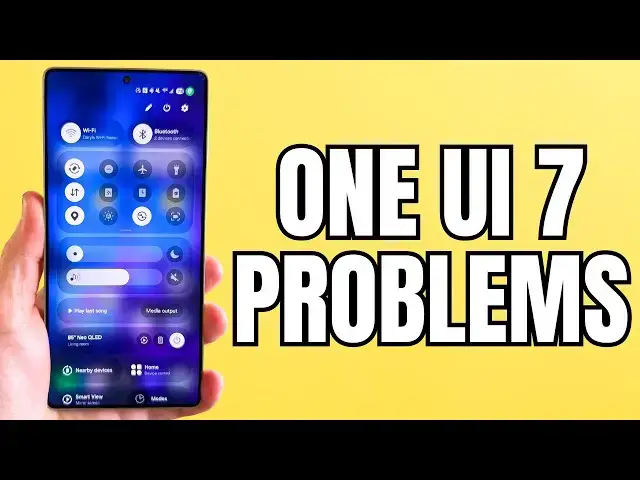
Samsung video for you And uh 1 UI 7.0
0:06
has finally started rolling out pretty
0:09
much to every eligible flagship device
0:11
even a lot of mid-rangers And as more
0:13
people are getting the update people are
0:15
getting angry Um if you've been on
0:17
Reddit you've been on Twitter you've
0:19
been on any social media if you've been
0:21
on my own channel and read the comments
0:23
you'll know that a lot of people really
0:25
hate this update as you can see here by
0:28
a lot of these comments And I'm going to
0:29
go through a few of them You guys
0:30
probably saw I posted some stuff on X
0:32
Some funny ones There's some really
0:34
funny stuff This guy said he doesn't
0:35
want the phone anymore and he's going to
0:36
move to Motorola which is hilarious
0:39
because Motorola never updates anything
0:41
including security updates So I I find
0:43
it very very very strange to say you're
0:46
going to go to Motorola or Google or
0:47
anything when they in my opinion they're
0:50
all inferior to what Samsung is putting
0:52
out But I do understand that some people
0:53
have some things that are bothering them
0:54
And today I'm going to try to solve some
0:56
of those issues in this video So before
0:59
we get started make sure you check out
1:00
the website samigu.com We have lots of
1:02
great written coverage over there
1:04
tutorials on how to do some of these
1:05
things as well You can check back every
1:07
day for up-to-date Samsung news If
1:09
you're going to purchase an upcoming
1:10
Samsung device like the S25 Edge ZFold 7
1:12
or Z Flip 7 you can get a free case
1:14
cleaning kit desktop phone stand put in
1:16
your phone number your email or both We
1:19
cover all the shipping costs This is US
1:20
only because of course the shipping cost
1:22
would be very expensive internationally
1:24
All you have to do is use our affiliate
1:25
link That's how we fund the entire
1:27
program That'll be in the pen comment
1:28
description if you guys are interested
1:30
And so like I said going back to this
1:33
you know you kind of read through my
1:34
comments This is the video I made about
1:35
first 10 things to do which is done very
1:37
well But some of the problems that I
1:38
keep seeing people mention I mean just
1:41
saying the UI sucks is not something I
1:42
can really constructively respond to But
1:45
there are some questions that people
1:47
have about putting some things back how
1:49
they might want them that I wanted to
1:51
address So I have a keep list here As
1:53
usual we're going to go through some of
1:54
these Some of these are things that I
1:56
did cover before but some of them are
1:57
things that I have not And so it should
1:58
be interesting hopefully helpful for you
2:00
guys So the first one merge quick panel
2:02
and notification panel Lots of people
2:04
have complained about the fact that if
2:05
you sh swipe on the right you get your
2:07
quick settings You swipe on the left you
2:08
get the notification panel They want to
2:10
combine them like it was in the past 1
2:13
UI6.1 Go ahead and hit edit here Panel
2:16
settings Go ahead and tap together And
2:19
uh you can even see here edit top quick
2:21
settings to decide which ones you want
2:23
at the top like you used to be able to
2:25
You can choose from all of these
2:26
different available buttons Now there
2:28
are a couple of buttons here that they
2:30
actually removed um which I might make a
2:33
separate video about cuz some people
2:34
have complained that a few things were
2:36
removed There are some ways you can add
2:38
some of these back but a few things have
2:39
been removed from this panel But you can
2:42
still edit your top six So once you put
2:44
these together and exit out hit done Now
2:48
you're going to have everything together
2:51
No matter where you swipe it's going to
2:52
be there Now personally I mean I like
2:56
the new design I've kept it separated
3:00
I've gotten used to it A lot of the ways
3:02
that people you know other OEMs have
3:04
implemented this I was not a big fan but
3:06
the way Samsung has implemented I think
3:08
is actually pretty nice But if you do
3:10
want to go back you can easily go back
3:12
to the old version where they're
3:13
combined there in the quick and
3:15
notification settings uh edit quick
3:18
panel grid and finding past options I
3:20
just showed you one of those where you
3:21
can edit the quick panel grid once you
3:23
combine them But you can also edit these
3:26
things right here You can tap this You
3:27
can also drag it down um add more
3:30
buttons here from the bottom And you can
3:32
also drag this down to make it longer
3:33
directly in the quick panel You can also
3:37
move these panels around Right so some
3:39
people I think aren't necessarily aware
3:41
that you can do this You can get this to
3:43
your liking however you want it to be
3:45
organized Now the one thing I know that
3:47
a lot of people want to do that you
3:48
can't do is for now you can't really
3:51
delete any of these panels It would be
3:52
nice if Samsung would give that option
3:54
Right now that's not an option But if we
3:56
give feedback you go to Samsung members
3:59
forum and give feedback The moderators
4:00
there really do listen And it's possible
4:02
maybe with 1 UI 8 even they could add
4:04
something that makes this a little bit
4:06
more customizable to your own liking
4:08
Like I said anything that you don't like
4:11
the option to go and buy a new phone in
4:13
my opinion is not a good one because
4:14
Samsung puts out the best hardware They
4:16
also really are the most timely outside
4:18
of Google with updates Go and give
4:20
feedback because they really do listen
4:21
And the Samsung members forum is a great
4:23
place to do that I'll drop that below so
4:25
that people can you know go ahead and do
4:26
that If there's something that I can't
4:28
address if it's not something that can
4:29
be fixed or put back to the way you like
4:31
it you can go and leave feedback Uh
4:34
icons missing in the status bar and the
4:35
battery icon change The battery icon I
4:38
agree does not look good Mine's on 100
4:39
right now but it looks even worse when
4:41
it only has two numbers in the percent
4:43
It also changes size as you swipe down
4:45
It goes from bigger to smaller Um
4:48
Samsung is reportedly going to change
4:49
this or tweak it with 1 UI 8 although it
4:51
still doesn't look great in my opinion
4:53
Right now there's nothing you can do
4:54
about that but if we give the Good Lock
4:56
team some feedback maybe in a future
4:58
update with Good Lock they can allow you
5:00
to fix this Now as for the Bluetooth and
5:03
the other icons like NFC they only show
5:04
when you swipe down I know some people
5:06
don't like that Right now there's really
5:08
not a whole lot you can do about that um
5:11
because Samsung has decided to remove
5:13
them from here Previously you were able
5:15
to do something about this by going into
5:17
Good Lock and you could edit things by
5:19
using the Quickstar module But even if
5:21
you play around with things in quickar
5:23
right now this is the visibility of
5:25
indicator icons You cannot change these
5:27
You see even if you turn off for
5:29
instance if you turn on Bluetooth which
5:31
I have here it doesn't show on this view
5:33
Only when you swipe down does it show
5:35
those icons So I've already provided
5:37
feedback to the Good Lock team and
5:39
Quickstar I definitely think this is an
5:41
option where we definitely need the
5:42
ability to tweak both the battery icon
5:45
and change how it looks Perhaps make it
5:46
a little more readable Some people find
5:48
it not to be very readable right now And
5:50
I would agree in certain instances and
5:52
then also make it so you can view these
5:54
and tailor them to your liking because
5:56
there's a lot of wasted space here Um
5:58
Samsung just said they did it for a
5:59
clean look but there's a lot of unused
6:01
space where we could show some
6:02
additional icons So I am with you guys
6:04
on that is a little bit annoying Now let
6:06
me move the cover of this one first I've
6:08
seen this one a lot People say they
6:09
don't like the now bar at all and they
6:11
want to get rid of it Well you can get
6:13
rid of the now bar There's not a way to
6:15
disable it all at once but you can do it
6:16
in two-step procedure What you can do is
6:19
go to the lock screen in AODD Go to now
6:22
bar and then down here you can simply
6:24
turn off basically everything you see
6:27
here You can turn off all these
6:29
features Just get rid of all of them
6:33
And then obviously if you're on an S25
6:36
device you can turn off the now brief
6:38
turn off the current mode and then
6:40
you'll be good to go In fact we also you
6:43
know you can also if you're using the
6:45
AODD I don't have my AODD on right now
6:47
though Let's turn this on just for these
6:49
purposes If you're using AOD you also
6:50
want to make sure you go in here and
6:52
turn off show now bar on the AODD
6:54
settings and then you'll be set So once
6:56
all these are turned off essentially all
6:58
the content that it aggregates is no
7:01
longer being shown So you shouldn't see
7:02
any now bar on your lock screen on your
7:05
always on display or up here in the live
7:07
notifications It should all go away Now
7:10
I do like the now bar In fact I love the
7:12
now bar feature but I'm going to turn
7:13
mine back on so I don't forget But that
7:16
is something that you can do if you
7:17
don't enjoy the now bar Another
7:19
complaint I've heard about the now bar
7:21
and live notifications is that people
7:23
don't get sports notifications from
7:25
Sports by Google Well if you go into
7:27
Sports by Google there's a couple of
7:29
things You have to have the settings
7:32
turned on to follow a particular team or
7:34
league and also turn on personalized
7:36
search and web app activity So you can
7:38
check this by tapping here on sports
7:40
from Google Make sure you're following
7:42
some teams You can see here I'm already
7:44
following a lot of teams and you can
7:45
follow additional teams from right here
7:47
as well You'll see all the teams that
7:48
you follow when you first tap it If
7:50
you're not following any teams you need
7:52
to follow teams or leagues for them to
7:54
show up Now once you've done that make
7:56
sure you go into your personalized
7:57
search and make sure that this is also
7:59
enabled here You can see I have it
8:01
enabled and web app activity which is
8:04
also under customization And you can see
8:06
that I also have this enabled under my
8:08
Google account If you're missing one of
8:10
those then you may need to also reset
8:13
some settings And we wrote a written
8:14
tutorial on the website It's a little
8:16
bit longer Huge shout out to Larry who
8:18
helped us out with this I'll drop it
8:20
below Um but there is a way to kind of
8:22
troubleshoot this I haven't seen any
8:23
recent issues with the May update for
8:26
S25 devices and the most recent S24
8:28
update This seems to be working now as
8:30
long as you enable these things that are
8:32
under the sports from Google SE settings
8:34
But you can also try that longer
8:36
tutorial if you're still having an issue
8:38
Lots of people complaining about Gemini
8:40
now being the default when you long
8:42
press the power button Some people had
8:44
previously had their power off you know
8:46
menu set to that button Well you can
8:48
still change it very simply If you hold
8:50
down your power button and your volume
8:52
down you're going to get your settings
8:55
here Go to side button settings And then
8:57
under long press you can easily change
8:59
this to Bixby or the power off menu Uh
9:02
under digital assistant you can also
9:04
change it to another eligible one like
9:06
chat GPT But there's even more you can
9:08
do Not only can you switch to Bixby or
9:10
Power Off menu from here if you have
9:12
Good Lock you can actually go to the
9:15
registar module of Good Lock and change
9:17
this to an even more robust set of
9:19
things Let me actually find register
9:21
There it is You can change it to even
9:23
more options not just Bixby and not just
9:26
the power off menu You can edit the side
9:28
button entirely by just turning it on
9:30
registar Now you've got all these
9:32
different things Screenshot flashlight
9:35
auto rotate show renaps open a
9:37
particular app Uh now if you turn this
9:39
on it does override the standard side
9:41
button settings we just showed And I
9:43
personally again I like Gemini I've been
9:45
using it quite a bit Um but you can do
9:48
this and you have a lot of options with
9:49
register if it's not something you enjoy
9:51
if Gemini is not something you use Uh
9:54
next up is the persistent location
9:55
indicator and battery life issues Now a
9:58
lot of people I made a separate video
10:00
about this but a lot of people are under
10:01
the impression So when you unlock your
10:04
phone let me just show you When you
10:05
unlock your phone you go up here you're
10:07
going to see this green indicator If you
10:09
tap it it says you're being used by
10:11
system apps almost all the time when you
10:12
unlock it And you see these Google Play
10:15
services and some other system apps up
10:17
there at the top Now this does not mean
10:19
it's really draining extra battery You
10:21
see it goes away after a second This
10:23
really is because Samsung made it more
10:25
obvious when system apps are using your
10:28
location in the background These apps
10:31
have always used location in the
10:32
background You just weren't notified you
10:34
were only notified if like foreground
10:36
apps were using it That's when you would
10:38
see the little green indicator on old
10:39
versions of 1 UI So this isn't
10:41
necessarily draining more battery but if
10:44
you are having battery issues there's a
10:46
couple of things you can do that I
10:47
recommend that I've talked about in
10:48
previous videos One of those is if you
10:51
go into device care you can run your
10:53
device on performance profile light
10:55
which gives you uh better thermals
10:57
better battery life in general I run my
10:59
device on it a lot This will give you
11:01
better battery life for sure Um you can
11:03
also go into your optimization settings
11:06
Make sure you have auto restart turned
11:08
on to auto optimize your device I do it
11:10
once a week at 3:00 a.m on a particular
11:12
day And then the other thing you can do
11:14
which we made a short video tutorial on
11:16
right when 1 UI7 came out is to clear
11:19
the cache partition on your device
11:21
Anytime you do a big update it's just a
11:23
good idea to optimize things and make
11:25
sure everything is working properly So I
11:27
would recommend that as well Whenever we
11:29
do a big update things can always get
11:31
slightly messed up That's just the
11:32
nature of Android but that's the price
11:34
you pay for freedom and all the
11:35
customization that we have that iOS
11:37
users don't enjoy So those would be my
11:39
suggestions The light performance
11:41
profile make sure that you are also
11:43
using auto optimization every you know
11:46
week to do an automatic restart and then
11:48
also clearing the cache partition just
11:50
to give that a shot Should work pretty
11:53
well I've had really had no battery life
11:55
issues Mine hasn't been any worse on my
11:57
S24 my S25 even my S23 since getting 1
12:00
UI7 and taking these steps Uh up next is
12:04
to get the larger music widgets and
12:06
other app widgets back So this also
12:10
requires a good lock module So if you go
12:12
into good lock and you download lockar
12:15
which is this module lockar is now
12:17
editable from the lock screen as well
12:20
But what you'll able and so on once you
12:21
install it you can actually go to the
12:23
lock screen You can long press here and
12:25
then go here You'll see lockar show up
12:28
right there when you long press and go
12:29
to app widgets So people were saying
12:31
they don't like the now bars music
12:33
player It's too small Well once you
12:35
enable lockar you can get all widgets
12:37
from every app So you can go to your
12:38
Spotify widget for instance and I can
12:40
grab my large Spotify widget and I go
12:43
ahead and throw that right back on my
12:44
lock screen So you can see now there I
12:47
have it You can move this You can tap on
12:50
it and make it larger Make it as big as
12:52
you want whatever size you want on the
12:54
lock screen and place it right there You
12:56
can also change the transparency play
12:58
around with that and get your large
13:00
music player back So you can save that I
13:03
personally find the now bar sufficient
13:04
but if you want that really big widget
13:05
right in the middle you can do that
13:07
Samsung removed the option to get all
13:09
the extra widgets when you tap the time
13:11
but you can now have widgets right below
13:13
the time and place them anywhere on your
13:15
lock screen with Lockar So you actually
13:17
have even more freedom in my opinion Um
13:20
but you can definitely get that large
13:21
music widget and other widgets back if
13:24
you want Uh grid size issues This is one
13:26
that Samsung really needs to fix Some of
13:29
the widgets especially the first party
13:31
widgets in 1
13:32
UI7 they are not optimized for
13:35
alternative grid sizes You guys see that
13:37
I have the five uh apps across So when
13:40
you long press here go to settings you
13:42
see on the home screen grid I have the
13:46
4x6 home screen grid That's what I'm
13:49
using on the main grid But if you change
13:51
this to 5x six on the main grid it
13:54
creates a lot of weird spacing issues
13:56
with widgets Right now there's really no
13:58
way to mitigate this You can just choose
14:00
the widgets that look the best or allow
14:02
them to be stretched out Bixby in the
14:05
back is on my speaker and thinks that
14:07
I'm trying to ask her a question Anyway
14:09
this is an issue that right now can't
14:11
really be resolved other than just for
14:13
instance using HomeUp from Good Lock and
14:15
using the new DIY where you can freely
14:18
place everything But in terms of stock
14:20
settings it's really best to use the 4x6
14:24
in terms of the main grid You can still
14:25
enable five at the bottom Um but some of
14:28
these first party widgets in 1 UI7 have
14:31
some kind of issues and the grid isn't
14:32
optimized for that So 1 UI was 7 was
14:35
supposed to fix this but it's not fully
14:37
fixed If you choose an alternative grid
14:40
layout um you still need to use the
14:42
default one or use homeup if you want to
14:44
kind of freestyle things Hopefully
14:45
they'll fix that more with 1 UI8 Um poor
14:49
memory management issues and lag I
14:51
definitely recommend clearing the cache
14:53
partition That's one thing The auto
14:55
restart I talked about earlier is
14:57
another thing But also if you go into
14:59
device care uh and you go into your
15:02
memory section one thing you can try is
15:05
you can try to turn off RAM plus or go
15:08
down to the 2 GB option You can see
15:11
right there So you can turn this off
15:13
which you need to restart So I'm not
15:14
going to do right now A lot of people
15:15
have it to 8 GB by default out of the
15:18
box when you install 1 UI7 Uh Ice
15:20
Universe who's a very popular Samsung
15:22
leaker said he tried 2 GB because that
15:25
actually uses the minimal available
15:26
because apparently even if you turn it
15:28
off there's 3 GB reserved for RAM Plus
15:31
which I find very weird but I did test
15:34
that and it does seem to be true So what
15:36
you might want to do is to try to turn
15:37
this down to 2 gigs Uh I tested it and
15:40
it works pretty well Uh again you do
15:42
have to restart once you make this
15:43
change So to clear cache partition uh
15:46
have that auto optimization on where it
15:48
restarts automatically change two gigs
15:50
on RAM plus and uh that should hopefully
15:52
help you with some of these poor memory
15:54
memory management issues any hiccups
15:56
that you have with 1 UI7 call screen
15:58
changes and recording So a lot of people
15:59
ask me questions about call recording
16:03
and if this is always enabled The answer
16:04
is no it's not So call recording is not
16:08
enabled on every call automatically You
16:10
have to turn on the call recording from
16:12
the call screen Um and of course
16:15
recorded calls can then be transcribed
16:18
automatically using transcript assist So
16:20
if you want to turn that off just tap
16:22
transcript assist and then turn that off
16:24
directly from here and it will
16:26
automatically transcribe your calls But
16:28
there is no automatic recording um to
16:31
where it can record every time because
16:32
that's not necessarily something that
16:35
complies with certain regulations in
16:36
various countries That's why Samsung was
16:38
finally able to bring this to more
16:40
regions because they implemented it in a
16:42
way that complied with a lot of those
16:44
rules and leted them you know get this
16:46
you know certified So one thing that
16:48
also people have said about this is they
16:51
would like to turn off the notification
16:53
that the call is being recorded here in
16:55
the US Uh it reads a notification to the
16:57
person you're taking a call with You
16:59
cannot turn that off either for the same
17:01
reason Samsung wants wide applicability
17:04
and wide compliance with various laws
17:06
and regulations I know not all laws and
17:08
regulations require that but enough of
17:10
them do and Samsung wants this to comply
17:12
as widely as possible Uh the last one
17:16
that I've heard is people talk about
17:17
missing features Um when you go into the
17:20
Galaxy menu on your model you may not
17:23
see all the features that are listed
17:25
here For instance audio eraser photo
17:27
ambient wallpaper now reef A lot of
17:30
these are exclusive to specific devices
17:33
For instance the S25 Ultra obviously
17:35
that I'm using now has everything that
17:37
you can get But for instance photo emit
17:39
wallpaper audio eraser and then the now
17:42
brief are not available on other models
17:43
The now brief not available on anything
17:45
but the S25 Audio eraser is available on
17:47
the S24 but not on the S23 etc Now the
17:51
good news is in 1 UI 8 if you're looking
17:53
forward to the now brief and you want
17:55
that Samsung is bringing this feature
17:57
which kind of aggregates all of your
17:59
content gives you AI recommendations and
18:01
summaries in one spot This will be
18:03
coming to other devices with 1 UI8 later
18:05
this year including the S24 and the S23
18:08
series and we've already reported on
18:09
that over at Sammy Guru Now I know I
18:12
didn't answer everyone's questions I'm
18:14
sure there's still some things that are
18:15
making you angry I aggregated the ones
18:17
where people were complaining the most
18:19
about a specific thing and hoping I
18:20
could try to address whether or not it's
18:22
possible to fix it Uh of course you
18:24
could fix some of these things by
18:25
rolling back to 1 UI 6.1 which a lot of
18:28
people have asked me how to do That's
18:29
not easy to do You need to unlock your
18:31
bootloader you need to have a little
18:33
technical knowledge um to use Odin and
18:35
downgrade your software You could do it
18:37
theoretically but it requires quite a
18:39
bit of technical knowhow and likely
18:40
you're going to end up voiding your
18:42
warranty if you don't know what you're
18:43
doing You might end up breaking your
18:44
phone as well So I'm not going to show a
18:46
tutorial on that Um but you know if you
18:48
really cared enough you wanted to do it
18:50
you could find it on the internet Anyway
18:52
if you guys have other questions drop
18:53
them below I'll try to answer as many as
18:54
I can Appreciate you guys checking out
18:56
this video Again make sure you check out
18:57
the website.com for more great written
19:00
tutorials I'll drop other tutorials like
19:02
clear cache partition uh the Google
19:04
sports uh tutorial we did on the site
19:06
and a few other relevant ones we've did
19:08
in written form Check the site daily for
19:10
more great Samsung news content
19:12
tutorials I'll see you guys in the next
19:13
one Thanks so much for watching
Science