0:00
So yesterday I had a very strange
0:04
experience with my AirPods Pro second
0:06
generation and I think it can happen on
0:10
any AirPods you have.
0:13
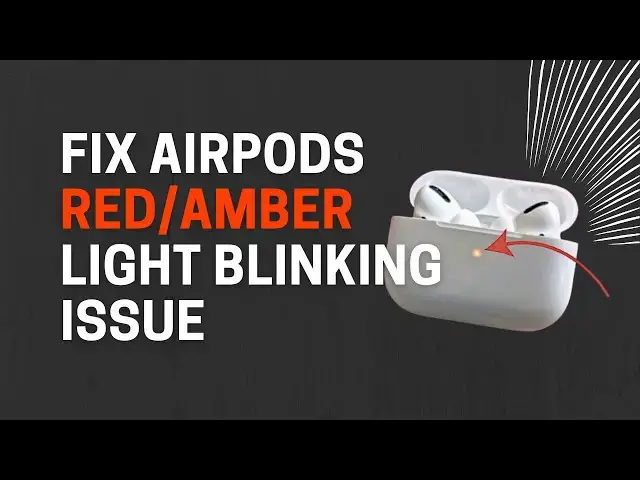
The light was blinking rapidly the red
0:16
light it was uh so red light blinking
0:18
issue whatever you call it
0:22
whenever I was uh opening my lid it was
0:26
showing the red light blinking. Now I
0:28
have fixed it. So you can see green but
0:31
yeah uh it was doing like that. Now I
0:34
will tell you how you can fix it. First
0:37
of all you need to open the lid and then
0:40
put one of your AirPods away and then
0:43
close the lid again. Make sure that you
0:47
have disconnected your AirPods from your
0:50
iPhone and any other devices. It's
0:54
important. And then when you have put
0:57
one of your AirPods away, then try to
1:00
connect with one earpods
1:04
in your lid. So just hold this button
1:06
and then connect it as you do with your
1:09
AirPods. And then when this is
1:12
connected, put this AirPods,
1:15
put this one into your ear and play some
1:19
music for some time. It is important to
1:21
play some music. Not actually music. You
1:24
can play anything but you need to use
1:25
this one for some time. So maybe two to
1:28
five minutes you do it. And then what
1:30
you do is put this one away and then put
1:34
this one again the first one
1:38
inside the case and then close the lid.
1:45
after some time after maybe 10 seconds
1:48
you need to hold this again. You don't
1:52
need to forget any devices, nothing.
1:55
Just hold it again and then this now
1:59
with this AirPods on, it will be
2:03
recognized as another device, another
2:06
AirPods for your iPhone.
2:10
So, uh this one for my in in my case, it
2:13
was Pranto AirPod Pro and this was
2:16
recognized as Prantosh AirPods Pro 2.
2:20
Then when you have it, you can actually
2:27
version is different. That is the main
2:29
problem. That is the main problem of the
2:30
red light blinking issue. So this AirPod
2:35
is using maybe old version and this one
2:38
is using the latest version. It happens
2:40
sometimes when the update gets corrupted
2:42
and so on. So when you have it and when
2:45
you have connected with your uh iPhone,
2:51
use this one for some time again 2 to 3
2:54
minutes, 2 to 5 minutes and then after
2:57
you are done, you put both AirPods
3:08
like you need to connect the
3:14
uh connect the charging cable, put it in
3:18
and then open the lid. You understand?
3:21
So you need to open the lid and then
3:23
charge it for some time. Also make sure
3:27
that Bluetooth is on in your iPhone and
3:32
also it is connected to the internet or
3:34
better if it is an uh Wi-Fi within 5 to
3:38
10 minutes. There is a full chance that
3:41
within 5 to 10 minutes it will be fixed.
3:43
If not then just wait for 30 minutes and
3:46
this will be fixed. Even if it is not
3:49
working just keep it like keep it open
3:52
for 2 to 3 hours. Forget about this and
3:56
then close the lid after two to three
3:59
hours and then charge it full.
4:02
After 2 hours again after 2 hours it
4:05
will be fixed. This is guaranteed that
4:07
it will be fixed. The reason is that
4:10
they have different firmware but when
4:13
you charge it while opening the lid
4:16
because there are two different AirPods
4:18
now they both will be updated to the
4:21
latest OS or latest version. And this
4:24
issue will be fixed. Thank me later.