Up next in 10

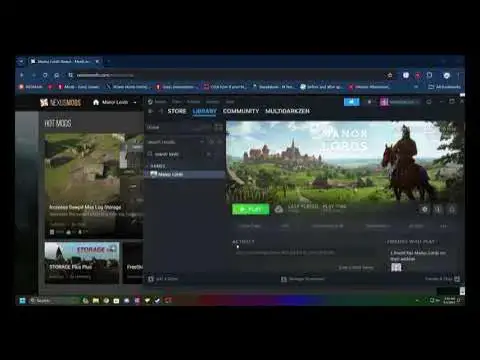
In todays video you will learn how to install mods for the video game called Manor Lords, it is a straight forward process and very easy to do.
Chapters:
0:00 intro
0:18 0:45 locate install folder
0:55 1:00 create mods folder
1:00 1:50 install to mods folder
Show More Show Less View Video Transcript
0:00
hello everyone in today's video I'll be
0:02
showing you how to quickly install mods
0:04
for the game matter Lords now this is
0:06
going to be a pretty short tutorial
0:07
because it's very easy to do all you
0:09
need to do is Place some mods in the
0:11
right folder in your games directory now
0:14
the first thing you want to do is type
0:15
in man Lords on your steam library and
0:17
go ahead and right click it if you can't
0:19
find the folder or the location go to
0:21
properties go to installed files and
0:24
click on browse it will bring you to the
0:27
default location of where the game is
0:29
installed so it's easy to find later now
0:33
if you want to do Le something even
0:35
easier go to manner Lords go to show
0:38
more options and send to desktop to
0:42
create a path shortcut to this folder so
0:45
it's easier to get to later when you
0:47
want to install more mods so after
0:49
you've done that go ahead and go inside
0:50
of the mord's folder go into content go
0:52
into packs and create a folder called
0:55
mods just like so and now after you have
0:57
created this folder called mods go
0:59
inside the folder and you simply want to
1:01
go ahead and download a mod from Nexus
1:03
mods click on manual download let it
1:06
download and open up the zip file go
1:08
back into the zip file folder and go
1:11
ahead and simply drag and drop the mod
1:13
into the mods folder like so that is how
1:17
you install mods for Mana Lords now
1:20
let's go ahead and download manual
1:23
download go
1:26
ahead now you can't have more than one
1:29
um character mod for obvious reasons cuz
1:32
it will conflict with each other so
1:33
after you have uh successfully
1:36
downloaded and installed these mods go
1:38
ahead and open up the game to test and
1:40
make sure it works now this game is in
1:42
early development so if there are bugs
1:45
do not report any bugs if you are using
1:48
mods cuz the mods will conflict with the
1:51
game so do not report bugs if you are
1:55
using mods because the mods can cause
1:57
the bugs to happen so if you see a bug
2:01
uh after you install a mod remove the
2:03
mod don't report the bug to the devs
2:06
because they can't do anything about
2:08
that so let's go ahead and laun the game
2:10
to test to see if the mod actually works
2:14
now that you inside of the game once you
2:16
scroll to your portrait you will notice
2:19
uh invisible mode very early in
2:21
development expect glitches let's go
2:23
ahead and click on the development mode
2:25
and as you can see we have installed our
2:28
character model of the variant night a
2:31
as you can see this is the current model
2:34
of the mod we have installed and that is
2:38
how you install mods
2:40
for um man's Lords I hope you guys have
2:42
enjoyed today's video and uh if this
2:45
tutorial has HED you guys in any way
2:46
please leave a like down below and
2:48
please subscribe to the video for future
2:50
tutorials in the future I hope you guys
2:52
have enjoyed today's video and I'll see
2:54
you guys next time peace out
#Games
#Hobbies & Leisure
#Video Game Mods & Add-Ons