0:00
hello everyone in today's video I will
0:01
be showing you how to remove this
0:03
Abomination from your windows 11
0:05
computer it's very simple and easy to do
0:08
it's actually incredibly easy a lot
0:10
easier than I thought it was going to be
0:11
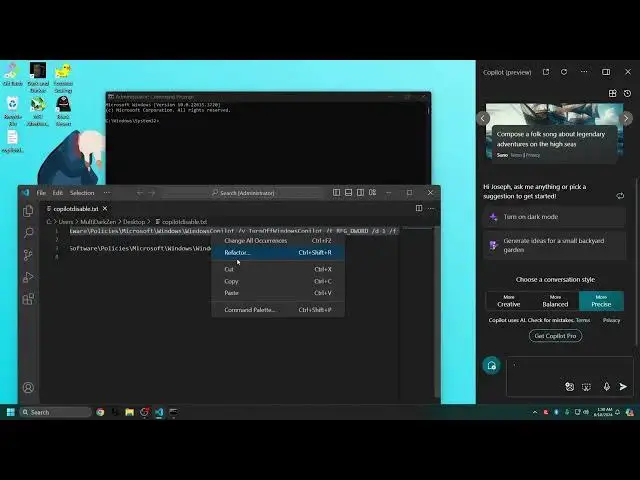
and then all you got to do is have CMD
0:14
which is on your computer already and
0:16
that's it so let's go ahead and open up
0:18
CMD as an administrator so it has
0:20
elevated privileges click on r as
0:22
administrator now what you will need is
0:25
this code here to disable co-pilot like
0:28
so so go go ahead and copy the code I'll
0:31
leave it down below in the description
0:33
and just press enter and the oper
0:35
operation has completed if you see this
0:37
message all you need to do is sign out
0:39
of your uh profile and sign back in and
0:42
C pilot will be yeed from your system
0:45
and that's how you get rid of co-pilot
0:46
from your computer or at least disable
0:48
it for now you see co-pilot is now not
0:51
on my hot bar anymore as it should be
0:54
the same with you I this tutorial has
0:56
help you guys in any way please leave a
0:57
like down below and please subscribe for
0:59
more future tutorials like this I hope
1:01
you guys have enjoyed today's video and
1:03
I'll see you guys next time peace out