0:00
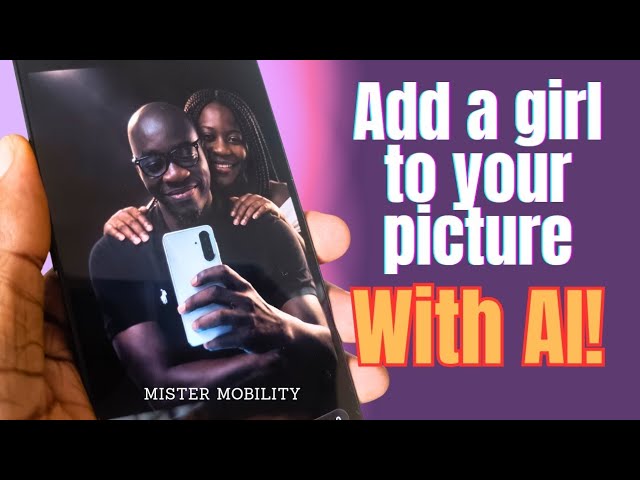
This is a photo that I created using a
0:04
photo of mine but completely creating
0:08
this woman with AI with an AI prompt.
0:11
That woman was not in the original
0:13
photo. Here is the original photo. It's
0:17
just me. And what I have done is use AI
0:20
to add this woman into the picture.
0:24
In this video, I'm going to show you
0:27
quickly how I did it.
0:36
What app did I use? Chat GPT. Chat GPT
0:41
is free. At least everyone can access
0:43
the free version. So, install it on your
0:46
Android phone or your iPhone. Open it.
0:50
Now, you upload a picture of yours. How
0:52
do you do that? Here is the plus sign.
1:07
And then you're going to type a prompt.
1:10
I'm going to show you an example of the
1:13
kind of prompt to type. So, what prompt
1:16
did I use to create this? I said, add a
1:18
Nigerian woman of about 40 years of age
1:21
with long braided hair falling to her
1:23
shoulders, dressed in an elegant white
1:25
gown behind the subject, her hands
1:29
resting on his shoulders, a warm smile
1:31
on her face suggesting a romantic
1:34
companion. Her nails are natural and
1:36
short. She has no makeup on. Your prompt
1:40
has to be very specific. If you want a
1:42
Caucasian woman, spell it out. If you
1:45
want an Asian woman, if you want a
1:47
Japanese woman, spell it out. Spell out
1:51
her hairstyle, spell out what type of
1:54
makeup you want her to have on. Spell
1:57
out the type of dress, her nails, spell
2:00
out whatever you want. If you want her
2:03
pecking him on the cheek, spell it out.
2:06
If you want her arms wrapped around his
2:08
waist, spell it out. But here was the
2:12
prompt I used. It's a short one, but
2:13
it's quite detailed enough. And image
2:17
created. Here we are. It's an excellent
2:21
job. This looks so real. Looks so
2:23
natural. So, you can add anything to
2:28
your photo. You can add a house to the
2:30
background. You can pretty much project
2:33
yourself driving a car. Do whatever you
2:36
really want with your images. Spice it
2:38
up however you want. This is the age of
2:40
AI. The magic is in having a prompt that
2:44
is specific, that is sharp, that the AI
2:49
chatbot can work with. That's really the
2:52
magic in all of it. The more imaginative
2:55
and descriptive you are with your
2:57
prompts, the better the results you will
3:00
get. I hope that you have found this
3:02
short video helpful. Feel free to share
3:05
the results that you get when you try
3:07
this out in the comment section below.
3:09
Tell me how it went. Thank you for
3:11
watching this video. Please do like it.
3:13
Do share it. I look forward to seeing
3:15
you when next I release another one.