0:00
Hello everyone, welcome back to the
0:01
channel. In today's video, we will show
0:03
you how to set up a local yum or DNF
0:06
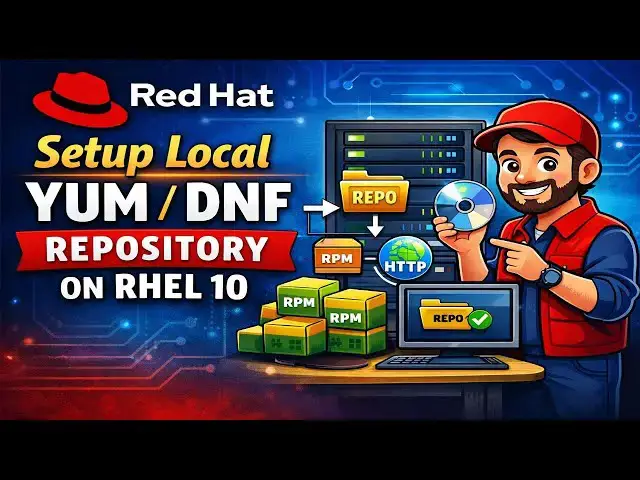
repository on RHL 10 step by step. If
0:09
you are working in a restricted air gap
0:11
or offline environment or you want
0:14
faster package installation without
0:16
relying on Reddit online repositories,
0:18
this tutorial is exactly for you. Let's
0:23
Why do we need a local repository? A
0:25
local repository is commonly used for
0:26
the following regions. offline or
0:28
airgapped environments, faster package
0:31
installation, reduce dependency on
0:33
threaded subscription manager, ideal for
0:35
data centers, labs and production
0:37
servers, and centralized package
0:39
management. Before proceeding, make sure
0:42
you have a running RL10 system, a local
0:46
user with sudo access, RHL10 ISO file,
0:49
and at least 10 to 15 GB free disk
0:52
space. Note in my case my RHL10 system
0:55
is already registered using developer
0:57
subscription. I have already copied RL10
1:00
ISO file to this system. Without any
1:03
further delay let's deep dive into the
1:05
actual step. As you can see I have
1:07
already taken the SS session of my RL 10
1:10
system. First step is to mount the RL 10
1:12
ISO file. Let's mount it under Mntg
1:15
folder using the command mount.
1:26
Verify the mount. Run the command df
1:33
All right. This confirms that our ISO
1:36
file is mounted under / mmnt folder.
1:39
Next, install the required tools like
1:41
create repo and http. For that and the
1:55
Next step is to copy RPM packages to the
1:57
local repository directory. As I'm
2:00
planning to expose my repository over
2:02
the HTTP protocol. So I will be creating
2:05
a local repository directory under where
2:10
Let's create that folder.
2:20
repository folder name RL 10 - repo. Hit
2:24
enter. Now copy the packages from the
2:27
repository like appstream and base OS to
2:30
this folder. For that run the command
2:43
This command will copy the all the
2:45
packages from this appstream folder
2:48
under this RH 10 repo folder.
2:55
All right, let's copy the base OS
3:08
Output confirms that this OS package is
3:10
also copied. Let's verify it.
3:17
The output confirms that F stream as
3:20
well as base OS folder along with all
3:23
the packages are copied under this
3:26
Archelen repo. Next, generate the
3:28
metadata for both the repositories
3:30
appstream as well as BOS. For that you
3:33
need to run the command
3:48
This command will generate the metadata
3:50
for this base OS repo. Similarly create
3:54
the metadata for appstream repo.
4:00
In future if you add more packages to
4:03
these repositories then you need to run
4:10
- update followed by the repo name.
4:23
So this needs to run whenever new
4:26
packages are added to this repositories.
4:30
Next, start the Apache service so that
4:31
local repository can be served over HTTP
4:34
protocol to the client machines. For
4:36
that, you need to run the command.
4:50
Verify this Apache service
4:57
output confirms that Apache service is
4:59
up and running. Also allow the HTTP
5:02
service through the firewall using the
5:04
firewall cmd command.
5:28
Now reload the service.
5:31
Now try to access this repository over
5:34
the web. First get the IP address of
5:36
your Archel 10 system. For that run the
5:39
command IP space a space s. This is the
5:46
Type here http colon double slash
5:54
- repo. Hit enter. I can see both the
5:57
repositories are visible. Appstream and
6:03
These are the packages under this
6:07
Go back to the CLI. Next step is to
6:09
configure the client machine to use this
6:11
repository. If you want this repo server
6:14
on the same machine where you have
6:15
configured this local repository, first
6:18
we need to unregister from the
6:20
subscription. For that we need to run
6:36
Next, create a repo file that points to
6:38
the HTTP server. And that repo file must
6:41
be created under etc.repos.t
6:56
So in your case, you might need to
6:57
replace this IP address. Rest of the
7:01
things will remain the same. Just save
7:06
Next, edit the subscription manager.com
7:18
Set this enabled equals to zero.
7:22
Save and close the file. Next, refresh
7:25
the repo cache. Run the command.
7:39
Now test this repository by installing a
7:41
sample package. Let's say a telnet
7:49
output confirms that we are using two
7:50
repo with the name local rl 10 appstream
7:54
local rl 10 base os. Let's try to
7:58
install the tnet package. Run the
8:00
command sudo dnf install
8:08
Output confirms that tlet package has
8:10
been installed using our local repo.
8:12
Let's try to configure this repository
8:15
on the client machine as well. I have
8:17
already taken the SS session of my RL10
8:22
This is the IP address of my client
8:24
machine and you can see this is on the
8:26
same network. All right. First we need
8:29
to unregister from the Reddit network.
8:32
For that we need to run the command
8:45
Next create the repo file
8:53
folder with the name rgl10.repo.
8:59
This is my repository server IP
9:04
and it is trying to access it over the
9:06
HTTP protocol and this is the name of my
9:10
repo that is local R10 app stream and
9:15
same local RL10 base OS repo. Now save
9:18
and close the file. Next refresh the
9:21
repo cache run. Before that we need to
9:24
edit this uh subscription manager conf
9:26
file and we need to disable that
9:41
Save and close the file. Now refresh the
9:59
I try to install the package let's say
10:01
tnet on this client machine as well.
10:11
Output confirms that talent package is
10:14
installed via the repository local app
10:17
stream frame which is our local
10:19
repository server that we have
10:20
configured on our server side. That's
10:22
it. You have successfully configured a
10:25
local yum or DNF repository on RL system
10:27
using the ISO file. If you found this
10:30
video helpful, like the video, share it
10:32
with your Linux friends. Subscribe to
10:35
the channel for more Linux DevOps and
10:37
Kubernetes tutorials. Drop your
10:39
questions in the comment section below.
10:41
Thanks for watching. I will see you in