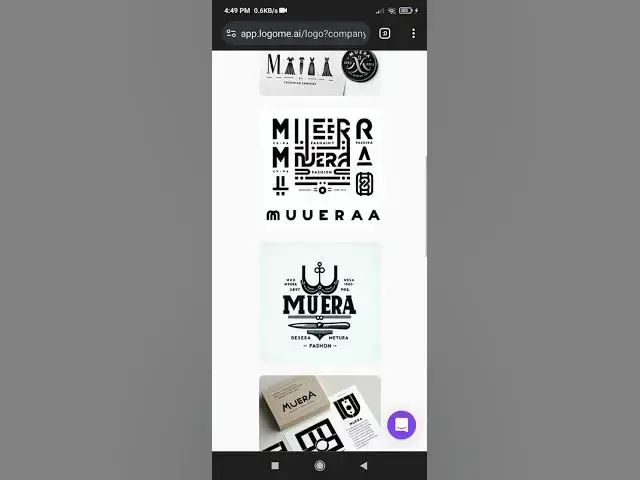

How to creating a beautiful brand logo using an AI tool 2024
Aug 20, 2024

Would you like to try creating a logo using an AI tool, or do you need more guidance on a specific step? Watch video tutorial how use logome for create your brand logo.
AI tool: https://lnkd.in/gVAe6jUJ
______________________________________________
Tips for making brand logo creative and premium most looking profesional:
Designing a brand logo involves a combination of creativity, understanding of your brand identity, and the right tools. Here’s a step-by-step guide to designing a brand logo:
1. Understand Your Brand
~Brand Name: The name that will appear on the logo.
~Brand Mission: What does your brand stand for? What are your core values?
~Target Audience: Who are you trying to reach with your brand? Understanding your audience helps shape the design.
~Industry/Niche: Your industry influences the logo style. For example, a tech company might prefer a sleek, modern logo, while an organic food brand might go for a natural, earthy design.
2. Gather Inspiration
~Competitor Research: Look at logos of competitors to understand the trends and what works in your industry.
~Inspiration Sources: Use sites like Pinterest, Behance, or Dribbble to explore logo designs that resonate with you.
~Mood Board: Create a mood board with colors, fonts, and imagery that align with your brand.
3. Choose the Design Style
~Logo Type: Decide on the type of logo that suits your brand:
*Wordmark/Logotype: Focuses on the brand name (e.g., Coca-Cola).
*Lettermark: Uses initials (e.g., IBM).
*Icon/Symbol: A symbol representing the brand (e.g., Apple).
*Combination Mark: Combines text and symbol (e.g., Nike).
*Emblem: Text within a symbol (e.g., Starbucks).
~Design Style: Choose a style (modern, vintage, minimalistic, playful, etc.) that aligns with your brand’s identity.
4. Select Colors and Fonts
~Colors: Choose colors that reflect your brand’s personality. For example:
*Red: Passion, energy.
*Blue: Trust, professionalism.
*Green: Nature, health.
~Fonts: Pick fonts that match your brand’s tone. A luxury brand might use elegant serif fonts, while a tech startup might prefer a clean sans-serif.
5. Sketch Ideas
~Brainstorm: Sketch different ideas and layouts for your logo. Don’t worry about perfection at this stage—just get your ideas on paper.
~Simplify: Focus on simplicity. A logo should be easily recognizable and not overly complicated.
6. Use Design Software
~Graphic Design Tools: Use software like Adobe Illustrator, Photoshop, or free alternatives like GIMP or Inkscape to create your logo digitally.
~Online Logo Makers: If you’re not a designer, consider using AI-powered tools like Canva, Looka, or Tailor Brands to generate a logo based on your inputs.
7. Refine Your Design
~Feedback: Get feedback from others and refine your design. Consider how the logo looks in different sizes and formats.
~Versatility: Ensure your logo works in black and white, in color, and on various backgrounds.
~Scalability: Make sure your logo is scalable and looks good whether on a business card or a billboard.
Show More Show Less