live_tv
Livestream Starting Soon
00
Hours
:
00
Minutes
:
00
Seconds
Up next in 10


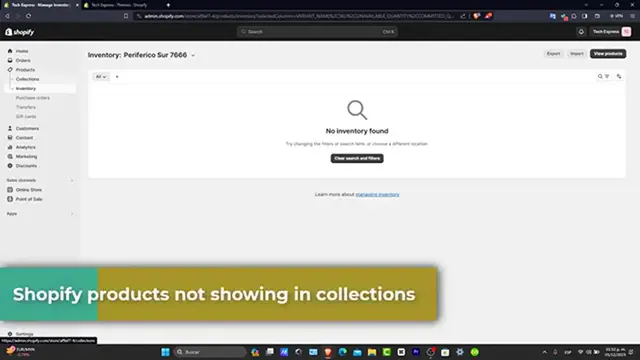
SOLUTION! Shopify Products not showing up in Collections Page
Show More Show Less View Video Transcript
0:00
If you see that there is a product not showing into your collection page, I'm going to be
0:05
showing you what we can do to help with. Let's dive into the troubleshooting process
0:09
First of all, checking the product tags and collection settings. First let's check your product tags and collection settings
0:16
Each product should be tagged correctly to appear into the corresponding collection
0:21
In your Shopify administrator you want it to go into products and then into your collections
0:26
that appears in here, to review the conditions set for its collections
0:30
You want to ensure your product tags match their condition sets for your collections
0:35
For example, I have Christmas wearables, I have compas, I have home decals and home slippers
0:41
So if I hit here into slippers, I want to make sure that the products are added in here
0:45
If don't, then what you can do is to add them manually here into products, then browse
0:50
and select all other products that match with your collection section. That might be one of the reasons that is actually not available into your collections
0:59
Next, verifying the product availability. So verifying the availability of your products, you want it to go here into your products
1:07
you want it to see the detailed page of the product availability section, make sure the
1:14
products are actually available. For example, here you can see that inventory, I have 7,000 here, 391,000 inventory not tracked
1:23
So you want to make sure that the, make sure the products are available for the channels
1:27
and applications where you wanted them to show. If there's a product is not set to be available on your online store, it won't show up in
1:36
collection just as simple as that. Later on checking the inventory and the visibility settings
1:41
Another error to check in your inventory and visibility settings, product mark as out of
1:46
stock or visible set to hidden won't appear into your collections. So you want to adjust this setting is needed to show your products are visible and listed
1:57
into your stock. So here is a status, make sure this one is an active and scrolling all the way down and
2:03
make sure that you have all the availability here, all the variants
2:07
And in this case, if you want to add, let's say the inventory, you want to enable all
2:12
of this and you want to make sure once again, the collections that appears in here, maybe
2:17
you can add a few tags later on, but this is something that is actually really, really
2:22
important guys, once you want to get started with adding products directly into your collections
2:27
Now reviewing theme customization and filters. Lastly, if you made customizations to your themes, have a specific filter set it up
2:36
they might affect product visibility. So you want to check your theme settings, activate any, any active filters on the collection
2:44
page, guys, look for any settings or filters that you could be hitting the product and
2:48
adjust them accordingly. For example, if I go into customize, I want to make sure that I check into the apps and
2:53
beams and any of this, maybe you can disable the three of them, make sure that these are
3:00
not doing any kind of troubles in the, and if you find that there's something that is
3:04
making trouble, then later on, what you can do is to try to disable them and then figure
3:09
out what you can do to solve it. Specifically speaking about the actual application or the third party you're currently using
3:15
Now by following these steps, guys, you should be able to resolve the issue for products
3:19
not showing up into your Shopify collections. Keeping your collection organized and visible is key to a smooth shopping experience for
3:27
your customers. If you find this guide helpful, please give us a thumbs up and don't forget to subscribe
3:32
to the express for more Shopify tips and solutions. If you have any questions or different solutions, you can send them into the comments below
3:38
Thank you once again for watching the video and see you guys next time with a more helpful
3:42
text inside of Shopify. See you soon
#Fashion Designers & Collections
#Retail Trade
#Software
#Shopping
#Consumer Resources
#Product Reviews & Price Comparisons
#Book Retailers