Up next in 10

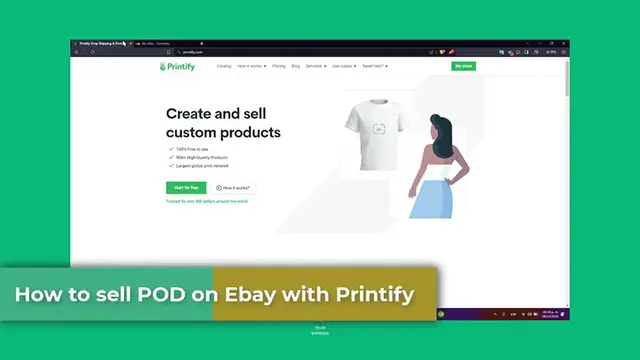
How To Sell Print On Demand Products On Ebay Using Printify (2024) Step by Step
Mar 10, 2024

How To Sell Print On Demand Products On Ebay Using Printify (2024) Step by Step
Show More Show Less View Video Transcript
0:00
Welcome back to Tech Express
0:01
We're going to be exploring how to sell Print Undermind products with eBay using Printify into the 2020-3 and now 4
0:08
Print-on-the-Mond is an excellent way to start an online business with minimal from-wind coasters and combining with eBay best
0:16
Marketing can significantly boost your sales potential. Let's get started on this step-by-step guide
0:21
First of all, Printify and eBay integration. Printify is a Print-on-the-Mand platform that allows you to create custom products and sell them online
0:30
By integrating Printify with eBay, you can list products directly on eBay and have them automatically
0:35
Fulfilled it by Printify. First, ensure you have active account on both Printify and eBay in order to continue
0:42
I'm going to be leaving you guys a link down below in the description so you can all get started with both Printify and eBay totally for free
0:48
So, log into your Printify account and select the products you want to sell. Printify, once again, offers a wide-branched products with it from Appereal to have goods and you can customize with your designs
1:00
Before you continue, before we moved on into the next step, it is really important, guys
1:03
that you have already one design for making the demonstration of these actual stuff
1:09
Let's say, for example, for moving into one place, in this case, for eBay
1:14
So I'm going to have my account here into Printify. And then what you wanted to do is to look out for let say one product something easy actually Let say for T for example Ceramic ornament shapes You can go into a catalog go for men clothing
1:29
Usually everybody does some T-shirts, for example. So choose the one that best suits for you
1:34
Start designing and then input your design that you have just created
1:40
Of course, 100% yours and import with them into Printify, so you can do the printout
1:45
on the demand automatically. Go for my device, go for downloads. Once you have designing your
1:51
products, set your pricing and pro description. Now, in this case, I do have this medium
1:55
resolution. So you upside something like this. Usually the resolution should move into low
2:01
resolution. So you wanted to try to have a really greater solution when it comes to uploading
2:07
your own work inside Prentify. So I'm going to just save this product for now, of course
2:13
And now as you can see here, it's like the preview how it's going to be looking. Here's my title image color
2:19
The title, the description, the variance, the pricing, of course, the retail price, the profit, profit modes
2:27
It all remains into how much money you wanted to earn. For example, edit the price
2:32
Edit the profit let say for example that I wanted to earn all the 10 or 5 of all the sales that I made here so that means that the actual product is going to be really really low in this case So display the free shipping for example
2:49
You wanted to offer the free shipping inside the actual coast. So that's totally optional, guys
2:55
Then here what you wanted to do is to choose eBay, which is in case eBay
3:01
I wanted to create a new store. Use the store name. This one
3:05
I hit now into Connect. and I have an EV account. I hit it to continue
3:10
and I renew the store. Next, I registered for a seller account
3:19
Hit it to continue. If you don't find this available, you want to register yourself for an eBay seller account
3:27
And then it's going to be asking you to set up your selling account. Getting started to connect the Pellee account
3:32
syncing your EV appellant profile, adding your financial information, submit research and information, all of that
3:39
So finish all the steps here now. Let's hit into Continuum. And then you're actually good to go
3:46
Congratulations. Your eBay has not been connected. And then what I wanted to do is to choose my product
3:53
And choose this option. And go for published. Keep an individual product detail or sync and publish each year
4:00
For example the product title the description the mock caps and the color size You can start listing your products in eBay choose your products you want to list and select on eBay as you sand or Chelsea to printify Your products along with the description and pricing will be automatically posted to
4:14
eBay store. Make sure to optimize your eBay listing with the good product titles, description
4:19
and keywords for better visibility. What I can totally recommend you is to don't and pull with the titles and do this
4:25
manually directly from eBay, since there's a lot of information that sometimes it's not
4:31
actuate, for example. Printify or eBay actually says of the title in the description might count an improper
4:37
words, listing ourselves maybe violation of the eBay policy. Sometimes this is not actuated, so maybe what you wanted to do is to do these manually
4:45
directed into eBay. They have it, guys. That is actually it. Now, as you know, we are ready to sell print-under-manned products into eBay using Printify
4:54
This powerful combination allows you to leverage eBay customers-based while taking advantage
4:58
and Printify products. So if this tutorial was helpful, guys, please give us a thumbs up, subscribe to this channel, guys
5:04
Don't forget to like and subscribe once again. Have any questions or experience with the printful and eBay
5:09
You can share them into the comment below. Thank you so much for watching, guys
5:12
Best of luck with your print-on-demand businesses. Stay tuned for more insight and step-by-step, guys
5:18
Hopefully we can all see you next time
#Business Operations
#Management
#E-Commerce Services
#Printing & Publishing
#MLM & Business Opportunities
#Photo & Video Services
#Document & Printing Services
#Photo Printing Services