Up next in 10


How To Remove Tokens From Metamask (Step by Step)
Show More Show Less View Video Transcript
0:00
how to remove tokens from MetaMask
0:05
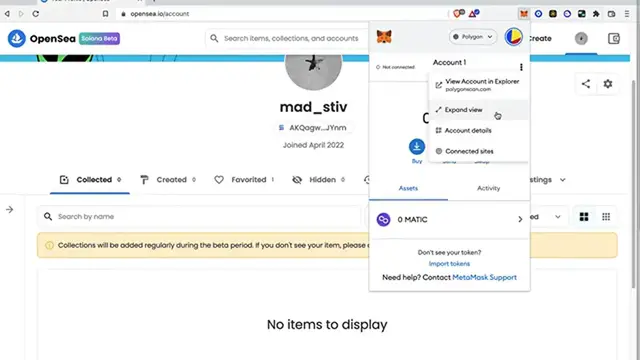
And what I want to do is to get into my profile, choose the expand view, so you can see that my account
0:11
I'm going to import a few tokens here and paste the contract right in here. So here is the cake
0:17
token. I'm going to go back into my assets and here it is my cake. So if I want to delete
0:23
this token, I cannot do it, but I can. What I can do is to select the cake token
0:29
click on the three dots that are in here and select the option that says hide cake
0:35
So it says you can add this token back in the future by going to import token in your account option menu
0:40
So I'm going to go ahead and to hide. So as you can see, my token is no longer available into my MetaMask
0:46
So if I go into my extensions and select the smart chain, you're going to see that my tokens
0:52
the pancake swap, it's not available, not even here in my extensions. So there you have it guys
0:57
This is the only way that we can get rid of those tokens. Now, just in case you have a little bit of tokens
1:03
in here, you have a little bit of dollars or assets in here. What you guys want to do is to swap
1:09
the token into another token. So you don't want to be losing your money and you can do that
1:15
inside MetaMask. So there you have it guys. Don't forget to like and subscribe to the channel
1:20
If you want to see more about MetaMask, thank you for watching the video and I'll see you guys on the next one
1:27
Transcribed by https://otter.ai