live_tv
Livestream Starting Soon
00
Hours
:
00
Minutes
:
00
Seconds
Up next in 10

How to Register & Set Up a BLOCKCHAIN WALLET (Step by Step) Create an Account on Blockchain
Mar 15, 2024

How to Register & Set Up a BLOCKCHAIN WALLET (Step by Step) Create an Account on Blockchain
Show More Show Less View Video Transcript
0:00
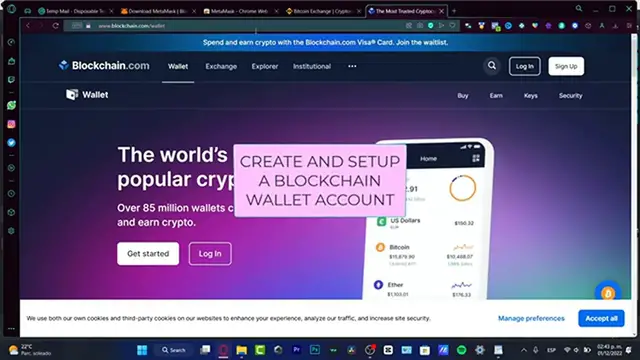
Well, hello everybody, let's see how we can start with blockchain.com
0:05
We are going to be creating a wallet if you don't have anyone
0:08
We're going to be helping you step by step. So let's dig into it
0:13
And I'm going to leave you a link down below in the description so you can get your account
0:18
totally for free. And you might be receiving a few rewards just by signing up with that link provided
0:24
So if you click the down there in the description, you'll be seeing something like this
0:29
So what we want to do is to create our blockchain account
0:33
So what we want to do is to provide an email address to provide a passcode
0:38
We want to confirm a passcode, the country of residence. If you have a referral code, you have to worry about that because we already set it up that
0:47
for you. After input your all your information you want to hit into continue
0:53
And it just it should not take that long. But what we need to do after we have the account successfully created banner, which is actually
1:02
this option is going to be asking for the verification process in order to start working
1:08
here into blockchain. Now this process is really simple. But first of all, what we need to do is to verify our email
1:16
So for that is really simple. We just need to open our email
1:20
So as you can see, the verification process has been done successfully
1:24
So what you want to do is to return to the previous tab that we were before, which is
1:30
actually this option. And this is going to be this one is going to be redirecting us into the account created
1:35
So what you want to do is either choose the exchange or the wallet
1:40
So what we want to do is to choose the wallet of blockchain
1:45
And here I'm going to be choosing this option. This one is going to be redirecting me into the wallet of blockchain
1:52
So voila, now we are into the crypto world. So what once we are in here, I'm going to skip this content just for a second
2:02
If you want to buy crypto, let's say for example, I want to buy Bitcoin
2:05
Alright, so as you can see, it's going to be asking for an upgrade to your account
2:12
This is not a payment deal. Actually, this is more easier than you think
2:17
So they are going to be asking for a verification process in order to unlock the access to buy
2:24
to sell, to swap, to receive a few rewards if you do have a, let's say for example, your
2:31
account already upgraded. So what you want to do is to choose the upgrade and unlock
2:38
I want to have the full access of my account, right? So what's going to happen here is going to be asking for my legal first name, my legal
2:48
last name, and a showing of my government issued ID or my passcode
2:53
I want to provide the date of my birth. So once I've already successfully done that here, let's say for example, I'm just going
3:02
to tap something like really, really random because I already have an account that has
3:06
been verified a few months ago. So I'm going to hit into next
3:13
So what's going to be asking now is for the home address
3:19
Do you want to go into, do you want to go into next
3:22
And then it's going to be asking for the usage of the account information
3:27
So here, what you want to choose, if you want to choose all the options, you are, I mean
3:33
you are ready to go. I mean, you are like really welcome
3:37
You can choose to buy, to trade, to send and for business, but in my case, I do only
3:42
want to focus into buy and trade like this or even send cryptocurrencies to the third
3:47
party because I think the business is not that necessary. Then we have the source of our funds
3:55
So here to select only one source of funds, I can strongly suggest you to put it here
4:00
the salary or family. So it's going to be like more, it's more easier to verify our account
4:07
So you want to choose those options and there are you acting on your own behalf
4:10
Of course we are. So I'm going to choose yes. And then we have a political exposed person
4:16
We are not, we are not a family member close as you said it is
4:21
If you are, well, you have to choose this option, but I can strongly suggest you to stick into no
4:25
You don't want to mess around with those issues. And lastly, we need to provide our citizen
4:32
In my case, I do want to look for a country that's from Latin America and choose into next
4:38
After that, what's going to be asking for now is for the photo of our identity, which
4:47
that could be a government issued ID, a driver's license or a national identity card
4:54
For example, like your passport. So for that, you want to choose the option that fits for you the best and go into start verification
5:04
So here we are going to be have to enable our webcam and our camera in order to make
5:10
the verification process. So what's going to happen here is that it's going to be asking to, I mean, to accept this
5:19
code to use our smartphone, and then we can scan this code and provide our legal information
5:27
in order to create our account, which we do have the home section, the prices and the
5:33
earned option. Now if I go here into my account in the upper side, you are going to be seeing here, I'm
5:40
going to hit into general. So if I scroll a little bit down, you can see that I don't have any kind of strikes
5:47
So that means that my account has been totally verified. And here you might be seeing that I have six USDC
5:57
So now that our account has been verified, we can now start to buy some tokens
6:02
So what you want to do is to hit into buy, go into prices, for example, and try to look
6:08
for a token that you want to buy that you have in mind of the buying section
6:13
If you want to earn a few money, here's going to be appearing the action that you can do
6:20
For example, I can go into Cardano. So Cardano is 32 cents, I want to hit into buy
6:27
Alright, so as you can see, it's going to be asking how much money you want to buy
6:31
So for example, let's say I want to buy only $1. And this one is equal to three zeros, I mean that three zeros, five, eight Bitcoin
6:42
If you want to buy the maximum amount, you can choose that. In my case, I don't want to focus in there
6:48
Actually, this one appears at $10. Let's say I want to buy only $4 of that
6:53
So we only have a minimum buy. We need to buy of course, minimum of $5 in order to make transactions in here
7:00
So I want to choose $5. And here to add a payment method
7:06
So as you can see, we do have this option. And after that you want to choose into next into preview your buy
7:13
And after you confirm that your information or everything that you want to buy is has
7:18
been successfully added, you want to just hit into buy and you should see that in your account
7:24
your money is now in here. So if you go into the transactions that from the token that you bought here into received
7:32
sent and transferred, it should appear the buy option. Here's the transaction and here's from one place using a credit or debit card
7:42
In my case, here is my balance. So as you can see, we do have a trading account and I do have a USDC private key wallet
7:51
We do have two sections because if you want to, let's say to sell your tokens or to trade
7:56
from one token into another one, you must transfer that into transfer account
8:01
And if you want to send money away from one wallet into another one, you have to choose
8:06
a private key wallet. So here you can, let's say to start earning money
8:11
So and that's the way that we can start here into the blockchain. Now you guys know how to create verify your account
8:18
If you want to send money away, choose the send option. Here we have the received section and the trade option
8:26
You can even download the mobile version of the blockchain so you can have more features
8:32
And this is actually like a little bit more faster to use the application of blockchain
8:37
So hopefully guys, this was a very useful video for you. Don't forget to like and subscribe to this channel if you want to see more about the
8:43
blockchain wallet. Thank you once again for watching this video. Good luck with your new wallet and I'll see you guys in the next one