Up next in 10


How to Find Your Wallet Address on Trust Wallet (Step by Step)
Show More Show Less View Video Transcript
0:00
How to find your wallet address on TrustWallet
0:04
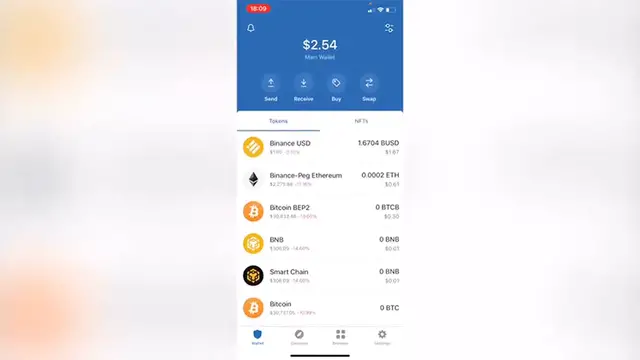
The first thing you want to do after you have your TrustWallet already opened is to find the
0:09
token that you want to receive because your wallet might be having a specific address
0:13
but if you want to receive a specific token you need the application to be providing you
0:18
the address so you can receive the token correctly. So let's say that in this case
0:23
I want to receive Ethereum so what I want to do is to find the Ethereum token first
0:28
and after I select this one I'm going to select the option that says receive
0:32
So as you can see this one is going to be generating me a specific wallet address so I
0:38
can be sending as the application says in here send only Ethereum to this address sending any
0:44
other coins may result in permanent loss so you need to be really aware of that. So this one ends
0:50
with 649 so if I go back and go into my wallet and select my VMV and receive the token as you
0:59
can see this one is a total new wallet address so as you can see it depends on the token that
1:04
you want to receive. Now just in case you don't find the token right in here on your assets just
1:10
click in here and you can see all the tokens that are available here on your assets so if I want to
1:16
select the option that says Adam Cosmos I'm going to go into done I'm going to look for the Adam
1:22
Cosmos and I'm going to select the option that says receive. So as you can see this is the QR
1:28
code and the wallet address I want to use for specifically sending Cosmos the Adam token. So
1:36
there you have it guys don't forget to like and subscribe to the channel if this was very useful
1:39
for you and if you want to see more about Trust Wallet thank you for watching the video and I'll
1:43
see you guys on the next one