Up next in 10

How to CREATE a Disney Plus Account (2024) Register for Disney for the First Time
Feb 4, 2024

How to CREATE a Disney Plus Account (2024) Register for Disney for the First Time
Show More Show Less View Video Transcript
0:00
So you want to get started with the very first account of Designate Plus
0:03
The very first thing you want to do is to go into your browser, open it, and let's
0:07
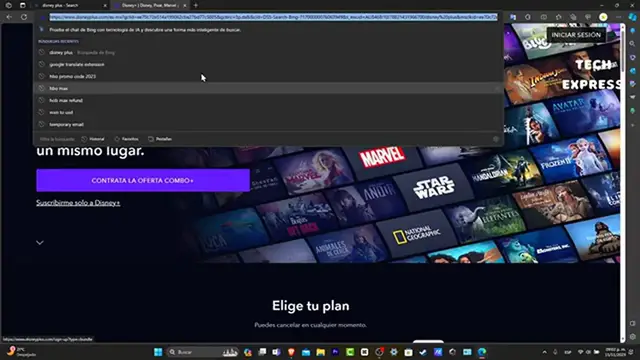
go into the upper side and hit into designateplus.com. You're going to be seeing something like this
0:13
So you're going to change this from Spanish into English. Now as you can see there's an actual Combo Plus offer
0:21
If I choose this Combo Plus offer, usually it's going to be showing you different combos
0:26
different subscriptions that I can choose if you wanted to purchase more than just Designate
0:32
Plus or just Designate Plus. That's totally depending on you. So let's say for example that I wanted to go into the login
0:40
So let's say that we are actually only focusing into Designate Plus
0:44
So instead of going into the get the Combo Plus offer, I'm going to scroll a little
0:48
bit down and you can see that there's two options for me at the moment
0:53
There's the Designate Plus and there's the Designate Plus Star Plus Combo
0:57
So in this case I'm going to focus into this option. I'm going to click in here and as you can see we have the MXN 879 MXN
1:05
So I'm going to go and type into my actual email. If you wanted to achieve updates, you can enable or disable this option depending on you
1:14
Let's hit now into continue. After that, if you wanted to re-all the subscription agreement, after you check that out, let's
1:21
go into agree and continue. And lastly, what you want to do is to create your very first passcode
1:28
You want to make sure that this one has at least one number or special character and
1:32
you want to write this down so you don't forget it. So here you can see here's my email
1:39
Let's go into continue. And lastly, in order to start streaming today, you still have the actual combo of monthly
1:48
of Designate Plus and Star Plus. If you wanted to focus into an annual fund, this one should be sending you and to save
1:55
you up to 25% discount. If you're okay with the monthly price, just choose the actual monthly
2:02
And here scroll a little bit down and type the name of my card, my card number, the expiration
2:06
date and the security code in order to continue. After you hit into agree and subscribe, you have access to the full catalog by now
2:15
So here's going to be asking you set your content rating to plus 18 allows full catalog
2:21
to be available or you can change your content rating at any time in your profile settings
2:26
So since we are more than 18, let's go into the full catalog
2:31
And if you wanted to, you have access to the full one. It requires a pin to access this profile
2:37
So let's get it to create my profile in now. I'm going to type only the four zeros in order to continue
2:43
I hit into save. And now I have the full access to the Designate Plus account
2:48
So as you can see, here is this locked section. I can add a new profile
2:53
Let's say the junior mode. And here I'm going to type user number two, hit to save
2:58
And now here have my profile number one and the number two. So there you have it guys, it's going to be easy to have your very first Designate Plus account
3:07
And if you want to manage your account, you have to go into the account that is actually
3:11
the main account, go into your profile and hit into the app settings or your account
3:17
in order to see more information about your actual account. So with that being said, guys, we have not reached the very end of the video, but don't
3:23
forget to like and subscribe to the channel if you want to see more great stream services tutorials here in TechPress
3:29
Thank you once again. Hopefully we can see you next time
#Online Video