live_tv
Livestream Starting Soon
00
Hours
:
00
Minutes
:
00
Seconds
Up next in 10


How To Add Apple Pay To Shopify Store (2024) Fast and easy
Show More Show Less View Video Transcript
0:00
So, would you like to add the Apple Pay into your actual store
0:05
I'm going to show you what you can do if you want to get started here
0:09
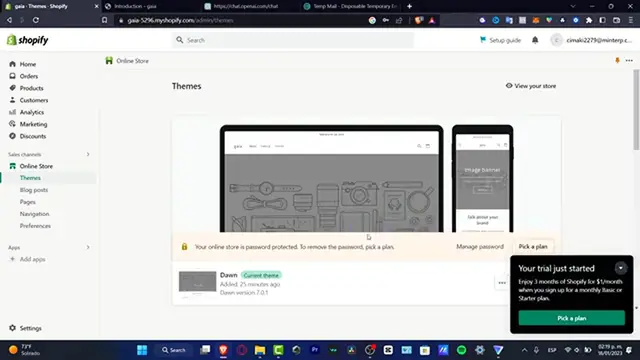
So the first thing you want to do is to actually go into your settings
0:14
Here in settings, I'm going to locate the shipping and delivery. Down in here, I have my taxes and duties
0:21
Let's go for the payments here. So here in payments, what I want to do is to actually enable my payment permission in
0:30
order to accept money. This is something like really, really, really useful
0:34
So what I want to do is to choose a provider, a third party that can accept only pay pay
0:41
Apple Pay, or you can choose more than Apple Pay. For example, I'm going to type here into the payment methods
0:48
In here, I want to enable Apple Pay. And I want to accept the Visa and the MasterCard
0:58
Like that. So as you can see, you have different checkout options. Or if I only want to enable Apple Pay, I'm going to just clear all of those
1:05
And I have Stripe, I have CyberSource, I have Authorize.net, I have PostData and IgnitePayments
1:13
Depending on what is the actual third party that you choose, you have to do several stuff
1:17
in order to enable this. For example, let's say that I choose CyberSource
1:23
And here what I need to do is to log in and choose the transaction key in order to enable
1:28
all of this. So in order to do that, what I need to do is to create an account into CyberSource
1:35
I'm going to open this into a new tab. And here what I want to do is to create an account
1:41
As you can see, this one actually works into Spanish. So I'm going to get into the logged in
1:47
So after you logged in, you have to create your account, you have to enable this, you
1:50
have to provide your bank, all your information, your organization ID. And then after that, it's going to be sending you all this information in here
1:59
And voila, you're now with the Apple Pay option. Or you can choose something a little bit more easier
2:05
For example, Stripe. Stripe can be accepting Apple Pay as well. So I can choose Stripe
2:12
And with that being said, I can do exactly the same process. It's going to be sending me into Stripe so I can have my own account
2:18
I need to provide my information, grant the access, and then we're actually good to go
2:23
So with that being said, guys, is how we can enable the Apple Pay and much more payment
2:28
options for your Shopify store. Thank you once again for watching the video. Don't forget to like and subscribe
2:33
And I'll see you in the next time
#Retail Trade
#Consumer Resources
#Other