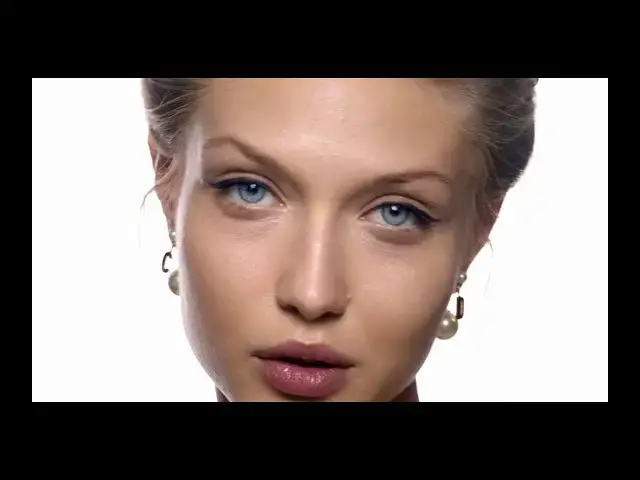
0:00
hello and welcome in the celluloid
0:02
skintone tutorial today I want to show
0:06
you how to get perfect skin tone using
0:08
the Vinci resolved there is 5 steps
0:11
follow one silhouette lot to color
0:15
grading tree modeling for skin softening
0:19
and sharpening the 5 the finer details
0:22
by using silhouette skin to truly Lots
0:24
you are sure to keep rich ski in today's
0:27
but be careful to never overexposed any
0:30
of the red green or blue channels
0:32
otherwise you could make weird plastic
0:35
skin tone feelings let's start with an
0:38
example first you should select which
0:42
truly lets you do like for the color
0:44
great then adjust the offset controls to
0:49
change your exposure don't compress too
0:52
much the highlights of the shadows when
0:57
you are happy with the overall feeling
0:59
you can do some color grading because on
1:04
this example the light is very soft and
1:06
come from the front the next step is to
1:09
make some modeling by using power
1:22
now you can use the silhouette skin tone
1:25
preset to manage the skin textures in
1:29
portrait preset then right-click on any
1:32
preset and append on your not graph you
1:37
should adjust the qualifier - nicely
1:39
select the skin tone without touching
1:41
the leaves the height and soft select
1:45
the highlight finally to go further you
1:51
can soft and sharpen the leaves it's
1:53
important to change the settings
1:55
especially the small textures
1:57
granularity to make the leaves sharp and
2:00
the detail is really fine
2:11
you can also soft even more some part of
2:14
the face by using power windows and as
2:20
I'm always doing a little bit you can
2:22
sharp the expressive part of the face
2:25
there is different technique to change
2:28
and serve the texture of the skin in
2:29
DaVinci Resolve you can select the skin
2:32
and blur only the red channel or you can
2:40
select the skin and use the soft and
2:42
sharpen tool which is my favorite one
2:45
and give accurate control on softening
2:47
the big textures which happening to
2:53
and the last technique is using a meaty
2:56
taste control you can also combine into
2:59
three technique together to get the
3:01
result you want with the venturi reserve
3:05
you can also do basic skin retouching
3:07
using the node sizing tool for example
3:10
let's try to remove this little
3:12
imperfection here let's first make a
3:16
windows and try it then move it on the
3:21
right and now let's use the node sizing
3:24
tool to move it back on the Left thank
3:31
you for watching I hope to see you soon
3:33
in the next tutorial and if you liked
3:36
this video please feel free to share it