0:00
I think we've all heard the old adage,
0:02
size doesn't matter, it's how you use
0:03
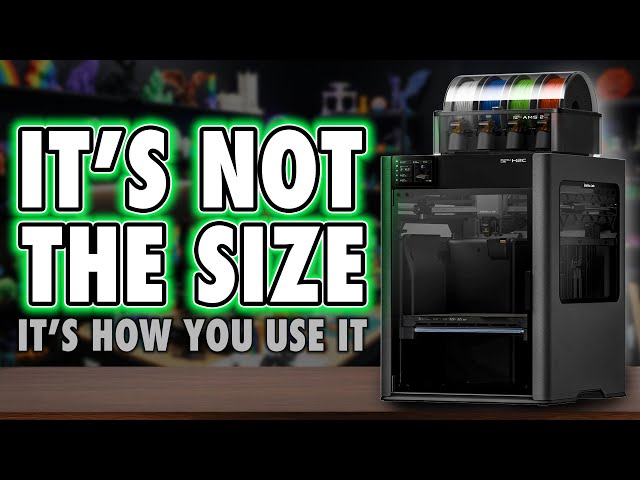
it. But when it comes to the H2C, this
0:06
is the first time I found myself firmly
0:08
on the other side of that argument. So,
0:10
I guess yes, apparently, or eventually,
0:12
my wife is always right. Anyway, the
0:15
Bamboo H2C is a weird one. And if you've
0:18
been watching this channel for a while,
0:20
you'll know I'm generally a big fan of
0:21
Bamboo. Not because they make perfect
0:24
machines, but because they changed how
0:26
people experience 3D printing. They
0:28
simplified the journey. normalized the
0:30
hobby and made it accessible to people
0:32
who just want things to work, which is
0:34
exactly who this channel is for.
0:36
Everyday makers who care more about the
0:39
results than the ritual of tuning a
0:41
machine. And with the H2C, I've got to
0:43
say, I like it a lot more than I
0:46
expected to. But I'm also in a slightly
0:49
awkward position. I get to use more
0:51
machines than most people ever will, and
0:53
that perspective makes the H2C feel
0:57
conflicted. On one hand, it feels like
0:59
printing in the future, stylish,
1:01
polished, and packed with genuinely
1:03
impressive tech. On the other, I keep
1:06
finding myself reminded of the past.
1:08
Long multi-day prints, compromises I
1:10
thought we'd move beyond, and a few
1:12
choices that don't quite line up with
1:14
how Bamboo used to simplify decisions.
1:18
And that's where this gets interesting.
1:20
Because where Bamboo once gave us clear,
1:22
laser focused choices of good, better,
1:25
best, the H2 lineup introduces just
1:28
enough variation that I worry it could
1:30
push its core audience towards analysis
1:33
paralysis rather than confidence. Now,
1:36
whether that's a real issue or just the
1:38
cost of progress is something we'll come
1:40
back to probably in a dedicated H2
1:42
comparison video. So, subscribe if you
1:44
don't want to miss that. But for now,
1:46
let's take a proper look at the H2C, the
1:49
printer you probably already know you
1:51
want next. Hi, I'm Ross and this is
1:54
Fammer Videos. And I've got to say, I
1:57
have been excited to play with this
1:59
right up until I had to lift it. I'm
2:02
old. I'm weak. This is heavy. But after
2:04
being challenged previously after I
2:06
asked my wife to help me with the H2D,
2:08
which was something I just thought was
2:09
nice and I'd bring her into the channel
2:11
a bit, I still got a load of shitty
2:13
comments about it. So, I lifted the
2:15
whole H2C onto the worktop myself, but
2:17
the box and I both recommend a twoperson
2:20
lift cuz again, heavy safety. Oh, and a
2:23
quick shout out to Joel, the 3D printing
2:25
nerd, because as I was actually filming
2:27
this, I was watching his charity live
2:29
stream. Anyway, this initial lift was
2:31
pointless because it's meant to be
2:32
unboxed on the floor. So, you can
2:34
actually lift the cardboard lid off the
2:36
printer. After doing that and removing
2:38
the rest of the card and bubble wrap,
2:40
there's two handles on either side of
2:42
the printer so you can lift the printer
2:44
itself. Again, I recommend two people
2:46
just to be safe. And be aware, this is
2:48
back heavy. Don't drop it. There's a ton
2:51
of tape on the body to remove and more
2:53
inside, but this is a hell of a pricey
2:55
machine. And I'm pretty glad that
2:56
everything is secured during shipping.
2:59
There's also the foam to remove and if
3:00
you get the combo, actually this this is
3:02
a color changer. It'd be daff not to get
3:04
a combo. I don't even think Bamboo sell
3:06
it without anyway. You also get the CFS,
3:08
so undo the screws securing that along
3:10
with the bill plate. They all need to be
3:12
removed. But in typical Bamboo fashion,
3:15
there's QR codes on the box with online
3:17
guides showing you all of this process.
3:19
If this is your first printer, well done
3:21
diving in at the pricey deep end. But
3:23
yeah, I recommend watching them, even if
3:26
you're experienced, just so you don't
3:27
miss anything. But okay, externally,
3:30
this is immediately different to the H2D
3:33
and 2S in that it has a darker plastic
3:35
housing, kind of like the H2D Pro, which
3:38
is a machine I I'm not really quite sure
3:40
on. Um, it's got Ethernet. It It's meant
3:43
to be more encrypted for businesses. But
3:45
yeah, this is that color. But it shares
3:48
most of the style in common with the H2D
3:51
by having the side windows and light up
3:53
bamboo logos. And before I move on, I've
3:55
had this comment so much. The way I say
3:58
H is H or sometimes I say H. Are we
4:01
meant to pronounce the H or not? Let me
4:03
know in the comments because I've never
4:05
considered it before. I did not expect
4:07
so many comments about it. I'm going to
4:09
say it how I talk. Anyway, ports wise,
4:11
there's a lot. So, let's have a look at
4:14
At the top right, you've got the dual
4:16
PTFE inlet feeds, one for each nozzle.
4:18
To the left of that, you've got a
4:20
dedicated inlet for TPU. There's the
4:22
waist shoot and once again, a
4:24
dynamically opening fan on the rear. And
4:26
this closes to keep the chamber warm for
4:28
materials like ABS and opens for softer
4:30
materials like PLA. This is coupled with
4:33
a flap on the front at the top which
4:35
also opens and closes at the same time.
4:37
And that one is the air inlet. On the
4:39
back there's also the six pin port to
4:41
connect up AMS units and two four pin
4:44
ports which we now know is for things
4:45
like the bamboo cyber kit. And there's
4:47
also this odd red connector which is a
4:49
safety pin. Specifically, if you have a
4:51
laser, this is a safety key. If this is
4:55
removed from the machine, it simply
4:56
won't power up. It's not really common
4:58
or needed with a 3D printer, but it can
5:01
be removed to secure your device from
5:03
people using it when you're not around,
5:05
I guess. Additionally, these machines
5:07
have a button on the top right corner,
5:09
which is entirely redundant unless you
5:11
get the laser version of the machine.
5:13
Now, speaking of lasers, I've got a
5:15
separate video on that, which covers
5:17
performance on all three machines. It's
5:19
worth a watch separately if you are
5:20
considering picking up a laser variant
5:22
of any machine. If you're not bothered
5:24
about lasers, skip it. But I've also
5:27
covered the cutter and plotter add-ons,
5:28
which I really like, and that's also a
5:31
separate video. But if you're adding
5:33
those and don't get the laser variant,
5:35
I'd also recommend it's worth buying the
5:37
bird's eyee camera alongside them
5:39
because that'll make work with those
5:41
much easier. In fact, at the time of
5:43
recording, I think it's the only way to
5:45
get it working. Now, as we go through
5:47
setup, I think there's some more
5:48
important stuff that we need to know
5:50
right up front that I normally leave
5:51
till later, but this is where things can
5:54
get a little confusing and you need to
5:56
understand what you'll actually be
5:57
spending money on up front to get the
5:59
most out of this machine. Because the
6:01
main callout feature of this before we
6:03
get to its drawbacks that I'll come on
6:05
to is the color changer. So, in case
6:08
you're new to this, like the H2D, there
6:10
are two nozzles on the print head at any
6:12
one time, but the right nozzle uses the
6:14
vortex system on the right side. The
6:16
mechanics that swap out that nozzle with
6:18
five others. So, in total, that's six
6:21
changeable nozzles on the right and one
6:22
nozzle on the left for a total of seven
6:24
in the machine. And why this matters is
6:26
because when you come to buy this, what
6:28
you get in the box may not be enough kit
6:31
to get the most out of what I think most
6:33
people actually want this for, color
6:35
changing. Because with the normal combo,
6:38
you only get a single AMS2 Pro. And for
6:41
the Vortekch nozzles, you actually get a
6:44
variety of sizes. Four now standard 0.4
6:47
mm nozzles, a 0.2, and a 0.6 or 0. N is
6:54
is zero, guys. Again, this is something
6:56
I get comments about. It's just how I
6:57
talk. I'm British. N AU GHD. We have
7:01
knots and crosses. You have tic-tac-toe.
7:03
There's some interesting trivia. Anyway,
7:05
so out of the box, this is only a five
7:08
material changer, and you get the extra
7:10
two nozzles for when you want to do a
7:12
single color print, but using a
7:14
different size. And at least at the time
7:16
of recording, Bamboo still hasn't
7:18
directly implemented an easy slicer
7:20
function where a single print can use
7:22
different nozzle sizes as it's doing
7:25
different elements. And whilst we all
7:27
want to see the versatility of that, the
7:29
jur is still out on its usefulness until
7:31
we actually get it so we can apply it.
7:34
Now, we will get back to the vortex
7:35
system a bit more later on. That's most
7:37
of the focus of this video and mostly
7:39
what I did with this machine. The
7:41
printer will actually guide you through
7:42
mounting the nozzles, which essentially
7:44
is it moves the mechanics up and down
7:46
and you just magnetize each nozzle to
7:49
the different points on the system. But
7:51
I just want you to know going in that if
7:53
you're after 7 plus color changing,
7:56
yeah, you're going to need to buy more
7:57
AMS units. And yes, you also need to buy
8:01
two more of the 0.4 4 mm vorttech
8:04
nozzles. And like the other H2 machines,
8:07
this one also supports a total of up to
8:09
four AMS and eight AMS HTs in any
8:13
configuration, giving us access to 24
8:15
separate filament slots in total. Now,
8:18
my personal favorite setup is having two
8:20
AMS2 Pros for the right nozzle and two
8:23
smaller AMS HTs for the left. Now, you
8:25
could, of course, just stick with the
8:27
external spool holder and just get a
8:29
couple of extras or one extra AMS for
8:31
the right nozzle, but having two AMS HTs
8:34
on the left gives me a failover in case
8:36
of runout. And this is my first
8:38
experience with the AMS HT. And I've got
8:40
to say, I love these. If anything, they
8:44
are the unsung gem of Bamboo's AMS
8:46
lineup. And while they may seem limited
8:48
in scope that they can only hold a
8:49
single reel, they do have a built-in
8:51
heater with air flow controlled from the
8:54
printer along with a small UI showing
8:56
temperature and humidity. And genuinely
8:59
for everyone out there buying any bamboo
9:01
printer from the A1 mini to the H2C and
9:04
everything in between, I think rather
9:06
than having a fourcolor changer that is
9:08
rarely used because of the amount of
9:09
filament waste, simply having two of
9:12
these where one operates as a runout for
9:14
the next is just so much more
9:16
convenient. In fact, I actually now wish
9:18
they made a dual spool version. But
9:21
well, that won't be the first wishing
9:23
forward we do in this review. But yeah,
9:25
and wow. Okay, we're still at setup.
9:27
Move on, Ross. So, yeah, as standard,
9:29
this comes with a filament reel holder,
9:31
a single AMS, and the six variable
9:33
nozzles, and you might need to buy more
9:35
stuff. Now, if you get multiple AMS
9:38
units, you do just daisy chain one to
9:40
the next, and the printer has a process
9:41
to detect and add each one to the
9:43
relevant port. And that's what Bamboo
9:45
really excels at, simplicity and
9:48
automation. Well, in some areas. The USB
9:51
port for this machine is on the top left
9:52
corner. You're going to need a USB drive
9:54
in there if you want to record
9:55
time-lapses. Don't know why it doesn't
9:57
do it to the internal memory. It really
9:59
should. And it would be ideal to use a
10:01
lowprofile USB drive in here so you
10:03
don't risk damaging the socket or drive
10:05
if say you're removing the lid. Now
10:08
below that is the control screen which
10:10
sits flat against the body but tilts
10:11
upwards to your preferred viewing angle.
10:14
The removable lid and front door are
10:15
glass and the door opens to a full 180°
10:19
for easy access to the internals. Inside
10:21
we have the aforementioned hotend with
10:23
an easily removable face plate and all
10:25
of the aforementioned nozzle stuff. Now
10:27
because of the size of this like the
10:29
H2D, this is heavy and it causes the
10:32
machine to shake a lot. So printing time
10:35
just even with a single nozzle on one of
10:37
these I have found is a little bit
10:39
slower than the smaller lighter H2S. So,
10:42
whilst the dual nozzle setup certainly
10:44
has its benefits, there are drawbacks to
10:47
it because this is a far cry from what
10:49
Bamboo delivered to us with, say, their
10:51
first printer, the X1, where they were
10:53
so keen on making everything lighter in
10:55
that tool head because at the time that
10:58
was how they got the most out of the
11:00
printer. This is just a big step in a
11:02
different direction. There's also a
11:04
sidemounted part cooling fan, a built-in
11:06
chamber heater, a carbon filter in front
11:08
of the exhaust outlet in the back right,
11:11
and there's also, as always in Bamboo
11:13
printers, a corner-mounted camera, which
11:15
is brilliant for remote monitoring via
11:17
the app or taking time-lapses that you
11:20
can play back later. However, one thing
11:22
I've mentioned with all of these
11:23
machines is that the rear lead screw is
11:25
behind the rear guide rod, making
11:27
general maintenance, such as cleaning
11:29
and relubrication, a bit bothersome.
11:31
There are now some printable tools that
11:33
you can get to help with this, but I do
11:35
think many of us would just prefer
11:37
having more direct access. This isn't
11:40
one of those machines that's built
11:41
around easy maintenance or simple part
11:44
swappery. Now then, one of my main
11:47
hang-ups with this, as it was before, is
11:50
the build volume. And look, I'm not
11:52
going to belabor this point because
11:53
people proper kicked off at me before,
11:55
but I think this critique is fair. And I
11:57
even gave the Bamboo Rep a gentle poke
12:00
about it at Form Next. But of all the H2
12:03
printers, this is the most expensive and
12:06
technically also the smallest because
12:09
where the H2S has a fixed build volume
12:12
of 340x 320x 340, the H2D is 350x 320x
12:18
325, but the left nozzle can't actually
12:21
reach the last 2 1/2 cm on the right of
12:23
the build plate. and vice versa with the
12:26
other nozzle and the other side of the
12:27
plate. And with the slicer's auto layout
12:30
function completely ignoring those side
12:32
areas, what you end up with is a printer
12:35
there that most frequently just has a
12:37
usable width of 330.
12:39
But here, you've only got 330x 320x 325,
12:44
which made sense to me on paper because
12:46
that's what we got with the H2D. But the
12:49
bill plates on this machine are also
12:51
physically a different size to the other
12:54
H2 machines. And even then, with that
12:57
330 width, it's cut down more with the
13:00
right nozzle unable to reach the first 2
13:02
1/2 cm from the left and the left nozzle
13:04
unable to reach the last half centimeter
13:07
on the right. So here you only end up
13:09
getting 300 mil. And when other brands
13:12
have given us printers with a 350 cube
13:16
build volume that it becomes a
13:19
consideration and Bamboo has gone from
13:21
the brand that had things like
13:22
consistent nozzles and build plates
13:25
across almost their entire range of
13:27
printers and that also means third party
13:29
versions are also more readily available
13:31
too to now having one series of printers
13:34
this H range with different ancillary
13:37
hardware on each machine. And this is
13:39
what I was saying in the intro. Bamboo
13:41
have gone from the brand who kept it
13:43
simple and gave us a clear buying choice
13:45
with things like the P2 and X range
13:47
where it was good, better, best. Now we
13:51
have to work out what the trade-off is.
13:53
If you want the best in the H2 line,
13:55
well, we need to accept that we can have
13:57
size with the H2S, but the more nozzles
14:00
we add, the more space we lose. Which
14:02
perfectly brings me on to the tradeoff
14:04
or trade up, the color changing. So, the
14:08
Vortex system is so mesmerizing to
14:11
watch. Just staring at it as it switches
14:14
nozzles. It's so therapeutic and
14:16
satisfying. You can call me weird if you
14:18
want, but don't pretend you don't like
14:19
those videos you see of like bottling
14:22
factories that just grab your attention.
14:24
This is that, but it's in your home. And
14:27
this is where really we just need to
14:30
talk honestly about what this is because
14:32
I think color changing is going to be
14:34
the big deal of 2026, if not beyond. And
14:37
whilst Bamboo has given us this solution
14:39
of swapping nozzles, we can't pretend
14:41
that tool changes don't exist. And there
14:44
are benefits and drawbacks to each
14:46
approach. Here we've got the benefit of
14:48
the existing AMS system and therefore up
14:51
to 24 colors. Yeah, this doesn't limit
14:53
you like tool changer machines. I even
14:56
did a nine color print on this and the
14:58
slicer intelligently told me where to
15:00
load the different materials for the
15:01
least waste and therefore also the
15:04
fastest print time. And it also decides
15:06
which nozzles to swap colors and when.
15:09
And it's so easy, so versatile. And this
15:12
is what Bamboo absolutely nails. User
15:15
experience. And with more coloranging
15:17
machines now entering the market with
15:19
people wanting to use them because
15:22
beyond the Prime Tower, those buckets of
15:23
waste are no longer there. People are
15:26
going to be clamoring for these things.
15:28
And when more people have more printers
15:30
where they actually want to do multiolor
15:32
prints, the model designers will release
15:34
more multiolor models and it'll just
15:37
cycle. It's is it is it the rolling
15:40
stone that gathers moss? But
15:42
practically, yes. This is slower than a
15:44
tool changer. And I could go through and
15:46
give you a load of examples, but
15:48
honestly, just go and download the
15:50
slicers and apply your projects you'd
15:52
want to print and compare it because the
15:54
estimated print times are pretty
15:55
accurate on these machines. Just do the
15:58
project and and click slice. You'll see
16:00
the difference. I'd love to show you
16:02
here, but there's so many variables, and
16:04
the main one is going to be how many
16:06
color changes there are. This Majora's
16:08
Mask I did, which was at 140% scale,
16:11
took over 7 days, but that's because I
16:14
had a filament reel in the AMS, which
16:16
was incompatible. Then every hour or so,
16:18
I had to go back and give it a little
16:20
jiggle so the AMS would pull it
16:22
properly. Normally just clicking retry
16:24
in the app fixed it. But yeah, this is
16:27
slower than a tool changer because you
16:29
need to wait for the material to retract
16:31
all the way back to the AMS and then the
16:33
new material to feed in on pretty much
16:36
every change unless you're just going
16:38
from the left to the right nozzle.
16:39
That's 30 plus seconds depending on PTFE
16:42
tube length versus 10 or less for a tool
16:45
changer. And then you also need to know
16:47
that you can't use filaments like TPU
16:50
with any AMS star box either. But tool
16:53
changes also have their drawbacks of
16:55
multiple PTFE tubes everywhere and so
16:58
far no filament enclosures, no heating,
17:00
and no dynamic color changing, limiting
17:03
your print color count to the exact
17:05
amount of tool heads you have. Now,
17:07
right now, it's a case of swings and
17:09
roundabouts. And it will be exciting
17:11
going forward to see machines diverge
17:13
based on use case. And when that
17:15
happens, maybe we can get past the this
17:17
brand is better arguments that really
17:19
just don't serve anyone. Personally, I
17:22
do think a tool changer is the better
17:24
way forward. It's faster. Vortekch only
17:27
solves half the color changing problem,
17:29
and that's the waste side. But again,
17:31
I'm dreaming of a future where we have a
17:33
bamboo user experience with a tool
17:36
changer, but where, say, the idle heads
17:38
can purge and prepare the next color.
17:41
Dare I dream? But the thing is, we
17:43
aren't there now. In fact, as I write
17:45
this, there's only really one other tool
17:47
changer on the market, which I've got to
17:50
be honest, I do love. But this gives me
17:53
a much larger color selection. And I've
17:55
always been in the camp of I'd rather
17:57
have it and not need it than one day
17:59
need it and not have it. Even if this
18:01
has taken me back to the era just 2
18:03
years ago where I'm waiting days for
18:05
prints rather than hours, but I've never
18:08
been able to have single prints with
18:09
this many colors before. So, I am blown
18:12
away. Now, just a quick note on software
18:14
before I close. The UI is very standard
18:17
for Bamboo now. And I could give you the
18:19
boring details. Everything is sensibly
18:21
laid out. It's super intuitive. And
18:23
honestly, rather than say something that
18:25
comes across as me being no more than a
18:27
Bamboo fanboy, ignore my opinion. Ask
18:30
almost every other brand on the market
18:32
because I think it says enough about
18:33
Bamboo that this is the UI that almost
18:36
all the others are trying to copy. And
18:39
the same with the slicer. Bamboo took
18:41
prusser slicer, built on it and made a
18:43
more intuitive user experience and have
18:45
continued developing it still. For me,
18:48
Orca is good, but again, most of the
18:50
benefits I see in Orca because I'm just
18:52
a general user is the UI and Bamboo
18:57
created that. Now, there are plenty of
18:59
things I'd love. I'd love the ability
19:01
for it to know when I have a certain
19:04
color loaded in a certain nozzle, and
19:06
when I click auto arrange with models of
19:08
that same color, why can't it use that
19:11
info to spread the models across that
19:13
nozzle's usable area rather than just
19:15
default into the center of the plate?
19:17
And something I've seen other top brands
19:19
do is allow you to queue up multiple
19:22
prints on the machine. So when a print's
19:25
done, you just walk over to it, click
19:26
done, and it starts the next. In this
19:29
day and age, with the memory available
19:30
on that machine, we should be able to
19:32
queue up our next print while the
19:34
current one's active. So, I'd like to
19:36
see that here without having to install
19:38
some server and client application. But
19:40
overall, my experience with the H2C has
19:43
been, again, I'm straight with you guys,
19:46
it's been a dream. It was much better
19:48
than I thought it would be. Cuz the
19:50
second I saw it, I was like, "Yeah, that
19:52
only solves half the problem." And it's
19:54
easy to have a gut reaction to
19:56
something. I've been underwhelmed by
19:58
things that have been good before. I've
20:00
been over excited about things that have
20:02
turned out to be duts. But I've got to
20:04
be honest, now that I've used the H2C,
20:06
practically, it's neat. It's tidy. The
20:09
AMS system is limited in speed, but it's
20:12
also not a spaghetti junction, and it's
20:14
expandable. I'm not looking at any of
20:16
these machines and their technical
20:18
ability. I'm more interested in the
20:21
practical application for you guys as
20:23
home users. But I've got to be honest, I
20:25
am annoyed about the size. No matter
20:28
what H2 I get now, I'm limited in one
20:30
way or another. I've had all three and
20:32
they all feel like a tease for a
20:34
future machine which has a 350 build
20:36
volume to match its competitors whilst
20:39
at the same time having the Vortekch or
20:41
another colorchanging solution. For
20:43
years of having the X1, I wanted a
20:46
bigger bamboo printer. And even now I
20:48
have these, I still want a bigger bamboo
20:51
printer just for those few jobs that
20:53
need it. But at the same time, it is
20:56
those few jobs. And for most of you,
20:58
this is going to be more than big
20:59
enough. For a lot of people out there,
21:01
the A1 Mini is bigger than they need.
21:03
But in the most part, this just is the
21:07
most versatile machine on the market for
21:09
the home user, especially with all the
21:11
possible add-ons and with arguably the
21:14
easiest user experience. And due to the
21:16
growing popularity of the brand along
21:18
with the community growing, the more
21:20
support we collectively get. If
21:23
anybody's seen my laser reviews, bamboo
21:26
are like the X tool of 3D printing.
21:29
Yeah, they're not for everyone. Totally
21:30
fair. you might want something a bit
21:32
more open, just like Xool. All in, the
21:35
H2C is just the most high-tech consumer
21:38
printer on the market right now, and it
21:40
will be for the foreseeable future. It's
21:42
imperfect, but Bamboo have trained us to
21:44
believe they'll improve it over the long
21:47
run. And it's not the printer many of us
21:49
wanted, but knowing how Bamboo owned
21:51
their products for longer than most,
21:53
this isn't just going to be a stop gap,
21:54
either. So, should you get this printer?
21:57
Well, come on. Let's be honest. You
21:59
already knew you did or didn't want it
22:01
before watching the video. I'm not going
22:03
to try and convince you otherwise.
22:04
That's not my job. I just want to show
22:06
you what these things do and you make an
22:09
informed decision. Do the thing you
22:11
already plan to do. Just tell your
22:13
spouse or significant other it was my
22:15
fault. And if this video or that excuse
22:17
was helpful to you in any way, outlining
22:20
what you actually get and what you may
22:22
need to get the most out of this, please
22:24
consider using my affiliate link in the
22:26
description before making a purchase.
22:28
I'll make a commission on the sale at no
22:30
cost to you, but that's how I afford to
22:32
run the channel. I give my opinion on
22:34
printers. You make your decision. I
22:37
hopefully get a commission on the sale.
22:38
If you still aren't sure which H2
22:41
machine to get, check out my comparison
22:43
video, which at the time of writing will
22:45
be up soon or if you're watching this in
22:47
the future and that's what brought you
22:48
here. Thanks. Thanks to everyone for
22:51
watching more of my videos. Now, please
22:53
help me out further by engaging. Like,
22:55
comment, subscribe, hit that hype
22:57
button. I I don't know what it does. No,
22:59
nobody does, but people have been
23:01
hitting it. Hell, dislike the video if
23:03
you want. It all counts because
23:04
interaction boosts views. I want to say
23:06
a massive thanks to our members who are
23:08
on screen now. They get early access,
23:10
their name in the credits, exclusive
23:12
videos, and Discord rolls. Please
23:14
consider joining them or offering a
23:15
super thanks. I do like money because
23:19
that means I can keep doing this. Until
23:21
next time. He's not the hero we deserve,
23:24
but you know the rest. Fammer out.