Up next in 10



About the session
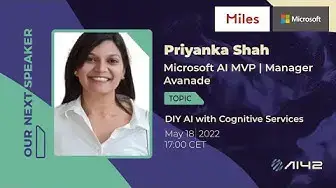
Is AI really rocket science? What if we told you all you need is a function call to make your application intelligent?!
Welcome to the world of Azure Cognitive Services!
Cognitive Services brings AI within reach of every developer and data scientist. With leading models, a variety of use cases can be unblocked. All it takes is an API call to embed the ability to see, hear, speak, search, understand and accelerate advanced decision making into your apps. Enable developers and data scientists of all skill levels to easily add AI capabilities to their apps.
Let's see how to easily code fun applications with Cognitive Services and plug in AI into our applications!
About our speaker
Priyanka Shah is a Microsoft MVP for AI. She has 10+ years of experience in analysis, design and implementation of cloud and digital systems and is a regular speaker at global events for AI/ML.
Priyanka is currently leading AI offering at Avanade for SEA for Architecting and Presales of AI/IoT Projects for Growth Markets, solving challenges for Custom Vision with Deep Learning, BOTS and NLP, Knowledge mining, Azure IoT, AI for Sustainability and AI for accessibility. She is a mentor and a trainer for AI Hackathons and AI trainings.
Show More Show Less View Video Transcript
0:30
Hi, good morning, good afternoon and good evening everyone
0:36
I'm so very happy to see all of you back online at AI42 together with our amazing free AI MVP
0:46
free girls from Avanade, which is amazing to be here together. I'm so happy to welcome Gosia
0:53
who is my partner in crime at AI42 and my other partner in crime at Avanade, Priyanka
1:00
Welcome, both of you. Thank you. I'm so happy to speak to Avanade
1:07
I'm also very happy. It's going to be a very special session today because we are going to bring in..
1:13
so Priyanka is also Microsoft AI MVP and she has 10 years of experience in ysis
1:20
design and implementation of cloud and digital systems and she is also a regular speaker at
1:27
global events for AI and machine learning that's where we meet many times actually right Priyanka
1:33
yeah that's right can can you tell a little bit more about what you're doing at Avanade exactly
1:40
so right now i work as the ai iot offering lead so technology leadership at avanad which means you
1:49
know i have a target to expand the ai business in southeast asia right so avanad in the ai space
1:58
especially knowledge mining space right we are expecting a lot of traction with natural language
2:03
processing text ytics translation speech to text text to speech these kind of things and some
2:10
some traction also with video ytics so yeah so we are meeting customers you know making pocs
2:17
mvps and then trying to scale out to a bigger production grade enterprise grade projects so
2:25
that is something which we are currently working on also you know graduate training graduate hires
2:31
so reskilling new uh graduate hires in azure and ai and azure machine learning so exciting times
2:40
Yeah, this is the place of advertisement, I guess, because if anyone is interested in joining our Van Aad family, then please reach out to us so we can have a chat about how can we help you in getting in there
2:54
And you also mentioned that you are working mostly with different cognitive services, which is amazing that that is helping us in building a total no code solution for AI
3:08
But this is what you will be talking more about later on. Absolutely
3:13
Before we get there, give us a few minutes with Gosha where we can quickly give an intro to AI42
3:19
Sure. I don't know where is that. There we go. So there we go, back again
3:41
Gosia, could you tell a few words about AI42, please? Yeah, sure
3:46
So the motivation for starting AI42 comes from the recognition that there is no good starting material
3:52
and AI42 is a strong team consisting of three Microsoft AI MVPs
3:57
that strive to provide you with a valuable series of lectures that will help you jumpstart your career in data science and artificial intelligence
4:05
AI42 aims to provide you with the necessary know-how that can help land your dream job
4:11
as long as it's rated for the fields of data science or machine learning
4:15
The concept is simple and involves professionals from all around the globe
4:19
explaining to you the underlying mathematics, statistics, probability calculation, data science, and machine learning techniques. We will guide you through all you have to do is follow our channel
4:32
and enjoy the content every second week filled with real-life cases and expert experience
4:38
And don't you worry, we all started from the scratch and we are happy to help you build up
4:42
from there. You can always stop and rewind the videos or ask the clarification in the comment
4:47
section. We hope to assist you on this wonderful journey and have you as a speaker one day
4:55
By creating cross-cooperation with other organizations, we can give the best opportunities to broaden your network in AI and data science communities. With the combination of
5:05
our offer services, we will support less fortunate people and organizations that are not that
5:10
recognized yet, even though they deserve it. Our organization is supported by Microsoft and Miles
5:17
and we are humbled by all the support we get from our contributors as well thank you for
5:24
event pogrom for all the beautiful graphics content and maya marie for the cool intro music
5:29
before our events we are also in close collaboration with c sharp core and a global
5:35
ai community so our lectures are going to be available also on their youtube channel
5:40
additionally to our own media and nicolai taught create and review all our text content we use
5:46
on our website or at the mountain and during our sessions. You can follow us on Facebook, Instagram, Twitter to become a part of a growing community
5:57
where we share knowledge and fun. You'll find every information that will bring you to an
6:01
advanced level in the field of AI and data science. You can as well watch our recorded
6:10
session on the YouTube channel and find our upcoming session on the Meetup page
6:16
And the last important thing is that we have a kind of conduct
6:21
so outline expectation for participation in our community, as well as step for reporting unacceptable behavior
6:30
And we are committed to providing you a welcoming, inspiring community for all
6:34
So be friendly, patient, be welcoming, and be respectful with each other
6:41
So this, I think we can bring the pre-emka back. Just one second
6:59
Welcome back, Priyanka. How do you feel, by the way? Nice, excited
7:05
That's really good to hear because we are also very excited and can't hear and can't wait to hear and learn about Cognitive Services today
7:14
so if you're ready and if you are okay to take away the stage I'm going to
7:20
switch it over for you sure you all right hey so thank you eve and for the generous introduction and let go
7:43
live with the the diy cognitive services services session today all right so i'm going to switch
7:50
off my mic for it. It is distracting me from my own session. All right. And then let us begin
7:58
I'm going to switch to presenter mode. All right. So the session itself, right? So do it yourself. So DIY AI with Azure Cognitive Services
8:15
which means the title itself makes the agenda pretty clear. How are we going to deal with AI infusing intelligence into our applications
8:24
with the help of cognitive services? So a lot of people most of the time, you know
8:29
Priyanka, sorry, you are sharing the presenter view. Oh, sorry. Okay. All right. Is this okay
8:41
All right. Okay. So, right. So, so that the title itself, right, DIY, that is amply clear, what are we going to do today? A lot of people typically come up with the question, right? Like, getting into AI or doing AI, is it rocket science? It doesn't require advanced, you know, coding skills and stuff
9:04
So with this today's session, we will see and we'll experience how easy it is to infuse intelligence into our applications for a variety of things, for implementing vision, for implementing face recognition, for implementing text ytics
9:20
So it is pretty straightforward, right, with the help of out of the box AI, which is provided by Cognitive Services
9:27
So the agenda would flow something as follows. we will look at the basics concepts and types of cognitive services some tutorials and then there
9:36
will be lots of demos okay so throughout throughout explaining the different concepts and
9:42
different prototypes a brief overview so i am the ai iot leadership at avanat microsoft ai mvp and
9:51
you can always connect with me on my twitter handle which is at fuzzy mind one so as it is
9:56
aptly said right ai nowadays is not a luxury anymore so it has become a necessity absolute
10:02
necessity so all our applications whether it be the traditional uh you know uh data warehouses
10:09
data mining a customer uh facing databases all of those all of those more than ever are in search
10:19
of adding that extra layer of ytics right i mean having a customer engagement via ytics
10:26
having you know AI yze the industry throughput and come back to you with
10:32
suggestions about your manufacturing processes about you know smart cameras smart IoT devices smart digitalization platforms all of these things and more
10:43
which is which has rendered AI as a necessity and not like you know a good
10:48
to have stuff anymore so which is where Azure cognitive services step in and what
10:53
they provide us is a customizable pre-trained AI right pre-trained models with state-of-the-art AI
11:00
so these models are continuously undergoing a lot of transformations precision and preview okay
11:08
and then we can deploy them anywhere into the cloud and to the edge with the help of containers
11:13
and then you know we those those models come in governed with responsible AI so they are infused
11:20
with the responsible AI framework and guidelines, ethical and responsible AI and guidelines, right
11:27
So what are the Azure Cognitive Services which we talk about? So these Cognitive Services are nothing but APIs
11:34
and SDKs, right? Which are rendered for the developers, use of developers
11:43
and the developers can consume them to build applications, right? So basically, let's say
11:48
if I want to call like a face recognition API, I just need to know the endpoint, right
11:55
Some like HTTPS and some, for example, Priyanka.azurecognitiveservices.com and then, you know, pass in some request body
12:05
like, you know, the JPEG image, for example, in which I want to recognize a face or stuff like that
12:10
So AI, you know, is as simple as that. You just need to call an endpoint
12:15
You need to create an endpoint on the portal, call the endpoint and then boom you know json file will give you back your result right so we'll
12:24
see all of that and much more in action today so these are nothing but apis and software development
12:29
kits available for users to plug into their applications then the target is to bring ai
12:35
within the realm of every developer right so it's like you need not know python or machine learning
12:41
or a lot of data science basics for you to start with your AI journey
12:47
And you can easily create applications that can mimic your human behavior
12:51
So applications that can speak, hear, understand, and even sort of begin to reason, right
12:57
So reasoning, decision-making. And these are broadly divided into vision, speech, language
13:04
web search, and decision-making, the type of cognitive services. So this is just another classification level here
13:13
In language, we have language understanding, text ytics, Q&A maker, translation. In speech, you have speech-to-text, text-to-speech, speaker recognition, speech translation
13:23
In vision, you have computer vision, custom vision, face recognition, form recognizer, video indexer
13:29
And in decision making, you have anomaly detector, personalizer, content moderator. and then you have a lot of operator of web search related cognitive services
13:39
So we'll try to cover language today, a bit of vision and also speech
13:46
So once we come to know about how to consume one sort of cognitive services
13:51
like let's say NLP here, language here, the pattern will be same for most of them
13:57
But we will see a lot of fun demos and tutorials and in general have a lot of fun today with the type of cognitive services
14:05
Okay. So, you know, a lot of people then come and ask us these two basic questions
14:11
When do I use cognitive services vis-a-vis your normal machine learning, right
14:17
So when you want to use a generalized solution and you can easily reuse, repurpose the REST
14:22
APIs and SDKs which are offered as a service by cloud platform
14:27
so ai as a service by cloud platforms then you can use cognitive services for example you know for
14:33
your uh normal text like language sentiment mining or your language detection whether this language
14:40
is english or deutsche or or french or you know greek so for that all of that thing we have state
14:48
of the art pre-trained cloud models so you can consume them and you can get your answer quickly
14:54
so when you have this generalized use case you can use your cognitive services and when you have a very specific use case you know like you want to train a particular model on some entity on some enterprise related information or entities
15:10
then you can go and use custom machine learning where you will probably build your own label, your own data and create your own models, train your own models on that data and stuff like that
15:21
But for most of the generic use cases out there, you can always, you know, start with cognitive services
15:27
Then later on, you can also infuse cognitive services and your custom learning machine learning models and, you know, scale them out all together to build complex applications
15:38
So what are the type of services? Right. In vision, you have computer vision, custom vision
15:44
OK, so custom vision for deploying your own training, your own model
15:49
So if I want to create a model for sort of, you know, training and labeling objects and trying to classify them as probably like, you know, apple or banana or an orange at a very simplistic level
16:04
so for that your own custom classification you have custom vision in computer vision you have
16:10
your normal things like you know trying to understand an image detect objects in an image
16:16
or trying to extract optical character recognition trying to extract text from an image so those are
16:23
the computer vision and finally you have a dedicated api for face wherein you have face
16:28
recognition and all the face attributes like color of the hair and what are your emotions and
16:36
those kind of things. In speech services, you have speech APIs where it will give you speech to text
16:44
text to speech and speech translation. Like, you know, when I'm speaking the audio stream
16:49
I can translate from one language to another. So from a source language and target language and
16:54
There are over, I think, almost all of the world languages are supported here for speech
17:00
translations and speech-to-text, text-to-speech. So speech service enables us to do that
17:06
Language APIs are complex and more diverse, right? So language APIs, they will enable us to have language services, which itself fall into
17:17
a lot of categories. So it's the entire NLP suite, natural language processing suite will fall under the language service where you can have entity recognition, you have key phrases, you have personalized, personal identifiable information, you will have entity linking, you will have entity relationship extraction
17:38
So all of these things fall under the paradigm of language service
17:43
Translator again, you know, machine based translator from one language to another in real time
17:48
Language understanding is for conversational flow. So when, you know, when for building bots, especially you're building a dialogue flow between human and a machine, we have natural language understanding, which is LUIS
18:02
And finally, you have Q&A maker, which allows us to build a question and answer mechanism
18:07
right so i ask something based on uh some text corpus which i have and the machine understands
18:13
the context and gets back to me with the and with the with the definite answer definitive answer so
18:18
that is q and a maker so all of these together or or separately are also used for building bots
18:25
your virtual assistants okay uh decision apis are basically you know detecting uh something
18:32
anomalous in your data so you have time series data and you have to detect abnormality
18:37
in them content moderation like you know for providing signals for offensive undesirable or
18:44
adulterated content risky content and personalizer is where you can personalize what to show to the
18:50
users based on their interactions with the system so personalizer and you know decision apis are a
18:58
bit more how should i say like in detailed right and we will be able to cover them more rigorously
19:06
in future sessions, but today we'll try to cover the simplicity in which cognitive services can be consumed in our applications
19:15
So features of cognitive services are, you know, they are out of the box
19:19
OOB is out of the box AI, very easy to use, flexible deployment and built-in security
19:24
So whatever, you know, data you upload, it's very safe. Azure cloud is not invading your privacy or storing anything on the cloud at all
19:35
whatever you send to the apis for your ai purposes okay uh so let me let us let us you know look at
19:44
some of the use cognitive services it will be all uh more or less demos now all right okay so i will
19:53
first show you on the portal itself you need to create a cognitive service resource okay and then
20:00
we will move on to progressively demos and we'll move on to how to consume the APIs. All right
20:07
So let me go here and on the portal on your Azure portal. So I have signed in with my subscription
20:15
And then as you can see, once I go here, OK, when you create a resource, you can create a in general
20:23
like a all in one cognitive service resource or you can create a cognitive resource for each
20:29
service which you want so i want a speech service resource i can create that so see speech service
20:35
okay so speech okay uh speech to text so speech i can create a speech resource speech cognitive
20:44
research the resource here right where it can uh and and it will tell me what all what all my
20:50
resource is able to do right i can create a language resource i can create a vision resource
20:56
and I can also create an in general cognitive resource which I can repurpose so this as you can
21:02
see cognitive services multi-service account right so this sort of resource will be able to
21:07
reuse for all scenarios like one resource I create I will be able to use it for vision for speech for
21:14
text for language ytics and stuff like that okay so here I go and I look at
21:22
yeah so you create a cognitive services resource here right and then as you can see it is a bundle
21:36
which will a which you will be able to access vision language search speech all right so all
21:42
of the basic most most of the cognitive services you will be able to reuse here and i create that
21:50
cognitive service resource and then you know i will be able to use it in my applications okay
21:56
so now how do i consume that cognitive service resource from where does the ai come and you know
22:03
how can i call that api in my function to give me all the intelligence which i need all right
22:09
so i've created the resource as you can see i will not create a new resource i was just showing you
22:14
how to create that resource. So I have a cognitive services resource created here. As you can see
22:20
it a multi account And the key things which we are interested to use this resource to give us the intelligence which we need are the keys and endpoint How to use that I come to that shortly
22:35
Okay. But then we need the endpoint. So normally, you know, when we call a REST API, right, when we are calling the REST microservice or a REST web API, typically you will have the endpoint like, you know, HTTPS.sumservice.sumedomine.com
22:52
Okay. and then you will have the query string right so like uh id equals to so and so or version equals
22:59
to so and so right and you you you might have uh the get or post uh uh request so it's it's a get
23:07
request it's a post request you will have the request body you will have the post body you will
23:13
have parameters if there are any and that's how your request is formed okay much the same way when
23:20
you're trying to consume a cognitive service in your application to give you the required AI to
23:26
give you the required intelligence which you want either for images or for text or for anything else
23:32
right you are going to use this endpoint which is like the starting point you will also need the
23:39
key here right so this is the sort of authentication mechanism which is like you know only once you
23:45
have the key here it will be your request will be authenticated there will be a hand shaking
23:50
and then you will be able to the you know pass the request body parameters and then
23:56
get or post your request and you will get back the response in json format right so let us see
24:03
for example if i want to use a key phrase extraction from my text okay we will come to
24:10
what is key phrase extraction or what is you know uh text ytics and all of those good stuff okay
24:16
but just bear with me for some time i just want to show you that how easy it is if i want to extract
24:22
key phrases from my text key phrases from my text meaning let's say you know if i have to if i if i
24:29
have a huge document running into probably thousands of words or like multiple pages then
24:36
as an AI, as a natural language processing AI, I would like my AI to come back to me with some of
24:45
the salient features of my document, give me some of the keywords and key phrases from my sentences
24:51
or from my text corpus, which will enable me to tag my documents. So when we are sort of, you know
24:59
tagging our tweets or we are tagging our linkedin content with hash azure ai or hash mvp buzz and
25:06
stuff like that so this key phrase and uh key phrases and key terms enables us to tag our
25:13
documents or sort of you know enable us to classify our documents together it's it's it gives us the
25:19
most important things that my document is telling us this key phrases okay so that is a sort of
25:25
natural language processing requirement you know we will revisit that once we look at the
25:32
language resources then language basics but then let's say if you want to call a key phrase
25:37
ytics API function then how do we do it do it right so with I mean you know you need to first
25:46
of all it's a post request right so you're you're posting your request to the endpoint so endpoint
25:52
in our case here is the endpoint which is provided to you by your cognitive service resource which
25:59
you created right so this is the endpoint then what are you doing you are calling the text ytics
26:05
and version 3.0 so there are different versions if you look if you go on the you know portal itself
26:12
you will come to know here you have 3.0 and 3.1 right so we are looking into the 3.1 is preview
26:19
version so right now we are experimenting with the 3.0 stable version right so if you click here
26:26
right it will give you all the you know required steps so you have a post request you will put the
26:32
endpoint which we have here in our cognitive service resource and what you're calling you're
26:38
calling the text ytics the version is 3.0 key phrases right so you're calling the extract
26:44
extract key phrases functionality of NLP and then you will be giving the subscription key here
26:53
right so you will have the subscription key which is the key which you see here right which is the
26:59
key which you see here and then you will be giving the request body right so it will be text file
27:06
which you give okay right and then it could be application.json or text.json and you will be
27:11
giving your file and then you will be able to then you know get the response so once you send
27:16
the request you'll be getting the response and they've also given you for example you know
27:22
successful examples of successful request right so here you are giving the request right and you
27:29
can copy it and use it in postman or any other web api swagger or you know any other api testing
27:37
application right so normally i do it with postman uh to to check the api responses and whether my
27:44
formation of the api request itself was correct or not right so you are going to do the post request
27:51
your endpoint key phrases this is your subscription key and this is going to be a request body in json
27:57
right so i will i will give a list of documents in which i want to do key phrase ysis okay so
28:05
So, for example, the text is hello world. This is some input text or it's in French language
28:12
Bonjour. Or then some other language here. And then you will be able to the response you will get is key phrases
28:19
Right? Key phrases which you are in whatever language. So, there are multiple languages here
28:24
It is English. This is French. This is Spanish. and then you will be getting back the keywords key phrases uh of your um response i mean of your
28:34
request body all right so very easy you just need to give the api you need to give the request okay
28:42
and then depending on whether it was key phrase or whether it was sentiment ysis or whether
28:46
it was language detection you will get back your response all right so this is how you know this is
28:53
how you will be embedding the APIs in your code, right? Whether you're writing a C-sharp
28:59
whether you're writing a JavaScript code, whether you're writing a Python code
29:03
you will be embedding. This is the API call which you make. Again, you know, important things are
29:08
to have the endpoint and the access keys. And then you will be sending the request body
29:14
The request body is in JSON format and your response is also in JSON format, right
29:20
And it's very clear, right? I mean, if you look at that, you will be getting back the id of the document and the key phrases because you asked for a key
29:27
phrase extraction if you asked for entity extraction it will be entity extraction okay
29:32
so now with this sort of an introduction let us jump headlong into some of the capabilities okay
29:40
so we will cover language we will cover vision in vision we will call customer and
29:45
the custom and sorry, custom and face. Okay, computer custom and face
29:51
And then we will touch up upon some of the functionalities of custom vision as well
29:56
Okay, so let us go to the which studio okay where you can experiment with all the beautiful things of nlp right
30:06
so for that i have created a language resource okay so you can i can create a language resource
30:13
okay so i i select a language resource which i have created and yeah
30:20
okay so now let us you know look at some of the functionalities again when you see right
30:29
on on the portal itself you can try it out you also have i will put some links in the chat window
30:36
for you to try out some of the rest api interfaces as well okay so i'm going to copy this
30:43
okay when you go here and when you click on this oh sorry
30:59
Excuse me. All right. When you go here, I'm going to paste this in the chat
31:12
Yeah. And I see a lot of questions coming in. Right. So a lot of services, which services are more popular with your clients
31:19
Goziya, good question. And services which are more popular with the client, as I said
31:24
because language mining is getting a lot of traction in in most of the regions out there
31:30
which is by NLP right so language services are a hit because as you see language services are a
31:37
bundle of offerings it's not like you know a custom vision computer vision one or two services
31:42
it's a bundle of services right from finding key phrases and sentiments personally identifiable
31:49
entities linked entities and so on and so forth right so which is why language services are a
31:55
definite hit with customer with clients so let us look at extract key phrases right so let's let's
32:02
try it out we can also you let's let's you know we've visited key phrases let us try with
32:07
PII personally identifiable information okay so you can see on the on the portal itself you can
32:15
select a lot of languages, right? So you can you can also type the text and it will auto detect
32:21
the language or you can search like you know these are some of the popular languages which
32:25
are listed you can also search, right? So let us select English for now. This is the language
32:31
resource which I have created already and then you can enter your own text here or then you can
32:37
also you know also experiment with some of the custom text which is given here, right? But then
32:43
let us for example try something on our own so let us say Pluto is not a planet of the solar
33:00
system anymore okay something like that right and then
33:09
something right so it is not a planet of the solar system anymore and it was delegated as an
33:32
asteroid all right okay and then you can just uh yeah and then you can just say yeah i acknowledge
33:39
this is my acknowledgement and then you run okay you can look at the result in in uh json format
33:48
or you can also look at the result uh normally like you know as a pretty printed result okay so
33:54
in json format wonderful it didn't extract any entities right so there are no errors okay but
33:59
then this is a text Pluto is not a planet anymore of the solar system anymore and then it was not
34:04
able to find any entities wonderful let us look at some of the uh you know uh text so let's say
34:11
I visited the Grand Canyon in Las Vegas, Lae, Nevada in December 2021
34:36
Okay, something like that, right? let us try and then as you can see now it has it has extracted out entities right so the entities
34:49
as you can see let us look at in a pretty printed format or you can look at in json format okay so
34:54
it has extracted the date time range here okay december 2021 right and then you know this one
35:03
okay and then this is a personally identifiable information right so date of birth or names of
35:08
people names of celebrities all of those things are personally or geo locations those will be
35:14
personally identifiable entities and it has it has uh it has done that right i mean it is giving me
35:20
PII information for my PDPA act or for names of my protecting names of my client and stuff
35:26
and then it is telling me yeah December 2021 could be a personally identifiable entity and that's how
35:32
you know i can then help to protect that right okay uh and again you know all of these things
35:40
are same api calls okay these are api calls and you get back the result in json format
35:45
right okay you can always you know uh experiment uh more here so you you are also given the uh the
35:54
url here in curl format okay so you you see it's a post request this is the end point right and then
36:00
this is a subscription key which used and then finally you have the request body see documents
36:08
okay and then this is the text which i want and what i want i want a pii recognition okay i want
36:15
a personalized identity personally identifiable entities recognition right so this is they also
36:21
give you the the api which you have to call in our application so if you directly use it on the
36:26
portal you get the url also which you can call in our application in curl format okay all right
36:32
so let's go back and i'll show you more interesting things okay so we have custom
36:37
name identity recognition also extracting name identities as well okay uh we will i will show you
36:43
a pre i mean i have already done our demo for custom classification i'll just show you the
36:48
project and how easy it is for us to tag text and then we'll move on to our vision demo okay all
36:55
Right. So extract key phrases. When we go to extract key phrases again, you know, I have selected the language as English
37:02
You will have to give the name of the resource which you created for this purpose
37:08
OK. And then I'm not wasting time in adding my own text letters
37:12
Let us look at this text. Right. Pike Place Market is my favorite Seattle attraction
37:20
Correct. So and then when we run this. Right So then it is giving me the key phrases It has given me Pike place market and then favorite Seattle attraction Jason format also pike place market was one of the key phrase and favorite seattle attraction was another key phrase
37:36
so as you can see here it has most i mean you know more or less it is marked the key things
37:43
in the sentence and identified them as key phrases okay there could be many like normally you know
37:48
your text will typically not be one sentence it will run into a lot of sentences a lot of pages
37:53
probably and then that thank you phrases becomes a very important feature for us to extract the
37:59
phrases to sort of get a summary of what my document is trying to tell me all right okay
38:04
and again same same way if you go down here it will it has given you the api call which you can
38:11
repurpose in your applications which you can directly call in your applications okay going back
38:18
let us look at named entities okay named entities so in custom okay so we'll go to custom named
38:32
entities a bit later when we are done with extracting named entities so extracting named
38:39
entities is where you know it will extract names of people names of landmarks celebrities
38:45
locations and all of those stuff for you to any to identify you know your major entities major
38:54
actors in your sentence or in your document or in your text corpus okay so let us take one one
39:01
sentence for example so our tour guide took us up the space needle during our trip to seattle last
39:08
week okay and when i run this i will get uh in my result okay so named entities found was tour guide
39:15
which is of the type person location so space needle is a location in seattle uh the name of
39:22
the you know again seattle is a a place uh right uh in in washington so then again it has tagged
39:28
that as a location and last week it is tagged as date time so it has identified uh entities and
39:35
tagged them as that particular entity type on which it was trained on okay so it was trained
39:40
so the model out of the box is trained to detect entities of type location person date time
39:47
celebrities landmarks okay those kind of things you can also train the text to have your own
39:53
entities okay so if i want to train uh let's say a a a particular ai model on my own text corpus
40:02
where i want to define my own entities like let's say if i'm trying to uh train a health bot or a
40:09
covid 19 bot in which case i would like to have the entities as diseases their symptoms journals
40:17
medicines and all of these things so those could be my my entities all right so here out of the box
40:24
the entities are uh person type location date time and there will be a lot of other things right
40:30
like geospatial indices or organizations or titles like CEO of XYZ organization or celebrities and
40:41
sort of those things. So this is the named entity recognition. So it is recognizing entities
40:48
Again, go down, you will be able to see the API call which you need to make to get this sort of
40:55
functionality okay out of your text now uh we also can you know go to sentiment ysis okay
41:04
and opinion mining uh this is a very beautiful thing yzing sentiments and opinion mining
41:10
right so it will not only just yze the sentiment of the entire text okay whether negative
41:16
or positive or neutral but it will also tell us how it reach that decision that your sentiment
41:22
of negative or positive or neutral so let's let's see a sample here the noodles I ordered
41:30
were soft and juicy and the place was impeccably clean okay you have a an option here to enable
41:37
opinion mining on on or off so I just would want to know the document sentiment in general I
41:43
wouldn't want to have opinion mining or I can toggle this on to get in more insights into
41:49
the sentiment ysis how let us see okay so as you can see the document sentiment itself was
41:56
positive all right okay and then it is yzed so opinion mining how it has done was the noodles
42:03
right so noodles that was the target i ordered were soft and juicy soft and juicy were the
42:10
assessment of the noodles correct and that is how the assessment based on the assessment of the
42:16
target it has given me the sentiment as uh as as positive so the noodles were soft and juicy
42:22
right and then also the place was clean correct so which means the assessment of the target was
42:29
positive 100 positive that that is how i reached this uh confidence of 98 and the document sentiment
42:36
is positive right if you toggle the opinion mining off here and you just run this it will just give
42:43
you then it will just give the sentiment okay but it will not tell you why it reached the sentiment
42:49
if you don't toggle on the opinion mining so it's very insightful right i mean you you completely
42:55
know that it was yzing the proper subject and it was yzing it using the proper assessments
43:02
okay and then you know this is a fairly simple sentence but then imagine when you have to
43:08
get into yzing financial sentiments sentiments of financial reports right which are which are not
43:17
very intuitive okay because let's say the words like high inflation is actually bad okay or or
43:23
increased rate of of inflation or increased losses is bad even though increased is a positive
43:29
sentiment in itself right increased gives us a a sense of positivity but then increased losses
43:37
or or increased inflation okay high rates of inflation are actually bad things so which means
43:45
you know then open-end mining becomes important because high rate of inflation and then in that
43:51
sense of financial sentiment this is actually negative sentiment right so which is why
43:57
open-end mining becomes important that it doesn't just look at some certain keywords like increasing
44:03
decreasing losses profits and stuff like that but it also tries to understand the entire context of
44:09
the sentence and then give us the document sentiment all right okay uh let us move back
44:15
so say you can you can i'm i'm going to post this language uh studio uh url also in our stream yard
44:24
okay and this uh will be you are a playground to experiment with all of the language offerings
44:31
you can have dynamic text summarization and as we as we saw opinion mining language detection
44:37
but languages your text in which your language in which your text is written okay a question
44:44
answering so pre-built question answering to get questions i mean answers from your text okay
44:50
and summarizing text okay so summarizing text is your summarizing your documents and you have a lot of configuration options here like in how many sentences you want your summary of your text okay and then we have the sorting option order of
45:07
appearance first to last or last to first or low to high okay and then you can you can for example
45:13
you see right so for example as I have entered the default option I want the entire summary of
45:20
this document in three sentences this will require a bit of trial and error right like how to select
45:27
the number of sentences in which you want the summary whether it is 20 or whether it is three
45:31
and stuff like that okay and then you can see this entire document if i run the summarization
45:37
it is going to give me the summary in uh not more than three sentences okay and it will also try to
45:44
tell you that how it reached this summary so uh this summary as you can see the acquisition
45:50
some acquisition will will accelerate microsoft gaming business growth and microsoft will acquire
45:57
activision blizzard and when transaction closes microsoft will become the words uh world world's
46:03
third largest gaming company right so this is the crux of the entire uh the paragraph all right and
46:10
it is captured in the summarization and uh yeah and it is uh you know it is underlining the key
46:16
uh sentences for this summary okay and then giving you the uh scoring as well okay the ranking as
46:24
well so yep and then you know again here you can see the entire post api right so the entire in
46:32
the post body you're giving your entire document here okay giving your entire document so this is
46:37
also the post request you will be using in your application okay
46:42
now let us move i will give you a quick demo of our custom named entity recognition and custom
46:51
text classification and i'll just show you how easy it is to train your models on the portal itself
46:56
so custom text classification custom named mtt recognition are a bit advanced things for for your
47:04
for cognitive services startup which is why i'm not diving into details but i would just want to
47:10
show you the ease of usage from the portal itself all right okay so you can see here right i have
47:18
already a data set uh where you know i yeah where i have certain files okay i can expand or or you
47:28
know be able to drag this extend this so i have a movie data set a movie synopsis data set in which
47:35
i want to be able to classify my movies as the following categories mystery drama thriller comedy
47:43
action romance and you can also add your own tags right so here i can add like um probably
47:50
crime okay okay crime something like that okay right and then uh you can tag these because you
48:03
can you can choose to tag your documents as multi or single class right so whether all these all
48:08
these movies can fall into multiple categories or in a single category and then i can say that you
48:13
know this for example this movie i can read the synopsis of this movie right and then i can decide
48:19
whether it is going to be a comedy or a you know a romance or both comedy romance okay a rom-com
48:25
for example or it could be an uh crime thriller okay it could be a a mystery plus drama something
48:32
like that right and then i can uh you know tag my document so tag at least at least 15 uh 10 to 15
48:40
document tagging is needed and then once you tag your documents okay so you can move to the next
48:46
document once you are done here tagging the document you can just move here next document
48:51
right and you will be able to see the next document and i can tag it as comedy action
48:56
and romance okay and then i can go to the next right and then i can
49:01
yeah i can again tag it and then i can go next and so on and so forth okay i can tag my and then
49:12
I can actually whatever tags I add I have to save those tags and then I will tag my documents at
49:18
least 15 are needed and then once I tag my documents I can then you know just say train
49:23
model from the portal itself okay right so I can train my model okay and once you so once here I
49:30
can say start training job and I can enter the model name so model one for example okay and
49:37
automatically I'm specifying the split as 80 20 and I can click on train okay so it will train the
49:44
model I will be able to view the model details what is the accuracy what was the number of
49:50
documents it trained on okay and I will be able to deploy model so deploy model meaning you know
49:55
I will be able to publish the model with the endpoints and then consume the model in my
50:00
applications again as a rest api so the model will be the train model will be published as a
50:06
rest api rest service and i can you know consume that model in my application so as you can see it
50:12
is very easy to do it on the portal itself right so you can tag define your own tags and then
50:19
classify your documents in whichever way you want to so this was for a movie synopsis you can do it
50:24
for any like you know in your organization the typical use case which we get us for classification
50:30
of your service tickets whether you know they are technical tickets or hardware software related
50:34
tickets or their hr related tickets and then you bucket those into different categories right so
50:42
yeah so that is one of the use cases another beautiful use cases where you are doing custom
50:49
named entity recognition so as i told you right for custom named entity recognition we have
50:55
our own document and we can define our own entities right so here again the same movie
51:02
synopsis which we have right okay so in that movie synopsis probably I want to define my own entities
51:09
like you know in a movie typically we will have a hero a protagonist right a villain which is an
51:14
antagonist we will have the female love interest or the male love interest we will have year author
51:21
date time we can define those entities you can add the entities here so I've defined protagonist
51:27
antagonist, female lead, date, time, author, year and you can add other entities and then you can
51:33
tag you know in this text what are those entities which which part of the text is that entity
51:40
So let's say this Eva okay Eva and upper class xyz so she is the protagonist so I can tag her
51:48
as this as a protagonist okay and then Eva learns basics and blah blah blah she meets a charming man
51:54
and xyz right okay and then all of these things and you can you can check and then you can
52:01
this guy for example is the antagonist right from the text itself you will come to know that
52:07
okay and then you can you can tag whether the I mean you know you can tag what was the year or
52:14
what was the type you know the genre of this whether it was a period a drama or it was a
52:20
thriller or whatever that is that that can also be you know a part of your entities right so as you can see you can tag your text for all the documents same thing here let us let us uh here sean rain an ex army officer so he is the protagonist right and um here this guy this this
52:39
person it's it's an antagonist okay and then you can you can have these entities defined and then
52:45
you can again same thing train your model view your results and uh boom again you know publish
52:51
the API be able to use it all right so this is this is the ease of use you know of of all your
52:59
cognitive services this was for language much the same way you will have for vision as well okay so
53:04
if you go to vision you have optical character recognition image ysis pair tail ysis
53:11
I will show you you know some of the use cases for that so for example if you have an image already
53:17
right what all you can do with a vision computer vision cognitive services is the the image which
53:24
you have given you will be able to see the description of that image so one liner description
53:29
okay and then you will also be able to see if it contains any objectionable content and then you
53:34
will have tags like how we extracted out key phrases from our text right same way an image
53:40
will have tag for image tagging. So here the tags of the image are given here water, skyscraper
53:48
outdoors, daytime all those kind of things that tags which describe the image okay and then you
53:54
can have reading the text in an image which is your optical character recognition. So if you have
54:00
any text in the image that will be extracted out okay. You can read handwriting in an image
54:07
right so if you have placards or you have any post-its notes all the text on that will also
54:15
be extracted out okay and finally you will be able to like we have we have you know named entity
54:22
recognitions in our text the same thing you will be able to extract from an image as well you will
54:27
be able to extract landmarks so this is the statue of liberty you will be able to extract
54:33
you know this is the golden gate bridge san francisco and this is our beloved microsoft ceo
54:42
right and then it will be able to identify from an image all of these entities right now
54:48
landmarks or celebrities and stuff like that and it is able to recognize 200k celebrities
54:55
able to recognize 9 000 landmarks and from around the world all right so again you know the
55:02
api call is the same thing you will be able to define the endpoints the keys give in the post
55:10
request your image url okay or binary base 64 converted image file itself and you should be
55:17
able to get the response back into a json file okay so computer vision face also works the same
55:24
way in face you will call a face api right instead of a custom computer vision api you will be
55:31
calling the face service and then you'll be sharing i mean you will be giving the uh uh the
55:37
file okay uh the image file and then you will be getting back the attributes of course if you want
55:43
to train your uh face on i mean you know your api on some particular faces first you'll have to train
55:49
the model to sort of you know recognize that this person is priyanka this person is eva and then it
55:56
will be able to like how your facebook tagging works right i mean if you tag your friends and
56:00
stuff same way you will have to first train the model to recognize faces and then we'll be able to
56:06
recognize faces and be able to tag them accordingly okay so let us look at one brief
56:14
also you know look at custom vision so we are almost nearing the end of the hour so
56:21
in custom vision much like your computer vision you will have the custom vision portal or like
56:27
the language portal here language you will have the custom vision portal which is custom vision
56:32
dot ai and you you can create your own projects there okay and then you will be able to identify
56:38
you'll be able to upload images so for here i have uploaded images to to train for apple and orange
56:46
right okay okay and then i can add more images for example and then i'll teach my model to identify
56:53
bananas okay okay so I select all okay and then I add a tag
57:06
I added a tag and I tagged all of the 15 images which I uploaded 15 to 20 images
57:12
I uploaded as banana so which means I am now teaching the model that you know
57:16
this is a banana this is an apple this is an orange okay so now you see all of
57:22
these 15 images you know in different perspectives different colors shapes sizes i'm teaching the
57:27
machine that these are bananas same way if you like look at apple okay sorry same way if you look
57:33
at apple you will be able to see the different color shades size shapes orientations perspectives
57:39
i'm tagging tagging as apple and same way for orange okay so different you know varieties
57:45
different sizes colors i'm tagging as orange so i'm teaching the machine basically that this is an
57:50
orange and once i'm done with that i can i can you know once i'm through with the tagging the
57:56
images itself as apple or orange or banana i can then you know go to the uh train train part of it
58:03
okay so i can click on train and then you know i will be able to um yeah so i will be able to train
58:12
my image okay my my model and then i will be able to then also able to be able to test it with images
58:20
right so i'll be able to test it with images and then see whether you know i am able to
58:26
get a acceptable precision or not okay so i mean you know these this will cover the basics right
58:35
the basics which we need to get started with the azure cognitive services whether it is language
58:41
or whether it is vision these are the most generic things generalized things which we use in our
58:47
solution all right okay uh so yep i mean you know there are a lot of fantastic things we can delve
58:54
into like form recognizer or personalizer or anomaly detector but those will reserve for a
59:01
more advanced session later on when you know you're through with exploring the basics the fundamental
59:07
cognitive services uh right and then trying to infuse trying to use them to infuse ai in your
59:13
applications and then we will delve into all those you know more complex ones a bit later on
59:20
so any questions here so we are almost you know on time to to sort of end this cognitive services
59:42
session. Okay. So, if you, you know, if we were to delve into the details of cognitive services
59:50
just hold on. So if we were to, you know, delve into the details of how this cognitive services are actually implemented with all of the behind the scenes, the data science and the statistics, the dynamics which are going on the coding dynamics, I'm sure, you know, we all will be like this falling asleep
1:00:25
So that's why just get your Azure subscription and get set go
1:00:29
You can easily call the cognitive services and infuse AI into your applications just by the click of a button
1:00:38
Get your REST API, pass in what type of service you want to use, pass in your text or your image
1:00:45
And then that's it. You know, you have your JSON file and AI infused right into your application
1:00:52
up so yep i'll open the question floor for questions and if there are none then you can
1:00:59
you know feel free to connect with me on my twitter handle on my linkedin wherever is it
1:01:04
and we can take it up from there thank you thank you a lot priyanka that was really great
1:01:12
and we actually have a question from sam whose favorite service is the lewis service and about
1:01:21
that he has a question whether can it detect sarcasm i think you're muted priyanka yeah yeah sorry i was yeah yes so it's a very very interesting
1:01:39
question right it can okay uh but again you have to uh you have to train it as such because again
1:01:48
a lot of capability of these models is limited okay and then um as i said right for financial
1:01:55
ysis it won't really understand that if i say i've suffered huge losses it won't really
1:02:01
understand it negative sentiment okay you have to have so for finance sentiment ysis you have finance birth which takes care of that sort of opinion mining or sentiment ysis Same way if you have a model which is built around ironic statements or sarcasm yes it can definitely detect that
1:02:23
Lewis out of the box? No. If you say whether this statement was sarcastic? No
1:02:28
You can have a bot with a witty personality, right? But then, yeah, I mean, it won't tag it as sarcasm per se
1:02:35
You will have to train a sarcastic bird for that, probably. That's really interesting, actually
1:02:43
Do you know if there are any documentation or someone who has tried it already
1:02:49
To put this together? No, no. So I mean, you know, like there are a lot of versions of bird models available, but none for detecting sarcasm for sure
1:03:02
Right. And I would be glad, Sam, if you know, if you want to pair program and try to do this sort of an exercise, we can try it out
1:03:11
Yeah, that sounds interesting. Maybe Sam could reach out to you on Twitter or something
1:03:19
maybe priyanka you can share some links with us so we can put it in the chat so people who would
1:03:26
like to contact you for some some more support then they can reach out to you sure sure absolutely
1:03:34
so in the meantime let's see if we have any more questions do we have any more questions
1:03:41
uh no in the chat but i had a question so because there is a lot of services
1:03:46
which services are more popular with your clients yeah so as i said right uh with clients the most
1:03:54
favorite services are the ones that are centered around the language okay so because knowledge
1:04:00
mining as i said is a is a popular field for enterprise document search or for even for
1:04:07
kyc documents in finance sector which is why all the language services whether it be dynamic text summarization or custom text classification or question answering Semantic search semantic search and semantic question answering are a favorite with a lot of my clients
1:04:27
Yeah, that makes sense. Yes. And it's interesting to hear all these experiences from someone who is working with this day to day
1:04:38
and also when are we going to see you Priyanka next time at conferences
1:04:44
or meet up or such so I am so Eva you and me both are going to be
1:04:51
the part of live audience in build right into focus AI together with Hoken actually
1:04:59
just saying the other AI for the two members right right okay
1:05:04
so I saw your name in the in the mail yeah so we are going to be there and i'm going to host a table talk at build also for
1:05:14
auto ml uh you know like is auto ml the be all end all or and how does it place the other you
1:05:22
know skilled machine learning engineers auto ml is invading everywhere encroaching everywhere so
1:05:28
So that's a table talk, which I'm looking to host in MS Build
1:05:34
And then let's see, Eva, let's see if we can catch up again in Las Vegas for the fall conference
1:05:41
Yes, that would sound good. Maybe how about in Kansas City in August
1:05:47
I am not submitted for that. Oh, no. But we will definitely meet next week at Build Conference
1:05:55
I just shared a screen in the chat as well. So I suggest to check that out so you can see all the cool news from Microsoft again
1:06:05
And with that, I'm not sure if we have any more questions
1:06:13
Kosha, did I miss something? No, not more questions so far. No
1:06:18
Then how about go back to our slide and show a little bit around what going to happen in the following time Yeah sure so i just gonna bring up our slide thank you so we are about to organize our next conference for next part of the year is going to
1:06:43
be in september and we are looking for speakers who would like to share their industrial experience
1:06:50
in the field of ai or advanced ytics and machine learning and and all these things we
1:06:56
will really really would like to hear from you about what kind of projects you have been working
1:07:02
with in in what industry so please submit your session i'm going to share the link
1:07:09
in the chat for you about that as well is it virtual or in person this is going to be virtual for now but uh it would be amazing to do
1:07:22
this live at some point yes that's the aim okay yeah and we wanted to say thank you for everyone
1:07:32
for me for eve and for hakka that we're organizing this ai42 and of course for priyanka that
1:07:38
create a great session about Cognitive Services today. And I thank you as well, Priyanka, again, for the great session
1:07:51
No problem, Eva. Thank you for doing this. It's a good initiative so we can probably have something of the sort
1:07:58
in SEA as well. Yes, and with that, just one last thing I wanted to mention
1:08:07
I shared a lot of links today, sorry about that. But there was one at some point about a feedback form
1:08:14
So please, if you have some time, give us some feedback so we can improve our sessions for the next time
1:08:20
Thank you a lot again for everyone to join us. Thank you, everyone
1:08:26
Thank you. Have a beautiful day or evening, everyone. Bye. Bye. Bye-bye
#Intelligent Personal Assistants
#Machine Learning & Artificial Intelligence