live_tv
Livestream Starting Soon
00
Hours
:
00
Minutes
:
00
Seconds
Up next in 10



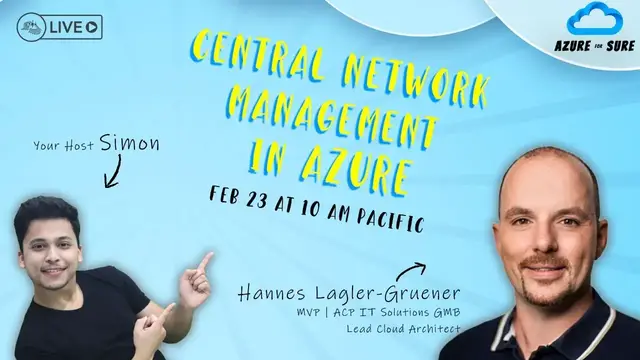
Join this live session with Stephen SIMON and Hannes Lagler-Grüner to learn what is Central Network Management in Azure and present the answer from Microsoft to that Requirement on Feb 23 at 10:00 AM Pacific Time (US).
Do you work with the cloud? Do you have more than one virtual network connected together, region, or maybe global?
Are you also using Azure Network Security Groups and Application security groups? Then you know why it's important to have good centralized network Management.
In that session, I'll present the answer from Microsoft to that requirement.
GUEST SPEAKER
Hannes is an Experienced Solutions Architect with a demonstrated history of working in the information technology and services industry. Skilled in Cloud Applications, Cloud Security, Amazon Web Services (AWS), Google Cloud Platform, and Hybrid Cloud.
C# Corner - Community of Software and Data Developers
https://www.c-sharpcorner.com
#CSharpCorner #CSharpTV #Azure #AzureForSure
Show More Show Less View Video Transcript
0:00
Thank you
1:00
Thank you
1:29
Thank you
1:59
Hello, hello, hello, hello, everyone. Welcome back to the season two of Azure for Sure
2:11
I'm your host as always, Simon, and we are back. And for someone who's joining us for the very, very first time
2:16
we do this Azure for Sure every Thursday at 10 a.m. Pacific time
2:20
We sometimes change it because our speakers join from different parts of the world
2:24
So I have to be kind, else no one will show up on my show. All right
2:28
So I'm really, really excited for this episode today. This is already episode number four
2:33
In season two, we have 10 episodes, which means this season will last
2:37
till the first week of April. And all the nine guests are already scheduled
2:42
I'm just wondering who's going to be the final guest of this episode. I want to do it in person, not virtual
2:47
I'm just looking for someone from India. I can go and put a camera on his or her face
2:51
and ask them to record with me. So everyone, if you have any questions or queries
2:56
please feel free to go ahead and drop it in the comments. We'll take them within the show or maybe towards the end
3:03
And joining us today, I'm really, really excited to host the gentleman from Austria. I'm hosting after almost a year and a half back
3:10
He is Hannes Leitler. I'm not going to say his last name because I cannot say it
3:16
He is a senior cloud architect with consulting experience of more than 50 years. I was probably in the school then, right
3:21
Or maybe in kindergarten. No, I'm not that small. He has a deep experience in IaaS security, networking, governance, and he started his
3:30
career at one of the biggest Austrian banks, then moved to Microsoft Australia, and now
3:34
he's working with ACP IT Solutions as a lead cloud solution architect
3:40
Wow. Let's welcome our guest. Hi, Henness. Welcome to the Azure for Sure live show
3:46
Hi, Simon. Thanks for having me. I'm happy to see you back after once, after so long
3:51
So, yeah, we're joining us today from, as I said, Australia, right
3:55
What time is it at, actually? 7 p.m. It's a good time to join after the work
4:02
So, I see, Hannes, today you're talking about central network management in Azure
4:07
And that is very specific right now, I'll tell you. I know you not only work with Azure, but you also work with the other cloud services, right
4:14
So, maybe AWS and Google and all that. And I don't see, and I host people from different backgrounds
4:20
And I really never see people talking about central network management, like people talk about web apps, people talk about server
4:28
So let me ask you this. Why did you choose to go and talk about network management
4:34
So from my point of view, it's really important to have a centralized network management
4:39
So in the past, it was really, really hard to manage networks in Microsoft Asia and Microsoft
4:48
Asia or Microsoft have now announced a new feature like network manager. So this is the topic from
4:55
today and it's really, really cool. And it's really important. So from a security standpoint
5:01
from the configuration standpoint, and for Amazon, so network is really important for all services
5:06
also as well. Yeah, it is. It is, it is. Yeah. And if network goes down, your entire application
5:13
is done right so so hennes is this level 100 or is it level 200 i know you can also take it to level
5:18
400 it's level 200 up to level 300 yes yeah i knew i knew you were not coming with any introductory
5:26
session i knew that so this is a serious session and also a live demo so wow that's good present
5:34
in live so keep in mind it's really live so if something happens it's not more pain all right
5:39
I'm really excited and looking forward to this. I'm going to add your screen to the stream now
5:44
Everybody else can see it and you're good to go whenever you want. Okay. Thank you
5:48
Good. So a short introduction from my side. Additional points here. So I'm a Microsoft MVP as well
5:56
So I love to work with the community. You can see it also about my social media sharing
6:04
So I have my private YouTube channel. YouTube channel, I have a private blog called cloudblocker.t
6:11
I'm also on LinkedIn, Twitter, Xing from the Austrian perspective, and I also have GitHub repositories where I share my content
6:18
where I share my scripts, and sometimes also applications. So I have a broad certification level
6:25
So from Microsoft Asia is my focus point here. I have the most certification, but I'm also certified in GCP and AWS as well
6:34
So let's go ahead and talk about the network management or the centralized network management
6:42
The first topic from our agenda is the why. Why should we use a centralized network management
6:48
So we have covered a little bit before. The next point is the what and the how
6:55
So go ahead and talk about why. Why it's important to have a centralized network management
7:02
So when we think about our Asia environment, for example, so normally you'll start maybe small
7:10
You have a virtual network and in this virtual network you place your past services, you place or your past services over private link
7:19
Or you have the AMS in Asia infrastructure service and everything in one virtual network
7:25
But the best practice here is to increase your network So when you think about the enterprise scale framework you don have one network you have more networks and you have an hub and spoke technology
7:38
So like this one here. So we have here now a separate network where we place also our VPN gateway or our express route
7:48
And this is the connectivity between on-premise and the cloud. So in this case, we have maybe four networks
7:55
Then we have different network security groups on each subnet or on each virtual network in different regions maybe
8:02
Over the time, we also have different VMs and the VM should be communicated together
8:07
And then we have another network connecting. And the problem here is the complexity increases
8:14
So it's really, really hard to manage, to manage this configuration centralized
8:20
And the customer challenges here are you have a high complexity You have no centralization with a traditional environment
8:29
You have a huge operational overhead when you want to change something
8:34
when you want to add a new functionality or a new region with network components
8:41
And the most important thing here is when you add a new region
8:47
and you configure, you have a one configuration in place, the errors are mostly in most use cases brings higher costs
9:00
And you have to think about building network at scale. So when you increase your company or your customer increase
9:06
to use more and more regions. So that are the customer challenges
9:11
And the answer here for the centralized network management and also for the operation and overhead
9:19
could be the Asian Network Manager is maybe the answer for all this question here
9:25
So let's go ahead and talk about the what. What? The Asian Network Manager is a new service
9:32
Keep in mind, this is a preview service, so it's not generally available at the moment
9:38
You can use it, so this is a public preview. You can use the service
9:44
You can provision it in your environment. But I always recommend do not use previous services near production
9:51
But I will show the most functionalities from the service itself in the demos in a few minutes
10:02
From the service perspective, it's high scalable, it's high available. So it's a platform as a service
10:08
You don't have to think about environments. You don't have to think about scaling up, scaling down
10:13
and it's a redundancy and global replicated service. You can do two topics here
10:23
You can manage your virtual networks and the second one is also really, really interesting
10:28
You can manage network or security admin groups. We will cover this in the second topic
10:34
but let's go ahead and talk about the network management from the virtual network perspective
10:41
So manage your virtual networks. What can you do? The benefits are here, low latency, high bandwidth between resources
10:50
and different virtual networks using virtual network peering. So this is nothing new
10:56
You can use virtual network peering with other, you can use virtual network peering in the traditional way, for sure
11:04
But with virtual network manager, you also create a virtual network peering
11:09
but you have a really important benefit here. When you think about virtual network peering and you want to add a new virtual network space, address space, you always have to think about synchronization between those virtual networks
11:26
And you don't need, you don't have to do this with virtual network manager
11:30
So you don't have to synchronize your VNet peering when you add a new address space
11:36
The second point here is, or the second benefit here is the rollout
11:40
so when you configure you know peerings you say okay this is this are my two virtual networks
11:47
and I want to peer it together this virtual network manager you can define a
11:54
rollout sequence when you want to connect for example east US to west US
12:00
and one week later you want to connect west Europe so you have
12:05
you can do this over sequences not for all environment so you have to ability to use sequences here so these are the most common benefits from
12:16
the high level perspective let's go a little bit deeper and answer the question to how how can we
12:23
do this so first of all we have to define the deployment process the deployment process is
12:29
really simple in the first section you have to define the scope the scope means you have for
12:36
example your environment you have a management group and you have more than one subscription
12:41
you can define the scope on the subscription level management group level or what you prefer
12:47
then you're creating a network groups creating a configuration at the end you will deploy the
12:53
configuration let's go a little bit deeper from the scope perspective once more you can define
13:01
the scope based on the subscription based on the management group level or based on the tenant
13:07
level if you want to use across tenant scopes so we will cover this in a few seconds you can change
13:15
the scope if you want later so you start small think about i want to cover only one subscription
13:23
with my virtual networks in this subscription and over the time you also want to add another
13:28
subscription or maybe go a little bit higher to a management group level and add the tool networks
13:35
from other subscriptions for example then you have to define the network group a network group is a
13:43
global container or it is a container that that includes a virtual network one or more virtual
13:51
networks from different region from different subscription what you prefer and you can segment
13:57
those configuration or those network into different environments if you want so you can define a
14:03
development environment production environment test environment staging environment whatever prefer you have two assignment option for network groups you have a static option and you have a
14:15
dynamic option and let's go ahead what is the static option static means you add a virtual
14:23
network and this is really a manual add static added to the network group and this this option
14:30
with this network group static option you also have the ability to use a cross tenant level
14:37
scope so think about you have maybe two environments you have your productive
14:43
environment and you have your staging environment for example and you want to connect
14:49
connect both environments over different tenants, and you also want to add virtual networks from other tenant You have the ability to do this with the cross tenant level connection so you need separate permissions in the second tenant for a user or for the service
15:07
principle and then you have the ability to add virtual networks from those from that
15:14
asia active directory as well this is only available at the moment for the network group
15:21
from the type static but if you want and if you want to implement a more dynamic way you can use
15:31
the dynamic networking group this allows you to define policies or to define um yeah policies uh
15:41
which virtual network should be add automatically keep in mind in the back end you're deploying um
15:48
an Asia policy and then it could take up to 50 minutes to see the new virtual network based
15:57
for example, from a specified tag or on a specified ID to your network group
16:04
To assign dynamic groups or dynamic networking groups, you also need additional permissions
16:11
because you're creating a policy and then you need a separate permission. You have two options
16:17
here you can add a built-in rule you can define built-in rules or assign built-in built-in rules
16:25
to the user the network or resource policy contributor have this rule in included or you
16:34
can define your own role based access control and you can see here the three roles are required to
16:43
create dynamic networking groups okay and then you have to define your configuration your
16:51
configuration first of all you have to define the topology and keep in mind a virtual network can be
16:59
a part of up to two connection groups so when you create more than one connection group and
17:05
they want to for example connect the dev with the test environment as well you can overlapping you
17:12
have the ability to overlap your virtual networks up to two connecting group or networking groups
17:20
and this is the only limitation here when we think about the definition from the topology
17:27
we have here different options so from the networking perspective we have the option
17:32
to create a hub and spoke net network that is the most common configuration or the most common
17:38
tap topology we can also uh configure a mesh configuration so this means the connection
17:47
between virtual network is always directly as a direct connection or this is from my point of view
17:54
uh the most interesting one you can also define a hub and spoke with a direct connectivity so this
18:00
means the communication in asia is always direct so it's not the communication is not over the hub
18:08
virtual network, the communication inside Asia is always directly and when you want to communicate with
18:15
an on-premise service, you always go over the hub virtual network and in this case
18:21
maybe a VPN gateway or express circuit. So these three options you have exactly
18:29
these three options for them from the topology perspective and then at the end when we have the
18:34
networking group and we have the topology in place we are going to deploy we're going to
18:41
deployment process so in this case you have to define the region where you want to deploy the
18:48
configuration so you can select the different region keep in mind always use the regions where
18:55
you have networking components in place and where you want to connect to your environment
19:01
um also keep in mind the but this is now really really um there's a huge improvement here that the
19:10
latency is um really really fast you will see it in a few minutes in uh you see you will see it in
19:18
a few seconds in the live demo so last year when i present this uh topic the first time it could
19:26
take up to five minutes that the deployment process is finished now we have a few seconds
19:32
and you can see the connection is available one funny part here so we have here limitation but
19:39
from my customer perspective i don't have customers more than 15 000 asia subscriptions so
19:45
i don't uh have the limitation here i've ever seen before so yeah but keep in mind when you have a
19:52
customer with more than 15 000 asia subscription you can only apply it to network policy to the
19:58
subscription or with your scope scope so this is the only limitation this is one of the most funniest
20:05
limitation from my point of view okay so let's go ahead and uh let's have a look to the environment
20:13
so once more keep in mind this is a live demo i've tested everything before but um yeah we will see
20:21
it's how it works okay first of all we get an overview about the service itself then we deploy
20:27
a network configuration or have a look to the network configuration options and at the end we
20:33
also validate is the configuration in place or is something wrong so let's go ahead and you can see
20:43
here i have now my asia environment this is my asia environment so i have here my resource group
20:50
This is my network manager resource group with all components inside from the networking perspective
20:57
We also have... I'm really sorry to interrupt, but we cannot see your Azure portal
21:02
Oh, okay. I'm sorry. So stop screening. Present slides. Screen
21:38
So I hope you can see it now. Yeah, we can see it now
21:51
Great. So here you can see I have my resource group from the networking perspective
21:59
So here's also the network manager inside. So here's the service. And I have a second network resource group where I have installed VMs in different regions
22:12
So I have one region, East US 2 and West US 2. So when we go to the VM in East US 2, so I'm connected now over Asia Bastion Host
22:22
And you can see I have no connection between West US and East US So the IP address 10 is the VM in West US
22:36
So you can see it here. This is the part. This is the private IP address in West US
22:41
And I'm connected to the East US 2 VM. Okay. So let me go to the network manager service you have here
22:51
the network manager service. And you can see here, this is the main, the overview from the service itself
22:57
On the right side, you have the deployment process, the option to define the subscription scope or the scope level inside the tenant
23:09
In this case, I've selected only one subscription. And what I've mentioned before, you can change the scope every time
23:18
so in this case i have only my mvp subscription selected but i can also add a second one if i want
23:25
and um yeah and have also the um virtual networks from this subscription as well
23:33
here you have the option to define a cross tenant level uh connection so to another tenant if you
23:40
want so in my case i only have my tenants and nothing else so we have here activity log we
23:48
have here access control em right so if you want you can choose custom role-based access controls
23:54
if the service is ga so we have separate permissions here as well then we have here
24:02
the first thing but you have to do network groups in this case i have defined two network groups two
24:07
different network groups the first one is a manual so you can see here i've assigned here
24:16
two virtual networks the virtual network from east us2 and from west us
24:22
this is a source this is a manual add virtual network to this network group
24:28
when we go back to the second one this is an uh automatical group so in this case i have here
24:35
to find a policy and the policy says uh okay if there is a tag available on a virtual network
24:42
which the name is network enabled then you should add uh then the network should be added to this
24:51
group membership here so we can see here i only have here the east us2 mutual network and
24:57
And I want to add the second network as well. So I go to the West US virtual network and add a second tag or add a new tag
25:11
Network manager enabled. Fine here. One, the value is not important here
25:19
Click on apply and it will take up to 50 minutes. And I will see the new network here in the second network group
25:26
So it will take some time. Okay, then we have the network group in place
25:32
Then we go ahead and configure our configuration. So in this case, I've configured a mesh configuration
25:39
and I've assigned this configuration to a group. In this case, network group
25:45
And you can see here the network group, full mesh, the manually group
25:51
In this case, I have my two virtual networks inside. so when you want you can create a new configuration and you have here the ability to change
26:02
to select the topology go to the topology here the mesh functionality or the hub and spoke
26:10
functionality if you want and when we are in place we go ahead and define the deployment
26:19
and you have here different options to deploy or different ways to deploy the configuration
26:25
I will show you the first option what you have so select the configuration click here on deploy
26:32
process select the target region in this case I have two regions in place so west us and east us
26:41
2 and SGS 2 and East US. So this is the two locations are the locations
26:51
where my VMs are available. Click on next. You can see here I've added now
26:57
a new configuration to each location and click on deploy. So the process itself
27:03
will take a few seconds and when it's finished, we will get an update and
27:09
deployment is completed. meantime let's have a look to the vm itself so the ping the ismp is not possible at the moment
27:20
the deployment is now submitted and it will take some time and then the deployment should be
27:31
succeeded voila the configuration is now in place it takes a few seconds and when we add another
27:37
region or another location it's also in place okay so this is really really simple when we
27:45
have a look to the virtual network itself so go back i'm sorry go back here to the virtual network
27:54
and i've mentioned before we're creating in the back end of vnet peering so normally you should
28:00
see here on the virtual network perspective, under peerings, a peering. But it's not available
28:07
because it's not 100% the same when you create here a virtual network peering because we don't
28:14
need the synchronize option here. Where you can see the configuration itself. You have here
28:21
a new topic, in this case, network manager. And here you can see the configuration
28:28
Connectivity configuration, security, admin configuration, we will cover a little bit later
28:33
Here you can see the mesh configuration, the topology is a mesh, and the scope, the connectivity scope is regional
28:41
This is really, really important to understand. So we have here the connectivity inside the network manager section
28:51
Okay, so I will stop my sharing. switch back to my presentation, share screen
29:05
And let's go ahead and talk about that second option, what you have
29:13
It's also really, really interesting. And it's from my point of view, also really important
29:21
Manage network rules. So when we think about the network configuration, you have your virtual network
29:30
you have your peering between your virtual network, and normally you have a firewall
29:34
or you have maybe network security groups in place and you also assign the network security group
29:42
to the subnet, to a different subnet in each region. So what can we do with the managed networking rules
29:51
from the managed networking rules perspective? Let's talk about what's the difference between
29:56
security admin rules versus network security. groups. Here you can see the differences and the most common differences are the highlighted one
30:06
So network security groups are normally assigned to a subnet or to a network interface
30:12
what you prefer. A security admin rule is always assigned to a virtual network
30:20
So the benefit here is really, really simple. When you create a new subnet, the network security
30:27
the security admin rule is always assigned to each subnet inside the virtual network
30:34
From the priority perspective, it's higher than network security groups. We will see this in a few seconds
30:44
And from the action type, we have not only two actions. Network security groups have only two actions, allow and deny
30:52
And from the security admin rule perspective, we have three actions. we have allowed deny and always deny i always allow i'm sorry so what does this mean we'll cover
31:05
this picture here so normally you have the traffic the traffic goes to uh um comes to the
31:13
security admin rule and the security admin rule will check okay is this rule um valid or is there
31:20
any policy in place and you have here three options the allow option and the law option means okay
31:28
um it's allowed or it's not available there's nothing available in the security admin rule
31:34
it will bypass the security admin rule and i'll always ask the network security rule or the network
31:40
security group is it allowed to connect to vm or is it allowed to connect to service x y the second
31:48
option what you have is that always allow so you can find a network security rule and this is this
31:56
network security rule you deny for example port 80 and when you assign a security admin rule
32:03
with allow port 80 it's all with the option always allow you will um have you have the ability to
32:11
connect over port 80 to dvm and the third option what you have is the deny rule so when you
32:18
define here a security admin rule with a deny rule it always it is always denied so it
32:25
doesn't cover the configuration from a network security group so what are the benefits here
32:33
the benefits here is the operational benefits so when we think about network security groups it's
32:40
really really hard to configure in this case you can define your teams you can say okay hey
32:46
you have here your environment you have here your network security groups you can maintain or you
32:52
can configure this network security groups if you want but i will place the company rules in security
33:00
admin rules so company rule could be there's no port 3389 available over the internet or there is
33:08
no port 22 available over the internet this is a company rule and it's for all vms uh the same
33:17
administrators don't need to manage all network security groups because you can
33:22
give this to the departments itself and it minimizes the operational overhead for sure
33:29
from the emergency benefit so when you know okay there is a really really critical port or high
33:36
risky traffic available you can centralize remove this port over all environments if you want and
33:44
this is really really important and really quickly and from the protection benefit when a resource
33:50
are provisioned the security admin rules will always assign to each resources because the
33:58
security admin rules always assigned to a virtual network and then we create for example a new vm
34:06
in a new subnet where no network security group is assigned the security admin rules we always
34:13
assigned to this um to these vms and you also have the ability to enforce critical security rules
34:21
to all your environments so that's from the life from from the theory section i will switch back to
34:32
my demo environments and it will show you the functionality and much more
34:41
okay so we are now back the configuration here is is fine everything is good
34:57
um now let's go ahead and uh let's have a look to the configuration or to the second vm so we have
35:06
here in west us 2 second vm and in this vm we have a public appeared rest assigned and no this is not
35:13
really the the most common way but from the demo perspective it's okay so I have here a public
35:18
appeared rest assigned and um there is also a web server installed and you can see here I have my
35:26
public DNS name and I have no access at the moment to the public website so what I want to do is go
35:36
back to the configuration space so I have here my configuration so let have a look to the second a network security group Is it available the second one No it will take some time Okay so we have here a security configuration
35:59
So we have here the choice to create a connectivity or a security configuration
36:03
In my case, I've selected here security configuration. And if you worked with Asia Firewall in the past, you can see here I have my rule collection and my rules itself
36:16
So I'm creating here my rule collection. And inside my rule collections, I have my different rules
36:25
So in this case, sorry, this is the wrong one. So I want to use this one here
36:33
So I have here two rule collections. One rule collection is the main rule for infrastructure service
36:41
In this case, I have a port 80. priority one so keep in mind or let's think about network security group when uh the priority is
36:53
starting for network security group 100 this is also a big difference here so you can start we
37:00
can start here with priority one then we have uh the direction inbound outbound okay let's edit here
37:07
the configuration if you want so we have here the priority we have here the action in this case
37:13
always allow deny or allow allow means the network security group will also be checked
37:20
deny means it's blocked and always allow means okay when it's allowed in the security network
37:27
security rule it will be allowed so then we have then we have here the protocol we have
37:33
here different protocols that we can use in my case tcp the source type here is any or you can
37:41
also define here a service tag if you want for example from the internet
37:52
then the source port and the destination the same in this case port 80. okay so
38:02
i have here now my configuration i have also a second configuration here in place
38:07
with uh rdp from a specified uh public appear address this is only for demo reasons okay so
38:17
now let's go ahead and um deploy the configuration i will show you now the second option what you
38:23
have for the deployment process go here to the uh in the section deployments click on deploy
38:29
configuration and now you have the ability to select okay what configuration type do you want
38:35
to deploy in this case i want to deploy a security admin rule in your in your goal state in this case
38:44
as my main configuration and i select only list us2 because there is my vm with the web server
38:56
click on next click on deploy same process will take a few seconds
39:00
so meanwhile I will go back to my configuration so you can see here the deployment process succeeded it will take some time
39:20
so come on okay meantime
39:31
when we go back to the network configuration so you can see here
39:38
in the VEST US 2 virtual network I have here my network manager
39:44
and here you can see the connectivity topology and also the security admin configuration
39:50
so you can see here now the configuration for uh for this virtual network you can see it here what is allowed
39:59
was it's not what is not allowed and where you also see the configuration this is really important
40:06
when we go back to the vm so we are here now in the vm section when we go here to the networking
40:16
perspective and here you have a new ability you see here check for additional rules so this is the
40:23
network security group configuration and yeah it will take some time and normally you should also
40:31
see here the additional rules from the network manager let's go ahead and reload here the
40:42
configuration as is a live demo once more come on
41:02
hopefully it's working okay give it some second uh meanwhile um let's talk about the
41:12
when we want to remove the configuration. This is a little bit strange in my point of view
41:18
So when we want to remove the configuration, we are going to the network manager
41:24
and let's disconnect the two virtual networks. So you can see here I have my ICMP ping in place
41:33
and I want to remove a deployment. so you can select here your configuration for example the mesh configuration I sorry Click here on the connectivity
41:51
Remove deployment. And normally it should select here the configuration. It's not available
41:59
In this case, I want to remove the connectivity. And you have to select none here
42:05
remove existing configuration and select here the targets US, West US 2, East US 2
42:16
Click on next. And here you can see now the remove. Click on deploy
42:23
And it will take some time. Okay, voila. We have now the
42:29
ability to connect to the web server. Then we go back to the VM
42:35
Hopefully we should see here now additional ports, additional rules
42:47
Come on. Yes, here we are. And you can see here, this is from the priority zero and one
42:58
So this is always higher than priority from a network security group
43:03
and from the connectivity perspective now the connectivity is program between those two regions
43:14
okay at the end um what microsoft will do is it's a new functionality it's um it's not not available right now but when
43:27
we create here um i'm sorry when we create here a new network group we can define in the future here
43:35
the member type normally the member type is a virtual network and in the future you also have
43:41
the ability to connect a subnet so you can select in the future single subnets um and connect only
43:49
those subnets together so it's really really interesting i don't know how does it work but
43:55
but you will see it when we go to the configuration here
44:04
We have here the ability. I'm sorry, not here. The group member
44:16
Where is it? Oh, this is not here. I'm sorry. okay yeah
44:32
okay and now we can see also here we have now the second uh virtual network as well
44:39
okay so we are good in time are there some questions so i'm now finished with my presentation
44:48
who catch some breath hannes you were non-stop
44:57
you did not stop for a minute you were hopping from slides to uh demos demos to slides and back
45:05
again to the uh demos i think it was great you talked about i was i was here all through time
45:11
talked about customer challenges you defined about scope network groups topologies there was some great
45:16
theory that you built up then you went on the demos and you also came back and talked about
45:20
managing uh managed network rules and i see we have people really like this session david says
45:27
man this this content is gold that's great thank you sham says this session is going for you well
45:34
we also have some questions let's take some questions right so sham is saying a great
45:38
session hannes how does azure support automation and orchestration of network management tasks
45:43
and what tools are available to help organizations streamline these processes. Is this a rich tool networking
45:48
It's not my expertise. Network management tasks. That's a good question
46:00
It goes over my head, to be honest. Okay, so if you want to automatically configure the network manager
46:11
So I think it's not available at the moment, but in the future, you also have the same ability
46:17
So you can use ARM templates to deploy, or Azure Bicep to deploy the network manager
46:22
and also Azure Bicep to configure the network manager. And if you want, you also can use PowerShell scripts
46:29
to add a new network group and so. So it's possible in the future
46:34
but at the moment, it's only a preview feature. So I don't know what
46:38
or I don't have the ability to automatically configure anything. Yeah, I really like that you mentioned about the biceps
46:47
What we really do is, and I always mess up with creating resources and managing it
46:52
So it helps me to have a version control, right? I can always roll back
46:57
If I have to create five VMs, I would just create a for loop inside it. The way we would do it, right
47:03
So I really like doing it with the biceps. Then we have another question coming up from David
47:07
He says, I have a question. How can organization measure the success of this central network management efforts in Azure
47:15
What matrices should they track to ensure ongoing optimization and improvement? It just means that, I mean, how can they actually measure it, right, once they start using it
47:24
Because then it's all ROI, right? If you go ahead and suggest to a manager that hey I want to use this tool and they like all right but why would you like to use it anyway so um management effort in asia from my point of view uh you have here a centralized network management so it really important so if you have a
47:45
centralized firewall or if you're using a virtual one so it's uh it's a game changer so
47:52
when you use a normal vnet peering so um from my point of view it's really really it's it's
48:00
It's in addition to the existing configuration to existing management. It's really important
48:05
From the pricing perspective, it's not so... Yeah, okay. Let's not go there
48:10
Let's not go there. Yeah. But it's in preview, and I hope there's a change here from the pricing perspective
48:18
But when you have a traditional hub-and-spoke environment with your network security groups
48:23
I think this is the best additional tool that you can use. Yeah, that's good
48:28
I hope, David, thanks, Agush. i hope this helps uh the charm has some clappings we should all the clap uh mega is saying i would
48:36
like to re-watch this session it's really nice you can wherever you're watching makeup is
48:39
to be linked into the twitch youtube and then c sharp tv and c sharp website uh you can always
48:45
come back and watch on the same links no problem at all then uh bob says can you suggest any
48:50
certification on and not working in azure well-paced session by the way okay certification
48:57
on networking so do you mean certification now uh asia certification i believe i believe that's
49:04
that's what bob wanna ask yeah there are many certifications around azure right so uh i've
49:09
achieved two certification i guess the the one is the ec 700 and uh this is a really really good
49:17
certification from the uh from the network perspective and there's a second one available
49:22
this is the connectivity troubleshooting session what kind of ec it is i don't know at the moment
49:29
so there are two yeah yeah there are two really really good sessions available uh certifications
49:35
available yeah yeah and i think if you bob if you just google azure certification it will take you
49:39
to docs.microsoft.learn or somewhere so they keep on changing url right it's best thing is to google
49:45
or bing or maybe chat gpt what are you going to do these days you need to bring in the third option
49:52
now, right? You'll get over there. Ivan says vroom vroom session. I don't know what that means
49:59
but you have gas. It should be good. We'll take a couple of more questions and just wrap it up. I
50:03
know that we've taken a long. Ivan asked, what advice do you have for organizations that are
50:09
just getting started with central network management in Azure? What are some key
50:13
considerations they should keep in mind as they begin their journey? I believe you did touch on
50:17
this in the beginning so uh from the journey perspective um when we implement normally when
50:25
we implement our network structures in in asia so uh the normal way is here to uh deploy a hub
50:33
and spoke technology so we always start with a hub and spoke technology and then we have to think
50:38
about okay what what's the connectivity between on-premise and asia would you like to use a hub
50:43
in spoke with a vnet vpn gateway connectivity or do you prefer another way like a virtual one
50:51
so this is not the hub and spoke itself so you have a separate uh configuration here a separate
50:57
management here from virtual one so it depends but have a look at the enterprise skill framework
51:04
so i think there you can find everything what you need from the um from the network perspective
51:11
journey. Perfect. Thanks. Thanks again, Ivan, for your question. And then we have Ricardo asking us
51:17
do you have a course book? Do you have a course? I think that's course means or book of central
51:24
network management in Azure? Not at the moment. I said I could get it because you said it's a
51:29
preview, right? So it's pretty early. Yeah. But I can bet some of the MVPs or folks at Microsoft
51:35
So they'll really see it. If you're active on Twitter and you follow Hannes Lagler
51:41
that's his Twitter, probably you'll find him tweeting about any books or latest updates that Microsoft brings in
51:48
So those were some great sessions. It's 12, it's midnight here, right
51:53
We don't get a lot of questions at this time of the live show, but it looks like people really loved your session, Hannes
52:00
So it's about to wrap up the show. So any final thing you want to add before we wrap it up
52:08
So from my side, so if you have questions, if you have additional questions, maybe to other topics as well
52:15
So you can find me on Twitter. You can find me on LinkedIn or you can also visit my blog or my YouTube channel
52:22
So feel free on YouTube. You also have the ability to see Virtual One in action
52:27
So I have here many sessions. I have put up your blog right here
52:34
what does .80 mean? this is the first time I'm looking at it Austria that's an interesting one
52:43
you guys have got an interesting one .com was resurrected that's pretty cool .at
52:54
alright and it was lovely hosting you after so long we're bringing back CloudsMid once again
53:00
probably towards the end of this year, once again, I would love to host you there
53:04
And thank you so much for time. And thank you so much for accepting the invitation. I hope to see you soon
53:09
And yeah, take good care of yourself and have a nice week ahead. Bye-bye
53:13
Have a nice time. You too
#Networking
#Distributed & Cloud Computing