0:00
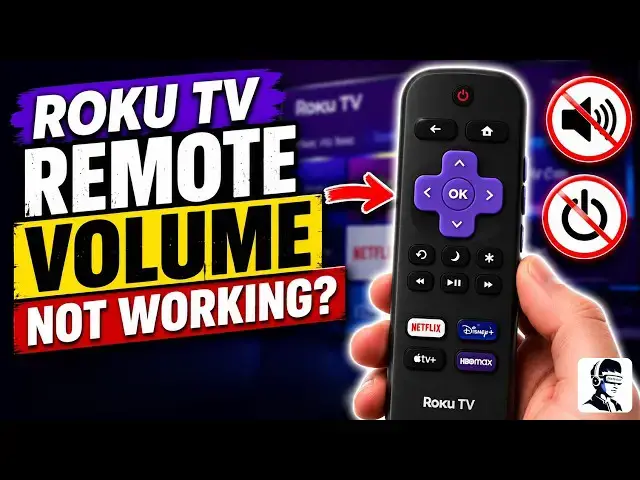
You press the volume button on your Roku
0:02
remote, but nothing happens. The menus
0:04
and apps still work, and the navigation
0:06
buttons respond normally, but the volume
0:08
and power buttons don't work. It may
0:10
look like the remote is broken, but
0:12
that's usually not the case. These
0:14
buttons control your TV, not the Roku
0:16
itself. If the remote loses its
0:18
connection with the TV, the buttons stop
0:20
responding. The good news is this is a
0:22
common problem and usually easy to fix.
0:24
In this video, I'll show you a few
0:26
simple steps to get the volume and power
0:29
buttons working again. Let's start with
0:31
a few quick checks because sometimes the
0:33
solution is very simple. Remove the
0:35
batteries from the remote and put them
0:37
back in or replace them with fresh ones
0:39
if needed. Weak batteries can cause
0:41
certain buttons to behave strangely even
0:43
when the remote still navigates menus.
0:46
After that, look at the front of your TV
0:48
and make sure nothing is blocking the
0:50
infrared sensor. The remote needs a
0:52
clear line of sight to control the TV's
0:54
volume and power function. If that
0:56
didn't fix it, try a quick power reset.
0:58
Unplug your Roku device from the power
1:00
outlet and wait about 10 to 20 seconds
1:02
before plugging it back in. This clears
1:04
temporary system glitches that sometimes
1:07
interfere with remote commands. Now,
1:08
let's restart the Roku system from the
1:10
settings menu. Using your remote, go to
1:13
settings, then system, then power, and
1:15
select system restart. Wait for the
1:17
device to fully restart and then test
1:19
the volume and power buttons again. If
1:21
the buttons still don't work, the next
1:23
step is to repair the remote connection.
1:25
Remove the batteries from the remote.
1:27
Then press and hold the pairing button
1:28
inside the battery compartment. Keep
1:30
holding it until you see the pairing
1:32
message appear on your screen. Once the
1:34
remote reconnects, test the buttons
1:36
again. Now, let's move to the most
1:38
important step because this is what
1:40
fixes the problem for most people. You
1:42
need to set up the remote to control
1:43
your TV. Go to settings, then remotes
1:46
and devices. Select remote and choose
1:48
setup remote for TV control. Follow the
1:50
on-creen instructions and complete the
1:52
audio test. When asked, choose the
1:54
correct TV brand. Once the setup
1:56
confirms success, try the volume and
1:58
power buttons again. If the volume still
2:00
doesn't respond, another option is
2:02
changing how the remote controls the TV.
2:04
Start with the infrared setup, which is
2:06
the standard way the remote communicates
2:08
with the TV. If that still doesn't work,
2:11
try using HDMI CEC control instead. This
2:14
allows the Roku to control the TV
2:16
through the HDMI connection. For HDMI
2:19
CEC to work, your Roku device must be
2:21
connected to the TV using an HDMI cable.
2:24
You will also need to enable HDMI CEC in
2:28
your TV's settings. Depending on the TV
2:30
brand, this feature may appear under
2:32
different names like Bravia Sync, Anet
2:34
Plus, Arc, or T-Link. These are all
2:37
versions of HDMI CEC that allow external
2:40
devices to control the TV. If the
2:43
problem started after a Roku update, run
2:45
the TV control setup again and restart
2:48
the device once more. In many cases,
2:50
this issue is caused by a configuration
2:52
glitch rather than a broken remote. If
2:54
none of these steps fix the problem, you
2:56
can still control the volume using the
2:58
Roku mobile app as a temporary solution.
3:00
The app works as a remote and allows you
3:02
to adjust the TV volume until the
3:04
physical remote is working again. At
3:06
this point, you've ruled out battery
3:08
problems, pairing issues, TV control
3:10
setup errors, and connection glitches.
3:12
In most cases, one of these steps
3:14
restores the volume and power buttons.
3:16
If this video helped you fix the issue,
3:18
give it a thumbs up and subscribe for
3:20
more easy tech fixes. And let me know in
3:22
the comments, is it just the volume
3:24
button not working or both volume and
3:26
power? Thanks for watching and I'll see