0:00
remote not working and you're stuck
0:01
staring at a frozen Roku screen no
0:04
pairing button no Wi-Fi and it's just
0:07
dead uh we've all been there but don't
0:10
toss it out just yet i've got your fix
0:13
in this video I'll show you quick and
0:14
easy steps to bring your Roku remote
0:16
back to life even if it seems completely
0:19
unresponsive let's get your streaming
0:21
back on track fast before we jump into
0:24
the fix let's figure out which Roku
0:26
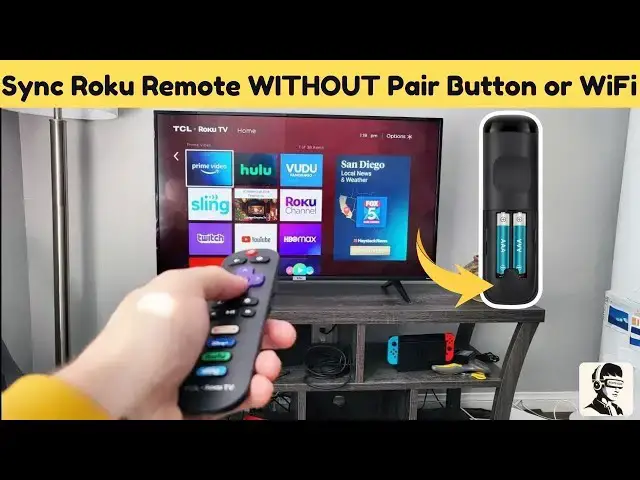
remote you have just pop off the back
0:27
cover and look for a small pairing
0:29
button if you see one it means you've
0:31
got a Bluetooth remote it needs to be
0:33
paired with your TV if there's no button
0:35
it's an IR infrared remote which doesn't
0:38
need pairing and just point straight at
0:40
your TV to work this little check helps
0:42
us know which steps will work best for
0:44
your remote first let's try a simple
0:46
reset take out the batteries from your
0:48
remote and wait about 30 seconds before
0:50
putting them back in think of this like
0:52
restarting your phone when it freezes it
0:54
clears any minor glitches when
0:56
reinserting the batteries make sure the
0:58
positive side is facing up and the
1:00
negative side down this might sound
1:02
obvious but even a tiny misalignment can
1:04
prevent the remote from working if your
1:06
remote still isn't responding after this
1:08
don't worry there are a few more things
1:10
we can try now let's check if your
1:12
remote is actually sending an infrared
1:14
signal here's a quick trick grab your
1:17
smartphone open the camera app and point
1:19
your remote at the lens press any button
1:21
and look at your phone screen if you see
1:23
a flashing light coming from the front
1:24
of the remote that means the IR signal
1:27
is working and the issue might be with
1:29
your TV but if you don't see any light
1:32
your remote might be faulty or blocked
1:34
by dirt this is a great way to diagnose
1:36
the problem before assuming your remote
1:38
is completely dead if there's no light
1:40
it's possible that dirt or grime is
1:42
stuck under the buttons preventing them
1:44
from working properly to fix this remove
1:46
the batteries and press each button
1:48
multiple times to loosen any debris then
1:51
gently slap the remote against your palm
1:53
a few times sometimes a little shake is
1:57
unstuck once you're done reinsert fresh
2:00
batteries and test the remote again many
2:02
users find that this simple step
2:04
immediately restores functionality still
2:06
not working let's try power cycling the
2:08
Roku device itself make sure your
2:10
remote's LED indicator is blinking or in
2:13
pairing mode then unplug your Roku from
2:15
the power source wait a few seconds plug
2:17
it back in and let it reboot this resets
2:20
the connection between the remote and
2:22
the device give it a moment and then
2:24
test your remote again this method often
2:26
resolves any lingering issues quick
2:28
recap first remove the batteries and
2:30
wait 30 seconds before reinserting them
2:33
next use your phone's camera to check if
2:34
the remote is sending an IR signal if
2:37
there's no light press and clean all the
2:39
buttons then gently shake the remote to
2:41
clear out debris finally power cycle
2:43
your Roku by unplugging and restarting
2:45
it one of these steps should get your
2:47
remote back up and running if this video
2:49
helped you out don't forget to give it a
2:51
thumbs up and hit that subscribe button
2:53
for more quick and easy tech fixes still
2:55
having issues drop your question in the
2:57
comments i'm here to help thanks for
2:59
watching and I'll catch you in the next