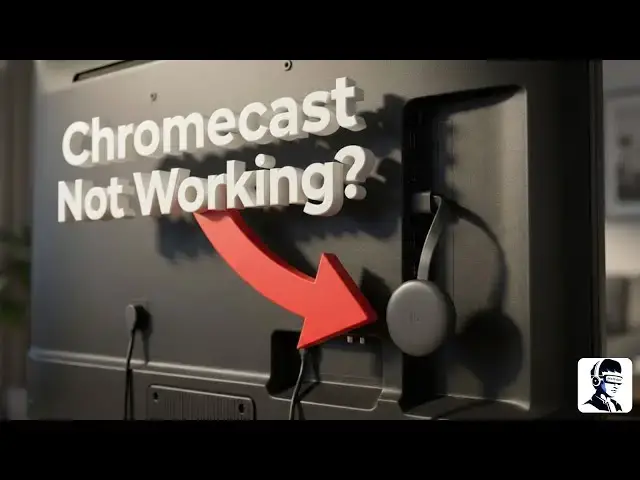
0:00
Chcast not connecting, not casting,
0:02
buffering repeatedly, or not showing up
0:04
on your TV is a very common and
0:06
frustrating problem. The good news is
0:08
that most of the time you can fix it at
0:10
home without doing anything risky or
0:12
complicated. In this video, I'll walk
0:14
you through simple step-by-step
0:16
solutions that can help get your chcast
0:17
working normally again. First, let's
0:19
start with the basics by checking the
0:21
power and TV input. Remove the chcast
0:24
from the TV's USB port and connect it
0:26
using the original power adapter. Since
0:28
TV USB ports often don't supply enough
0:31
power. Look at the chcast and make sure
0:33
the indicator light is on. Now, grab
0:35
your TV remote. Press the input or
0:37
source button and select the HDMI port
0:39
where the chcast is plugged in, such as
0:41
HDMI 1 or HDMI 2. If the TV still shows
0:45
no signal, move the Chromecast to a
0:48
different HDMI port and check again.
0:50
Next is the most important step,
0:52
restarting everything. Unplug the chcast
0:54
power cable and wait about 30 to 60
0:56
seconds before plugging it back in. Then
0:59
turn off your TV. Unplug it from the
1:01
wall. Wait one full minute and turn it
1:03
back on. After that, restart your router
1:06
or modem by turning it off for a few
1:08
seconds and powering it back on.
1:10
Finally, restart the phone, tablet, or
1:12
device you use for casting. If this step
1:15
fixes the issue, make sure to like the
1:17
video and subscribe to the channel for
1:19
more easy tech fixes. Now, let's check
1:21
your internet and Wi-Fi connection. Make
1:23
sure your internet is working properly
1:25
on your phone or laptop. Then, confirm
1:27
that both your phone and chcast are
1:29
connected to the same Wi-Fi network. If
1:31
your router has both 2.4 GHz and 5G
1:35
options, try switching between them to
1:37
see which one works better. Moving the
1:38
chcast closer to the router can also
1:40
improve signal strength and reduce
1:42
buffering. Think about any recent Wi-Fi
1:44
or router changes. If you changed your
1:46
Wi-Fi password or installed a new
1:48
router, your Chromecast may still be
1:50
trying to connect to the old network.
1:52
Open the Google Home app and update the
1:54
Wi-Fi settings so it connects to the
1:56
correct network. You can also try
1:58
disabling special router settings that
2:00
may block device connections. Next,
2:02
check the Google Home app setup. Make
2:04
sure the app is updated from the Play
2:06
Store or App Store. Open it and see if
2:08
your Chromecast appears. If it doesn't
2:10
show up or keeps disconnecting, remove
2:12
the chcast from the app and set it up
2:14
again from scratch. Assigning it to a
2:16
room during setup can also help it work
2:18
more reliably. If your Chromecast
2:20
connects but buffers or plays slowly,
2:22
performance issues are likely the cause.
2:24
Keep it away from crowded cables and
2:26
nearby electronics to reduce
2:28
interference. If your Wi-Fi is unstable,
2:30
using an Ethernet adapter to connect the
2:33
chcast directly to the internet can
2:35
provide a much more stable connection.
2:37
Finally, if nothing else works,
2:39
resetting the chcast is the last option.
2:41
If a restart option is available in
2:43
settings, try that first. If the problem
2:46
continues, perform a factory reset by
2:48
pressing and holding the button on the
2:50
chcast until the light starts blinking.
2:52
Release the button and set it up again
2:54
using the Google Home app. That's it for
2:56
this video on fixing common Chromecast.
2:59
I hope these steps helped you get your
3:01
Chromecast working again. If one of
3:03
these fixes worked for you or you still
3:05
have questions, let me know in the
3:07
comments. Thanks for watching.