Up next in 10



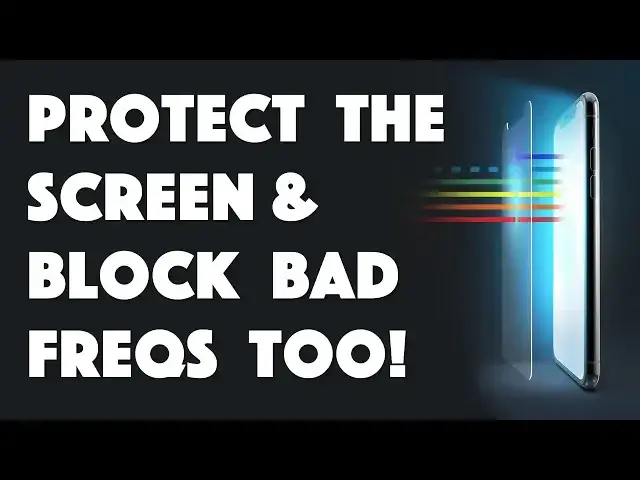
Modern smartphones have remarkably tough glass surfaces, but our phones take a lot of damage anyway. Dropping, scratching, chipping, dirty fingers, it all takes a toll. That's why ZAGG makes great glass screen protectors. The newest in the lineup is the Glass + VisionGuard and it blocks high energy visible blue light while protecting your screen.
Tech expert Dave Taylor of https://www.AskDaveTaylor.com/ pulls off an older screen protector to show how to install the ZAGG InvisibleShield Glass + VisionGuard on his Apple iPhone XS. And the results speak for themselves!
Check it out at https://www.zagg.com/
Show More Show Less View Video Transcript
0:00
Zag and Visible Shield, let's install it
0:10
Dave Taylor here, and this is the Zag Invisible Shield glass plus vision guard for the iPhone 10S
0:18
Now, this is really nice. Zag makes, I think, some of the very best screen protectors for the iPhone, and to have one for my new iPhone 10S
0:27
Very nice. Now, it's 3X shatter protection, and it is a case-friendly screen size, which means it's slightly less than the entire top surface
0:37
And the benefit of that, of course, is that your case doesn't end up competing with the screen protector, because you don't want it raised off the surface just a bit
0:46
But this is a particularly interesting one. This is a fairly new design for Zag because they have what they call an eye-safe layer
0:53
It blocks high-energy visible blue light. So, H-E-V is what they call it
0:58
and there's no color skew. The colors, the screen will look exactly the same
1:03
but this actually does good things for your eye health and especially if you use your phone at night
1:08
whether or not you turn on night mode, night shift, any of that stuff, this will actually help your brain function and let you go to sleep better
1:17
So what a great additional benefit for a screen protector that quite frankly you will forget is there once you install it
1:23
Now, it also comes with a limited lifetime warranty, which means that if it's
1:28
worn or damaged that Zag will replace it and you want to check with them for the details
1:33
But enough talk. Let's actually go ahead and install it on my iPhone 10S
1:39
But here's what's interesting. I have a third party screen protector already on it
1:42
So for the first time here in video, I'm going to take off a screen protector to put on another one
1:49
How do you take off a screen protector from your phone? Well, that turns out to be really easy
1:54
All you do is peel it off. Now, here is my phone with
1:58
a screen protector the horror so we're gonna open this case and this is actually
2:04
really nice because Zag includes an install tool so take that off and we're gonna
2:09
slide everything out there's all sorts of pieces involved here I'll leave that
2:13
there and the maybe centerpiece of the whole thing is this weird little piece of
2:20
red plastic because this is your install guide we gonna put that on top of the phone and it gonna mean going to have absolutely perfect install but before we get there we have some other steps to take the first step you can see the first step is that I actually washed my hands thoroughly to get all the oils off my hands I think that the first step none of these companies ever tell you to do that but trust me having installed a ton of these that really really beneficial now we have a wet wipe and we going to use that first so I going to
2:53
open it up and just going to basically we're going to go through lots and lots of steps to make
2:59
sure there is not a single speck of dust or tiny hair or anything on the surface of my screen
3:06
before I go ahead and actually install the new screen protector. Obviously if you have used screen
3:12
protectors you will know that if you have any dust it basically just sits there forever looking at
3:18
you and that's really annoying. So I think we're pretty good with this
3:23
I'll just do one more quick wipe and looks pretty clean. So put that aside and now we use the fiber-free cloth to give it a second wipe
3:35
and that just makes sure that we don't leave any residue from the wet wipe, right
3:39
So round and round we go. We're gonna do that and that's looking like that's good too
3:46
And of course the phone basically goes a bit wonky while you do all this, whatever
3:51
Then they have this fun dust removal sticker and this, and this, This is kind of interesting because you basically just open it enough to be able to do that
3:59
And now this is just to make sure no more dust has ended up on the phone screen while I was in the midst of doing all this
4:08
Because who knows, maybe there's some airborne dust. You probably don't want to do this while someone else is vacuuming in your house
4:15
That would not end well. Okay, so those are our first three steps
4:19
And there actually is some dust on here, so maybe you should do a little more. Who knows
4:22
I do have a fairly dusty environment. If you've seen any of my reviews of robot vacuum cleaners
4:28
you've seen that they are busy in this house pretty much every day
4:33
Now, we have the screen protector installer tool, and that is super easy
4:39
We just lay that on top of the phone. And if it doesn't fit, then stop right now
4:44
because you've got the wrong-sized screen protector. But I don't have the wrong-sized screen protector
4:48
Those look, instructions, whatever. So we know how to do this So now gonna pull the actual screen protector out and this actually is not really super fun looking but it work trust me so there is a tab labeled one and then there are two little handles on the end
5:08
and the handles are going to prove to be really really important but first off we're going to take this off
5:14
first well maybe let's see i've had this happen before where that layer doesn't actually
5:22
want to come off let's see what's going on here hmm little technical difficulty
5:29
here my friends at zag here we go I guess I'll just have to do it on the edges
5:35
but what happened is that the sticker label itself was coming off that is not what
5:40
we want so you can almost get confused on which is which but we want this piece and
5:47
now one end I know this is super hard for you to see one end has the notch and the
5:51
notch of course is exactly what we want to have on the top and the best way to do that is to
5:57
whoops put something on your phone screen that's just white just create a new note is an easy way to do
6:04
that and now i have a full white screen and the reason for that is because then you can help see
6:10
how things line up but frankly the install tool makes it all super easy so here we have the new
6:15
screen protector and all i have to do is put it between all the tiny little tabs and
6:21
see that's it and now you just push the middle and maybe give it a little bit of a gentle touch to have it
6:31
get started oops that side didn't actually go down make sure all the edges of the screen protector are
6:38
down and basically that's it i'm done so what you can do now if you want is use that dust-free cloth
6:46
again and just give it some wipe so you can do it generally from the middle out
6:51
outward and it's pretty much already installed at this point the way the adhesive works
6:58
but now the fun part now we actually will take the other protective part off and
7:05
there we go that is also done and now we take off the red do-hickie and we have
7:12
far as I can see a perfectly installed screen protector and as you can see if
7:19
if I go and look at maybe I see you find an interesting photo maybe this one with some books on it There is no color shift
7:31
There's nothing I can see that's telling me, hey, there's no blue
7:35
It's taking the blue out. But I really appreciate that Zag has this eye safe layer
7:40
because I actually, and again, go and do some homework, do a quick Google search
7:45
but you don't want all that blue light going into your eyeballs all the time
7:49
stuff that's sunlight and stuff. Obviously our eyes are designed for that
7:53
Designed, we're not going to go down that particular path, but our eyes work well with actual sunlight
7:59
But the light that's emitted from screens, not so much. But hey, now I have this screen protector on
8:05
I can't tell at all. It really is a nice install. And that means I'm done
8:10
Now, before I tell you the price, because the Zag is kind of a premium price product
8:15
Before we get there, if I can ask that you can go ahead and click on that subscribe link really appreciate when you subscribe to my channel and I know some people actually are
8:24
against screen protectors I don't fully know why but they are so if you're one of them leave a note
8:30
and tell me why you don't like screen protectors and if you do what's your choice do you go with
8:35
a premium product like this or do you go on to eBay and or Amazon and find the absolute cheapest
8:40
possible random rip-off and use that instead and how does that work out for you so leave me a
8:46
comment tell me let's make this a little more interactive Cool. Now, let's see. I'll pull the box back out. This is the Zag Invisible Shield glass plus
8:56
vision guard for the iPhone 10S. Comes in sizes for a lot of different iPhones and a lot of different
9:02
smartphones and it will cost you $4499 at Zag.com. And as with everything I've ever gotten from
9:09
Zag, I'm a big fan of this. They just really do a great job. The install as you saw was super
9:14
easy and the end result is I got a screen where I really could incredibly easily forget it's
9:20
even on there which is exactly what I want so this is Dave Taylor and I will catch you in my next video
#Other