Up next in 10



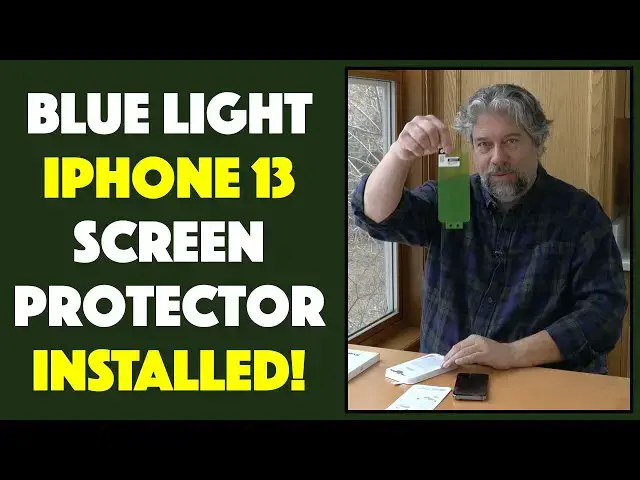
So ya got an expensive smartphone. Good on you. But how are you protecting it to ensure it can survive your day-to-day adventures? One smart solution: A tempered glass screen protector. Tech expert Dave Taylor installs and reviews the BodyGuardz Pure3 EyeGuard blue light filtering premium screen protector for the iPhone 13 Pro, and also checks out the BodyGuardz Pure3 Premium Screen Protector too. Result? Super easy to install, and it looks great!
Check both screen protectors out at: https://www.BodyGuardz.com/
Check out Dave's Q&A Web site at: https://www.AskDaveTaylor.com/
#screenprotector #bluelight #bodyguardz #pure3 #eyeguard #iphone #iphone13 #askdavetaylor
Show More Show Less View Video Transcript
0:00
Fancy smartphone, then you probably need a screen protector
0:03
Let's check these out. Dave Taylor here with my iPhone 13 Pro
0:15
This is a really nice phone, but it's also a really expensive phone
0:19
So one of the things I think is really important to consider is how are you protecting your expensive devices
0:26
So I have this in a case, 99% of the time, and that doesn't
0:29
a really good job, but the screen surface is not protected. Now, I know Apple has really good
0:37
glass and the latest pixel, the latest Samsung. They use really hardened glass. But still
0:45
if something happens to this screen, it's a pretty spendy process to get it fixed. Enter separate
0:52
glass screen protectors. Super simple idea. It's just a thin sheet of glass you put on top
0:58
And that gives you another layer of protection. And I know they work because when I look at my daughter's phone
1:04
her screen protector has cracks, but the screen underneath it is in perfect shape
1:09
That's exactly what you want. So bodyguard sent me a couple from my 13
1:13
So these are, let's see which is which, this is the Pure 3 glass screen protector
1:20
It's tempered glass. It gives you 5x strength over the glass on the screen itself
1:27
lifetime replacements, it's tempered glass that's water and smudge resistant, and it includes
1:33
pure guard anti-microbial coating. So it's supposed to stop 99% of the microbes and yicky bacteria
1:41
and stuff that you will encounter in the environment. I'm not entirely sure that's that big a deal
1:46
but a lot of people like it. Now, what's more interesting is that it's also made from 30% recycled glass
1:53
So I just love the vision of like they get these truckloads of just
1:57
ground down glass sand and that's part of what they use to make these so that's
2:02
pretty cool their packaging is also a hundred percent recycle too so that's
2:08
also a great benefit and I think more companies need to make sure that's the
2:12
case for them so they sent me this which is just a tempered glass protector but
2:18
they also sent me this which gives you all the same characteristics all the same
2:23
lifetime replacement and five X stronger and all that, but it also is eye guard, which means that it also is a blue light filter. So it's a great
2:35
added benefit. Now, I have both of these and I was like, hmm, which one do I want to put on my
2:40
phone? And I thought, well, let's do the blue light one. So as part of this, I'm going to do the
2:47
install. So you're going to get to see how easy or hard it is. Now, I've installed a lot of these
2:52
So I only have a relatively small amount of anxiety about this task because it is not the easiest thing in the world Let see what they have in the box They include installation instructions on a nice piece of card and the screen protector itself in swanky green
3:11
and some replacement information. And here we go. So here's the rest of the package here
3:18
So it includes a phone sanitizing wipe and then a lint-free cloth
3:25
And then this is always fun. this is always fun. They have these stickers that are actually dust removal stickers. So
3:31
here's the thing. You've got to get your phone to be absolutely pristine. So the first step
3:38
which none of these companies ever tell you, is go wash your hands. Get your hands nice and
3:43
clean. If you're in a dusty environment, don't vacuum 10 minutes before you do this, because vacuuming
3:49
is good, but it also kicks up dust in the air. So all of those little tiny bits of dust and
3:55
tiny bits of hair, if it goes underneath your screen protector, you're going to be staring at it for the rest of your life and you're going to not be a happy person
4:04
So a lot of this is about getting the screen as clean as you possibly can before you go to put the screen protector on
4:12
Now, so for step number one, it says use the sanitizing wipe to clean your screen thoroughly
4:19
We'll do that. and this is really sort of the next generation of wet wipes that you get at a barbecue restaurant
4:28
So it's not very big, but it is moistened and it will help me get my screen as clean as I possibly can
4:37
And it does have a little liquid residue, but that is what the lint-free screen is or the wipe is for, right
4:44
So now we take this and do this over it. And I'm going to use the same thing to go ahead
4:50
and drop it into the box so now I can do this and some people turn off their
4:59
phones when they put on a screen protector I tend not to do that because I like
5:03
to be able to see and center it but I have a feeling in this case because they
5:08
have these little punches on the top and they have holes on the screen protector
5:14
I have a feeling it's going to be perfectly aligned regardless which is actually
5:18
really cool. So let's see. That was step number one. Then we can do the sticker if we want. So
5:26
it is literally the one thing you never do with a sticker, but we're going to do with this
5:33
which is just go across and get rid of any other dust. Now I am doing things on my phone. I don't
5:42
know what the heck's happening, but hopefully I'm not live streaming to 20 of my best friends
5:47
what I'm in the middle of. I think we're okay. I'll do that. See, even just doing that touch
5:54
I saw a tiny molecule of dust show up I don want any dust That is bad Okay Now step two while holding the protector peel off the release liner to expose the adhesive I guess that this level Peel off to expose the adhesive So I going to do this
6:17
And then align the protector over the device. And I'm just going to line it up by putting it on these little..
6:30
protrusions. And it didn't quite fit, which is interesting, but it looks like it's pretty close
6:37
And the way these modern adhesives work is once you touch it, it sort of spreads its adhesion out
6:43
It's actually really interesting how that works. So it says, align the protector over the device with the adhesive side down, placing the holes
6:51
on the top first, and then the bottom. See, this is one of the things you learn in middle school, right
6:58
read the instructions before you do this. Well, I didn't. So I did the bottom, then the top
7:03
Maybe that's why it's not a perfect fit. Once you've aligned and placed, run your finger firmly down the center of the screen
7:11
which also brings up my notifications. And let's see. Then peel off the cap sheet
7:21
That must be this. And remove the device. There's a hole in the back, so that makes it easy to remove it
7:34
And let's see here, that looks almost perfect. There's this small air bubble smack dab in the middle, but those are easy to work out
7:44
There's a couple of ways you can work out an air bubble. One way is if you have something rigid like this card, you can literally push it to an edge
7:54
That's how I generally do it. And it looks like we just about got it out
7:59
And if that's not working for you, then you can also lift it up and ever so carefully stretch it out a little more
8:09
But I think I got it. Let's see. That is perfect. So that's it. That is the four steps
8:17
The fourth step is push remaining bubbles with your finger and cleaning cloth
8:21
or this card or whatever. There's, as I said, in a number of ways
8:25
to do it, but suffice to say, this is now with the Pure 3 EyeGard Blue Light Filter Screen Protector
8:35
And it was not at all difficult to do. This whole tray setup is really brilliant, and certainly having this with the holes
8:47
and then just lining it up, start at the top, as it says in the instructions, though I didn't read
8:52
start at the top and then go to the bottom, and lo and behold, it fits perfectly. So it goes
8:58
In any case, it is perfect. It really just like perfect on my phone here And it is just the tiniest bit narrower than the phone screen but that also so that it case friendly too so everything looks great you can see it doesn hamper or hinder
9:17
my use and functionality of the phone in any way and I now have better screen protection
9:26
and a little bit more blue light filtering which is really important because I actually like to sleep
9:31
at night, not stay up because I've been staring at screens all night. So, all that's left to talk about are two things
9:38
Number one, the entire packaging setup. I'm not sure about this piece, but certainly this and this, these are recyclable as is this and as is this
9:51
So all of this is recyclable, which is really great because there is some inevitable amount of waste
9:57
that you're going to have with these sort of processes, but working on trying to to minimize that is obviously a big win. So we need to talk about price. But before we get to
10:07
price, I'm going to ask if you could subscribe to my channel, I give you the straight scoop
10:12
I do not make everything super fancy. I definitely do not just shill products. I'm going to give
10:17
you the pros and the cons. And so if you click or tap on that subscribe button, we'll be connected
10:23
Great. So now this, this is the simpler of the two, the Pure 3 Bodyguards Premium Screen
10:30
protector and it's 4495 now 3596 on their website at bodyguards.com. This is a great simple solution
10:40
If you don't want any blue light filtering, anything like that, you just want to have a, you know
10:45
protection so that your screen protector will crack or scratch and your screen itself will stay
10:51
pristine. Remember, they have a lifetime warranty. So that means they'll replace these
10:56
At any time you ever get one that breaks or cracks or scratches, they'll just send you a new one
11:02
So pretty sweet. Now, if you really want to go all gonzo like I did, this is the Pure 3 Eyeguard Blue Light Filter Premium Screen Protector
11:14
This one's a little more spendy-it. It's 54-95 reduced to 4396 also at bodyguards.com
11:22
So in both cases, I think that they're really nice. They fit really well and that whole install process was super easy as you saw
11:32
So I am psyched to have my phone be a little bit more protected because it's a lot of money this phone
11:38
So I want to keep it as pristine as I can. And that's how I'm going to do that
11:42
So it's all I got. I'm going back to my phone, which means I'll hope to catch you in my next video
#Consumer Electronics
#Electronic Accessories
#Other