0:00
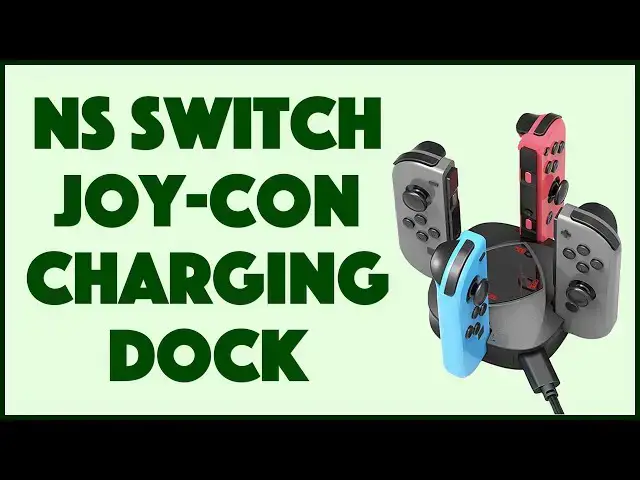
This is a tiny joy-con charger for your switch controllers. Let's check it out
0:12
Dave Taylor here and who doesn't love their switch. These are amazing devices big screens super fun games
0:19
But you got to keep dealing with charging and power now Charging the main units not incredibly hassle
0:26
But charging the little joy cons can be because they can die while the main unit still fine
0:32
So what a lot of people do is they get spare joy con controllers. That's a good idea
0:37
But then you have to figure out how can you charge them when they're not actually on your switch
0:43
Enter this this is the yes row joy con charging dock It's actually a mini charging dock as you can see and it's super simple super straightforward
0:54
It's highly affordable. We'll get to the price in a minute and it works really well
0:59
So USB C on the side it does come with a USB C to USB 3 charging cable
1:06
But whatever you don't need that because you can use your original Nintendo switch charger
1:12
So you plug it in and now I have four showing green because there's no power being used on any of them
1:19
But I have a sense that at least one of my joy cons is actually needing charge
1:25
So I'll put one in and it's as easy as that and sure enough. Hope you can see that's red
1:32
So that's telling me that it is charging. Hmm. How about the other one
1:36
Well, you would think they would always be at exactly the same level
1:40
but people who have switches know that's not the case and in fact, I put this one in and
1:46
In a sort of curious situation One of them is fully charged and the other one is charging. So that's actually pretty interesting
1:56
Now you might be thinking oh, it's charged take it out but you don't have to worry about that because it has built-in overcharge protection and
2:03
The LED indicators give you a green or red super easy There are rubber feet on the bottom so it's non-slip easy to work with and
2:13
It will fully charge four controllers from completely dead to completely full in two hours
2:22
straightforward simple easy Entirely functional if you don't have your original charger anything with USB C will basically work
2:31
You could plug this into your computer and it will charge off of your computers USB connection
2:37
So maybe that cable I threw would actually be useful go figure right and that's really all there is
2:43
This is super easy and straightforward to work with. It's not a lot of complexity in terms of size
2:49
It's six point four by four point seven by one point seven inches
2:55
And it's four point six ounces obviously without the controllers on it
2:58
And so it's super easy to throw in your backpack your computer bag
3:03
If you have a switch bag You might actually be able to put it in there or just leave it right next to your dock right by your television
3:10
So you can always have two controllers charging or fully charged and ready to go
3:16
Now only thing left to talk about is the price but before we get to the price
3:20
Let me ask if you can subscribe to my channel Really appreciate when you do that a click or a tap on that little red subscribe button and you are charged charged
3:29
No, these are charged you are subscribed And give me some feedback. Give me a thumbs up
3:35
If you find this useful if there was something else you wish I would have tested then please, you know
3:40
Feel free to leave a comment. That's cool. And then the price
3:45
This is the yes row joy con charging dock joy cons not included
3:50
And it's 1459. But right now I noticed they were running a little promo on Amazon. So it's actually
3:58
1342 at amazon.com That is a no-brainer price to just pick one of these up and have another option for you to charge your joy cons when they're
4:07
Not on your switch Definitely worth checking out and as for me
4:10
I think I'm going to put both of my controllers back on and get back to my game
4:16
Which is easy enough, which means I'll have to catch you in my next video