live_tv
Livestream Starting Soon
00
Hours
:
00
Minutes
:
00
Seconds
Up next in 10



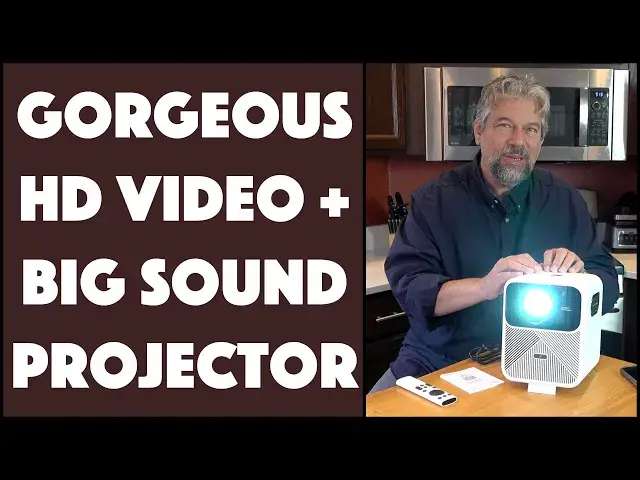
Not only does the Wanbo Mozard 1 have a crisp, vivid HD video image, but it also has a great sound system that gets really, really loud. Tech expert Dave Taylor thoroughly goes through all the key features and capabilities of the surprisingly affordable HD video projector system, including an extensive demo of its built-in Netflix and streaming capabilities, HDMI in, and even iPhone AirPlay wireless sharing. There are a few quirks you'll want to know about too, as detailed in this demo and review, and don't forget to check out the $50 discount code below too.
Check it out at: https://wanbostore.com/products/mozart-1?ref=I_fFqnAdM9rHY5
**** Please remember my $50 discount code: Mozart1_ADT ****
Note: Affiliate code, above. You pay the same price, I get a modest commission. Thx.
Visit Dave's Q&A Web site at: https://www.AskDaveTaylor.com/
Produced in cooperation with @WanboOfficial
#wanbo #mozart1 #videoprojector #hdvideo #withwanbo #askdavetaylor
Show More Show Less View Video Transcript
0:00
A full HD video projector with crazy good sound. Let's check it out
0:12
Dave Taylor here and I'm checking out this. This is the Wanbo Mozart 1 full HD video projector
0:19
And I gotta say it has a really nice crisp image. It's super easy to work with
0:25
But the standout here is it not only has really good sound, but it gets ridiculously loud
0:31
It gets so loud that I haven't yet tried full volume. I'm gonna have a huge detailed demo a little later on
0:38
But let's start by giving you some specs and showing you a little bit about it
0:43
So, first off, there's actually a self-contained unit inside that's sealed. And it's a five-piece all-glass lens
0:51
And the benefit of their sealed system, which they call their Pixel Pro 5, is uniform illumination
0:58
It's sealed and most importantly dust-proof. It has quiet heat dissipation. You can't even really hear when this is on at all
1:06
Auto-focus, auto-keystoning, one-touch screen alignment, auto-obstacle avoidance. It's really pretty amazing. And as you can see, the outside is pretty straightforward
1:19
There's not a lot of buttons or things you can adjust. So on the side here, that's the reflector for the speaker
1:26
And as you get the volume pretty loud, you'll see that start shaking and vibrating. Kind of exciting
1:31
And then on the back, there's just a couple of input ports
1:35
And then finally on the top is a power button. And then there's this little hidden hinge on the bottom for you to actually be able to position it exactly where you want
1:47
That's the whole unit. I mean, it's pretty straightforward. And in fact, let me just turn it on
1:51
And you can see, it really is pretty easy to work with
1:55
Now on the wall behind my camera, I'm seeing the Wanbo logo already
2:01
So I'm not sure that's going to be entirely conducive to us recording
2:05
So let me turn it off. There we go. Nope. I'll turn it off as soon as it finishes its warm-up sequence
2:12
But in the meantime, it is at full 1080p HD at 3000 to 1 contrast ratio with 1920 by 1080 native resolution
2:24
It also supports HDR10. And you can plug in your PlayStation 5, your Xbox, your Switch
2:32
Now you're starting to really see it getting a little confused. Let's see if I can just turn it off
2:37
Nope. Not quite ready to turn off yet. So it is 900 lumens. That's why it looks so darn bright
2:46
Let's see if I do that. That's better. So it's... There we go
2:50
Okay. So it has finished its warm-up sequence and said, Oh, really? All you want to do is turn me off
2:56
Okay. And it turned itself off. So that was nice. 900 lumens
3:00
900 lumens. Now I'll tell you, I've looked at a lot of video projectors that are like 100 lumens, 150 lumens
3:06
and in a pitch-dark room, they work okay. But this is bright enough. You can use this in the daytime
3:13
Now, it's going to give you better results at night. And in fact, the demo I'll be giving you in just a moment, I did at night
3:20
And I did it super easily. I literally just put a screen, I just taped it to a wall
3:26
and then I used the wall in my kitchen. So there's windows, there's other lights, and it was still super bright and crisp, as you'll see
3:35
Now, it has an 8-plus year light source span or life. So when you get this, you can use this a ton and really have no worries
3:45
And I think when they measure those sort of numbers, that is with a lot of use
3:49
And my experience is most people use these on special occasions, right
3:53
So you have an outdoor party, or you have a pool party, or you're at a hotel room
4:00
or you have an event you're sponsoring, and so then you use this
4:04
but then it probably sits on the shelf for a while. So realistically, that 8 years is probably going to be 10, 20 years
4:10
probably longer than you'll be using it. And in 20 years, we'll all just have little goggles
4:15
and it'll be 3D, and we'll be interacting with it. Until that point
4:20
This is a really nice piece of hardware. So it features two 8-watt speakers, and it also supports Bluetooth
4:26
so you can actually hook up an external speaker if you want
4:30
And on the back, let me show you again those ports on the back, because it also includes a 3.5-millimeter audio jack
4:37
so you could ostensibly use it with headphones or earbuds too, which makes it really an interesting thing for gaming
4:45
So you could plug in your Switch or your Xbox, and you could have it projected on your wall or your ceiling
4:51
and then have your headphones on, and it would be a pretty glorious experience
4:55
very different to what most people are doing with their gaming. Now, I've already told you about the Pixel Pro 5.0
5:01
and I'll tell you it is another device running what I can
5:05
as far as I can tell, Android TV, and so you get all of those different apps
5:11
and they're at relative levels of ease to configure. I found Netflix really easy to work with
5:17
I found Plex really easy to work with, but Amazon Prime Video, I had to go to the remote
5:22
and switch it into mouse cursor movement mode to get myself to be able to log in to Amazon Prime Video
5:30
Once I'd done that, then I was back into regular mode. And in fact, I should point out, it comes with this very elegant remote
5:37
and you can see there's not a ton of buttons on it, which is nice
5:41
It makes it easier to use in dark environments. So I'll be demoing this as part of that demo
5:47
In fact, let's just switch to the demo. So here we are, I'm going to set this up
5:52
we're going to be using this at night, just projecting on the wall in my kitchen
5:57
And I want to highlight before we get here two things. Number one, that the company says that Netflix doesn't work at full HD
6:05
with this setup, though as you'll see, it looked beautiful as far as I could tell in the demo
6:11
so I'm not sure what they mean by that. That might be something where you are a specs person
6:16
and you might be looking at the different specs and details. From a usability perspective, totally nothing to worry about
6:23
The second thing is as part of my demo, I actually used the HDMI to get my computer screen projected
6:30
and then I used my phone in wireless mode, and I used Apple AirPlay to push the image onto this
6:38
and my camera has a hard time keeping up with that because it gets super contrasty
6:43
So when you watch that little portion, you'll be thinking, well, it's a little hard to read the text
6:48
It's my camera, it's not the projector. Now, with that said, let's get to that demo
6:54
To demo the Wanbo Mozart 1 projector, I thought it'd be fun to just put a sheet up on the wall in my kitchen
7:02
and as you can see, it's pretty basic in terms of setup, but let me go ahead and turn off the light so it's a little darker
7:09
and you'll see that 900 lumens really pops, and it's just a nice, big, bright image
7:16
Now, let's zoom in a little bit so you can just see the top of the projector
7:23
but mostly you can see the image, and now I can use the remote control
7:27
so I can go up, see it's on the left side, and I can choose an app
7:32
We can go into Netflix, for example, and pay attention both to the speed and the audio
7:39
It is crazy loud, so we should get the Netflix sound. Nope, we didn't get it this time
7:50
Sometimes you do, sometimes you don't, but let's see, let's just pick something
7:57
We can just do Resident Evil, and just get that start. So let's start the video
8:03
and you can see it's very snappy, which is really nice. A lot of these projectors tend to be really slow
8:09
which takes a lot of the fun out of it. But this, we can't watch too much of this
8:15
because I definitely don't have the rights, but we can turn the volume up
8:19
Ah, that's why. So I'm going to turn it up just to 33, 34
8:29
And what you're hearing is the audio coming out of the actual Mozart 1
8:34
and it's really loud. I mean, I can't even imagine what it would be like
8:39
to have it up to 75 or something. It's really loud. And I still have the remote control
8:45
so I can still make changes any time I want. So I think we're far enough into this movie
8:52
that you can see a little bit of just how clean and crisp it is
8:56
and of the audio, so let's go back. And I can go back, and you can see
9:02
once I leave Netflix, I have already downloaded and logged in to a bunch of other services, including my own Plex server
9:11
and you can use it just for music by using Spotify. Actually, there's a Spotify app
9:16
But there's more fun to be had here. So, for example, let's go over to the left
9:22
and let's change inputs, and I actually have my Mac system hooked up
9:28
via this HDMI. So if I turn that on, then now you can see this is just a web page
9:36
so all of a sudden I have a second display, or I could mirror my primary display
9:42
and then I could project it to the wall of an auditorium or something
9:46
and it's really cool. And this is a good spot to demonstrate
9:50
how there's also a self-focus system where there's a button on the remote
9:55
and I can say, that's not quite in focus, and I can push it
10:00
and it'll just tweak it just a little bit. See that? And then I can do it again if I want
10:08
until it looks really crisp to my eye. And this is a live web page
10:13
and you see the mouse, and if I want to check the weather, for example
10:18
I can just click here, and now, of course, this is a function of my internet connectivity speed
10:25
but look how crisp and clean and easy this is to read
10:29
This is eminently usable in that regard. And so we have that
10:34
and when I'm done with the HDMI, if I just push the Home button on the remote
10:39
then I'm back here. But there's even more, because now let's go to my phone
10:46
and I have an Apple iPhone, but Android does the same sort of trick
10:51
and I know what should happen. I should momentarily see the projector
10:56
and it just comes up as something called eShare, and there it is
11:01
And so now here's my iPhone screen, and I can show you things and say, for example
11:07
oh, I don't know, let's go to Yelp. I was just looking for Mexican restaurants
11:13
and I can go through here, and I can share this, and it's just crisp and easy to read
11:20
I mean, on the wall, it is enormous. And it works really well
11:25
and I can go to a different app. Let's go to Photos
11:29
and hopefully I have a reasonable photo here. Whoops, let's unselect those
11:33
Here is one of my cat, and then if I turn it sideways
11:40
one more trick, let's turn it sideways, and then notice that Portrait Mode for sharing
11:46
is so much better, and look at that. What a great way to be able to share photos
11:51
from an adventure you had with your friends. All of this wirelessly
11:55
My phone is just talking directly to the projector, and again, when I'm done
12:01
I can go back and turn off sharing if I want, or mirroring, as they call it
12:07
or I could have just pushed the Home button on the remote
12:12
Now, there's more things you can do, and the projector has a lot of different settings
12:18
you can access, so you can get into, like, projection method if you want to rear project
12:25
which is not a common configuration nowadays, but it'll support it. You can project upside down
12:31
if you mount it off the ceiling. There's Bluetooth. You can use Bluetooth for audio out
12:37
change languages. You can see it's an international sort of device, and common settings make it easy for you to say
12:46
well, let's look at what are my picture options. So, let's see
12:51
So I can adjust color temperature. I can pick a different picture mode if I want
12:57
and it's interesting that the picture mode comes with this audio here
13:01
so you can see the difference. Let me turn that volume down a little bit
13:05
but when you adjust the sound, it doesn't actually give you sound
13:09
which I thought was kind of amusing, but it's an interesting video choice for them here
13:13
and I have it on vivid, but to my eyes, the differences are very subtle
13:21
So this might be, there we go. So you can see it's a little less bright
13:26
If we go here, it's maybe a little bit too bright, and then we have just a standard setting
13:32
and super easy to work with. If we're done with that, we can go, whoops
13:40
I did that last time too. So, and then we can go to sound, and like I said, on sound
13:45
you can turn on and off different things. You can try different balance
13:50
I have it set to movie, because I like that big, extravagant sort of sound
13:55
but if you want to be watching a football game or something, imagine projecting this on the wall of your garage
14:01
and having all your friends hanging around and watching it too of an evening
14:05
like a night game or something. Fantastic. Anyway, that's a lot of demo
14:10
so let me jump back on camera and talk just a little bit more about the tech and the specs
14:16
and then give you some summary ideas in terms of my review and my feelings
14:20
on this terrific projector. Pretty impressive results, if I say so myself
14:24
and the idea that I can just turn this on and project it on any blank surface
14:29
and just get going, and it auto-focuses, it auto-keystone adjusts, and it gives me that bright, vivid HD signal
14:37
Really, really nice. Now, I want to say it also works with Wi-Fi 6
14:42
it has 2GB of on-unit storage, and supports up to 32GB of external storage
14:48
and it supports AirPlay, Miracast, and Android, so there's a lot of ways you can
14:54
wirelessly push video content onto the device, and then have it project for you
15:00
So, I demonstrated that with my iPhone, using AirPlay, but there's a lot of ways to do that
15:05
and that's really cool. As you saw just before I ended the demo
15:09
it would be an amazing way to show someone, here's the pictures of this event that I just attended
15:14
or here's the pictures of the new puppy on his first day of life
15:18
things like that, and it would just be really fun, and very modern and high-tech
15:23
to be projecting it on a big image, but not have any wires involved
15:27
So, size-wise, it's pretty big. It is 8.7 inches by 6.9 inches
15:34
by 8.2 inches, and it's 7.7 pounds, so this is not the easiest thing to lug around
15:42
I wish they had a handle. They don't. That's another thing that you should know
15:46
It doesn't come with a case, but you can certainly improvise a carry case easily enough
15:50
and the remote, you need to supply your own two AAA batteries
15:55
I wish the remote had somewhere it could clip or store. That would also easily be remedied
16:02
with some two-sided sticky tape and Velcro. You could just have it sit here
16:06
and then know exactly where it is when you need to use it. Really easy
16:11
I'm a big fan of this. I've been reviewing a lot of different video projectors
16:15
and a lot of them are either underpowered, which is they just aren't bright enough
16:19
or they're really, really expensive. I mean, some of the really expensive ones are glorious
16:24
but this is a really remarkable integration of a lot of high-end features
16:29
including full HD, and actually a highly affordable price. Now, before we get to the price
16:36
I'm going to invite you to subscribe to my channel. I get my hands on a lot of tech
16:41
and I am always honest and straightforward in my reviews, so I encourage you to subscribe to my channel
16:47
and give me feedback. Leave a comment if there's something else you wish I would have demoed
16:51
or you thought my demo could have been better. That's cool. Just let me know what you think
16:55
Thumbs up if you like what I've done here. Always appreciated. And so, this is the Wanbo Mozart 1
17:03
full HD video projector, and it is $399.99 at wanbostore.com. Now, I want to say, for under $400
17:14
this is a heck of a good deal. This is a really nice projector
17:18
and not only does it have a bright, crisp, and extremely attractive image that you can project
17:26
really big, but the sound is ridiculous. I mean, I've been using this to watch movies
17:32
and I've had the sound down at like volume level 2 or volume level 3, and it's been fine for me
17:38
So, I don't know when you would use volume level 80 or 90 or something
17:42
I mean, you'd need to be in an auditorium or something for it not to be too loud
17:46
but the fact that it can do that is so wonderful and have really good sound versus so many units
17:53
where the speaker's like that big, and you're going to get a tiny little plinky sound regardless
17:58
and that just doesn't really work for gaming. It doesn't work for movies
18:02
It doesn't even really work for YouTube videos. So, lots to like here
18:07
Definitely one to check out. That's all I got. I'm going to go back to my movie, so I'll catch you in my next video
18:23
♪♪��
#Online Media
#TV & Video Equipment
#Media Streaming Devices