0:00
You'll be entering numbers faster with this Bluetooth keyboard. Let's have a look
0:11
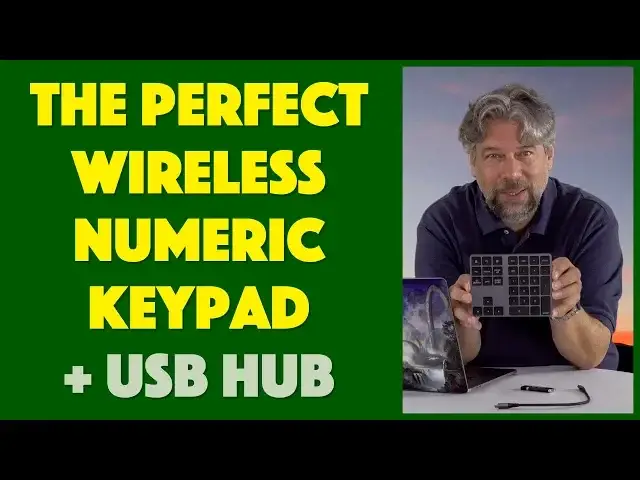
Dave Taylor here and this time I'm looking at the VoaMoko Bluetooth numeric keypad
0:16
And as you can see it's really primarily a keypad with all the numbers on it as you would get from
0:22
a traditional keyboard with an old-school layout. And then some function keys and the cursor and
0:28
arrow keys. But this thing has some cool little tricks up its sleeve. First off it's total of
0:33
34 keys if you don't want to spend the time to count. But it's also a USB hub, sort of. So
0:40
first off let me tell you that it has on the side an on off switch and it is in the off position
0:47
So I slide it and now it's in the on position. And then there's a little button below it if
0:51
you need to pair it Bluetooth. But of course it'll automatically pair with the most recent device
0:56
which in my case is my MacBook Pro. And then on the top there's a light that gives you a status
1:02
But there's also three plugs. One of which is USB-C and it comes with a USB-C to USB-C cable
1:11
because the other two are USB-3 and that's the USB hub. But right now I have this hooked up
1:20
and it is working and I can enter numbers. And on my computer screen I'm seeing the numbers show up
1:26
But it's not quite a USB hub yet. So if I plug in my handy flash drive then nothing's going to
1:34
happen and it isn't going to show up on the desktop. Because to have it work as a hub
1:40
you got to plug it in. So honestly pretty easy solution. So plug it in on one end
1:45
plug it in on the other end, and I'm going to count five. Let's see one, two, three, four
1:53
and five. And it showed up on my desktop and I can see the flash drive itself is actually flashing
1:59
Meaning that it's actually active. So super easy. So if you want to use it as a hub then all you
2:05
have to do is remember you have to plug it in. But if you don't want to use it as a hub all you have
2:10
to do is unplug it. And of course my computer says disk not ejected properly. Well yeah that would be
2:15
true because I didn't do that because it's a little flash drive and I didn't. Whatever. So
2:22
the important thing is this. So let's see. It's a USB hub with two USB 3.0s. You can see that as I
2:30
said on the edge. Here's what's cool. As a Bluetooth keyboard it actually supports any device that
2:35
works with Bluetooth. So you can use this with iOS if you want to use this with your iPad or iPhone
2:41
You can use it with Android, with Windows, and with Mac or Linux. Now if you're using it with
2:47
Windows then a couple of the buttons on the top, notably calculator, search, and print, those work
2:54
They don't work on the Mac. I don't know why they don't just let you map them. But I guess they
2:58
didn't want to deal with any drivers or anything. I understand that. Still if it sent any escape
3:04
sequence at all I could always figure out a way to do it. These are basically just dead if you're
3:08
using a Mac. So bummer. So it's really like a 31 key keyboard for a Macintosh. So you charge it up
3:18
and it takes a couple hours to charge. And then it's a two month sitting on standby. Obviously
3:22
it's going to use more, you know, last less time if you're using it super actively. But I gotta say
3:28
I really like it. I do occasionally get into this situation where I have to enter a lot of numbers
3:33
And if you're an accountant or something then you're already used to doing numbers like this
3:37
on this orientation rather than the sequence of digits that are on a modern keyboard. I don't
3:43
really like you entering numbers on modern keyboards. So this solves the problem. You'll
3:48
notice it's a wedge design so it's very nice and comfortable. It fits well. It's 4.8 ounces so it
3:55
has almost no weight. And it's about six by five inches. Six by four and a half inches. And it's
4:02
way less than an inch thick at its thickest. So really a lot to like about this. If you're the
4:07
kind of person that's entering numbers or you just want a little tiny keyboard that gives you arrows
4:12
and home and delete and all that then this can be a great solution. Now let me give you a super
4:18
close-up so you can see exactly what all the keys are and how they all fit. The only thing I want to
4:23
ask before we get to the price is if you can subscribe to my channel. Go ahead and click that
4:29
subscribe button. I appreciate that. Great. Now this as I said is the VoaMoco Bluetooth Numeric
4:36
Keypad and it is $48.99 if you want the white. I would call it silver version or this black version
4:45
is $49.99 at Amazon.com. It is a simple solution to a serious problem for people that enter a lot
4:53
of numbers and I would recommend you check it out. That's all I got so I will catch you in my next video