Up next in 10

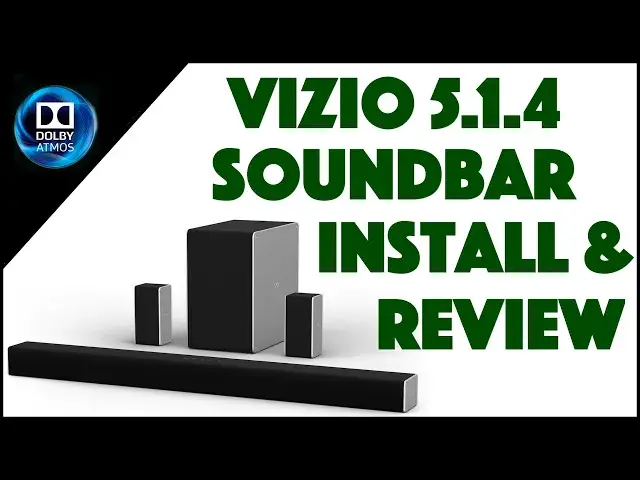
Vizio 36" Home Theater Soundbar with Dolby ATMOS - SB-36514-G6 - INSTALL & REVIEW
Jun 22, 2024


You've got a great TV set, now it's time for great sound to go with it. And boy are there lots of options. To really be future-proof, however, you want to embrace Dolby ATMOS, which offers upward facing speakers to completely surround you with sound. It's amazing. One of the best options on the market is the Vizio 36" 5.1.4 Home Theater Soundbar with Dolby ATMOS, model SB-36514-G6.
Tech expert Dave Taylor of https://www.AskDaveTaylor.com/ upgraded to the Dolby ATMOS soundbar from Vizio and found the installation pretty straightforward. Coupled with the Vizio SmartCast app, configuration is easy too, and the results are amazing. Check out the configuration, installation and setup of the Vizio 5.1.4 Home Theater Soundbar with Dolby Atmos. And don't miss his warnings for condo and apartment dwellers before you buy one for yourself!
Check it out on Amazon at: https://amzn.to/38qI6Pw
or go to https://www.Vizio.com/ for more information.
Show More Show Less View Video Transcript
0:00
Is the latest soundbar from Vizio worth your money? Let's check it out
0:11
Dave Taylor here and all of this is the Vizio 36 inch 5.1.4 home theater, known also as the SB 36 514G6
0:24
Now, 514, what does that mean? So five speakers at ear level, which is
0:29
is going to be coming from the sound bar, which is this guy, and the rear speakers, which are these
0:38
And then there's one base. That's the one in 514, and that's this guy. This is the subwifor
0:44
You can see it here. And then there are going to be four overhead channels. And they come out of the
0:50
top of these rear speakers and out of the top of the soundbar. So it should be super interesting
0:56
how that all works. But I got to get it all. installed and configured. I got to get it set up with my TV. And because it's Dolby Atmos
1:05
that means it actually has some software you have to run that tunes those overhead channels too
1:11
So there's a lot to do here. It also comes with handy quick steps, but I have a feeling
1:17
this is going to involve more than a couple of quick steps. Not the least of which is check out
1:23
this rather daunting set of cables. There's a lot going on here. There's no question about
1:29
it but the good news is I already have a Vizio 5.1 sound bar so there's no
1:36
fours no channels going overhead so this is going to be a big step up in
1:40
fact this setup includes Dolby Atmos Dolby volume DTS Studio sound and
1:46
DTS Virtual X depending on what actual audio I get from my source of course
1:52
but should be super interesting so these rear speakers look a lot like my
1:56
current rear speakers they're a little bigger but though I can't peel it off to show you, there are actually speakers on the very top too
2:05
The subwifor, let's just put this soundbar aside for a second. I'll show you the subwifor, it's not monster heavy, but it goes down to 40 hertz
2:15
Overall, the system gives you a 100 decibels sound pressure level, so it's gonna rock this house
2:22
There's no way around it. And there's lots of connections on the back, which is why you have so many darn cables
2:29
All of those generally, it's all the soundbar that does all the work and there's connections
2:33
on both sides here. And the way it works is the sound bar and the subwifor connect wirelessly and then the subwifers
2:41
to these speakers via somewhere in here. Speaker wires, yes. So these are wired to the subwifor, but the subwifor is wireless to the soundbar and the
2:54
sound bar I'm anticipating hooking directly below my Vizio television. So shouldn't be too bad
3:01
I'm going to go ahead and do the install. Then I'll show you some of the configuration steps
3:06
And then I'll talk about how this thing works and whether it's worth the effort and what the experience is like
3:11
with some really solid ultra HD 4K content. So let's jump into that
3:18
All installed, no box, no speakers, everything's deployed. Now, here's one thing I didn't anticipate
3:24
is that because the soundbar has upward facing speakers You can actually mount it directly below your television as I had with the previous forward only soundbar speakers So here what it looks like now
3:38
A little bit clumsy and I'm going to actually figure out a better way to deal with that
3:42
HDMI cable and that's HDMI 2. That's the ARC, HDMI. And that is the primary way that the TV
3:51
and the soundbar are connected. So we'll see that again when I show you some of the apps and
3:56
how that all works. But, you know, not exactly as pretty as the previous version, but the sound is
4:02
really cool. One really cool thing you can do is you can turn off the up facing speakers and you
4:08
could hear that you get this sort of plane of sound versus this much more immersive experience
4:14
So you definitely want to keep a track of and keep a hold of your remote control. And I'll give
4:21
you a close-up. It's kind of funky to use because for reasons I can't explain Vizio
4:26
only has this one tiny little line screen. I don't know why they couldn't have it be maybe two lines
4:32
or something crazy like that. Be that as it may, once it's on, you push menu
4:37
and then you go up and down, and that gives you different options
4:41
And then you pitch the play pause button, and that gives you the functionality
4:47
So let's run a speaker test. So here we go. Left front
4:52
Left front. Center. Center. Right front. So it goes through and confirms every speaker that you have hooked up. Right
5:04
So there's my right rear. That should be. Left rear. Left rear. Right
5:10
So now. Left front height. So now it's going to do the height speakers
5:16
So we have left front height, right front height. Right front height. Right
5:24
Right rear height and then left rear height and then it does actually a sort of like a white noise sound which I guess there's some way to use that to calibrate things. That's what I mentioned earlier in the video. So this. I don't know how to use that for calibration. There's no instructions that I could find. So I said that there was a test that could help you tune your Atma settings. I haven't figured that out yet. But you know what? It does have not so much on here, although I guess
5:54
it's on here, but in the actual Smartcast app on your phone, pair it with your device, and you
6:01
get access to a ton of settings. It's really the way to configure this
6:05
The configuration, it's a little tricky to get it to pair. I didn't have so much success with my iPhone, but with my Android, this is a Pixel 4, Excel
6:14
It worked great, and it was super easy to work with. And as you can see here, you could just sort of jump around and look at all the different settings
6:22
and you could adjust things like the... height of the sound and stuff. So really pretty darn cool actually. So let's see. What else did I want to tell you? I wanted to say that
6:33
there's not much cabling that I needed. So there's this sort of decaying value of how you can hook your TV up to your sound bar. So the optimal is what I've done, which is using that
6:45
HDMI 2 cable. It is included. It's not the most attractive thing in the world depending on how you're doing it aesthetically
6:53
but it does give you great results If you can do that then use optical And if you can do that then there a variety of different ways you can do it all the way down to using AUX and having like a component out from your TV
7:08
That's not going to give you great results. But still, you know, compared to the built-in speakers on your TV, this soundbar is going to blow you away
7:17
Now, having said all of that, and, you know, I want to just show you real quick, here are the rear speakers and here's the sub anger
7:25
I'm just showing you photos because I can't really demo it because then you're constrained by the microphone on my video setup
7:34
So it's not going to be anywhere near the rich full sound
7:39
Now, I'm a film critic too. So I got a copy of Ford versus Ferrari
7:43
And I'll tell you, those racing scenes on this with the volume turned way up, I'm really glad I have tolerant neighbors and don't live in an apartment because for sure people five apartments away would be complaining
7:54
dude, what on earth are you doing? It is this huge, immersive, really omnipresent sound. It's really pretty
8:02
fantastic. But I will say there's a limitation there, which is if you live in an apartment or you have
8:08
shared walls, this is probably not the sound bar for you. I had to turn the sub-warfer way down and
8:15
the front speaker way up because it was so rumbly. And there are still shows that I'm watching
8:21
like the Mandalorian on Disney Plus. And boy, when it gets into some of those really low frequencies
8:27
the whole house is all rumbling and all my animals are looking around and I'm
8:31
like, what is that sound? I'm not used to a 35 hertz sound
8:36
So, you know, there's going to be some adjustments to make. But as other people have said, this is a subwoofer enthusiastic soundbar signature
8:46
So, you know, as with anything, you're going to tune it to what you want
8:50
but if you're watching shows that are giving you that full Dolby Atmos experience or even something like a DTS studio sound
8:58
you're going to get a lot of sound out of this thing. It's a lot of rich sound, which is super fun
9:05
I mean, when I went to a friend's house and he just had the speakers on his TV, I was like, what's wrong with your TV
9:11
This is like horrible. I didn't actually say it that way, but I was just thinking, this is, boy, I need to like buy this guy as a present, a sound bar
9:19
because this makes so much difference. This is really the difference between having a nice picture
9:25
but really being sad that you don't have movie theater sound to having that movie theater sound
9:30
and having it like I have with the speakers behind me and the subwoofer behind the couch
9:35
and then the front speaker literally directly below the television. This is a pretty optimal setup
9:41
So I host a lot of shows, a lot of screenings, and it always sounds fantastic, which is great
9:47
So, that's pretty much what I got. I will show you that the Vizio does include this chart
9:56
This is a very long piece of paper. It's also actually, if you want to mount the soundbar on the wall, this gives you the whole template
10:03
But the important thing of this chart is not how big it is. But in fact, that it shows you this table
10:10
And here's a close-up, but it shows you how high the distance between the TV and the
10:17
soundbar should be And you know that something that again I was a little surprised when I saw that because my previous soundbar was literally mounted directly below the television which works great when you have a wall mount that can come out and angle because then the sound bar is always pointing in the same direction I can really do that with this one So that like one of the very few things that I disappointed by
10:40
But otherwise, this Vizio is a rock and roll soundbar. Now, let's see. What else going to tell you about it
10:48
It is pretty darn easy to set up, actually. I have to say that as much as I was a little snarky about the quick setup, it really was
10:58
get everything in the right place, plug the speakers into the subwifor
11:02
plug the subwifor into the wall, turn it on, leave it. Then plug the soundbar into the wall
11:09
and then the one cable I'm using goes from the soundbar to the TV, and you use the ARC or audio return channel
11:19
Sorry, I forgot what that was for a second, but you use the audio return channel connection on your TV
11:24
and that's really it. Just turn it all on and boom, suddenly
11:28
you have this fantastic sound. And I don't care what you're watching. If you're watching ads, if you're watching a football game
11:34
if you're watching the latest sci-fi epic or something, it's all going to sound better
11:38
And if you have a 4K, UHD, Dolby, Atmos, you know, 7.1 or whatever it is
11:46
audio source, this thing's going to know how to handle it and decode it
11:49
and you're going to just be pretty darn blown away by the sound. I know I sound like a real fan of this because I am
11:57
This is a really great sound bar. I really liked the previous generation 5.1 Vizio, but adding that Atmos, that four extra speakers that are pointing upward, has given me a lot more audio that I wasn't even aware that I was missing
12:12
So, super cool, definitely worth checking out if you're looking for the improvement on your video and movie and home TV experience
12:21
You will be surprised. Okay, now, all this left to talk about is the price
12:26
But before we get to the price, let me ask you if you can subscribe. to my channel. Obviously pretty straightforward, pretty honest, so go ahead, click that
12:34
subscribe button that we can stay in touch. Cool. Now, this whole setup and all of these
12:40
unused cables, look how many cables I have as leftovers. Kind of nice, right? All of this is the Vizio
12:47
36-5.1.4 Home Theater, SB 36 514G6, and SB soundbar 36-36-36-inch 514-14.4
12:58
is 5.1.4. So that code name isn't actually quite as cryptic. It's really the G6, right
13:05
So the Vizio G6 is 69999 at Vizio.com. And you might be thinking, that's a decent amount of money
13:14
But I will tell you that just as it's important to get a really good screen, so you have a good
13:20
visual experience, having a really good soundbar gives you the other half of that equation
13:25
which is the audio experience. And modern movies, modern TV, they put a ton of effort into having really great sound and you want to be able to
13:34
reproduce that. So with that, I'm going back to my movie, which means I will catch you in my next video
#TV & Video
#Online Video
#Audio Equipment