Up next in 10



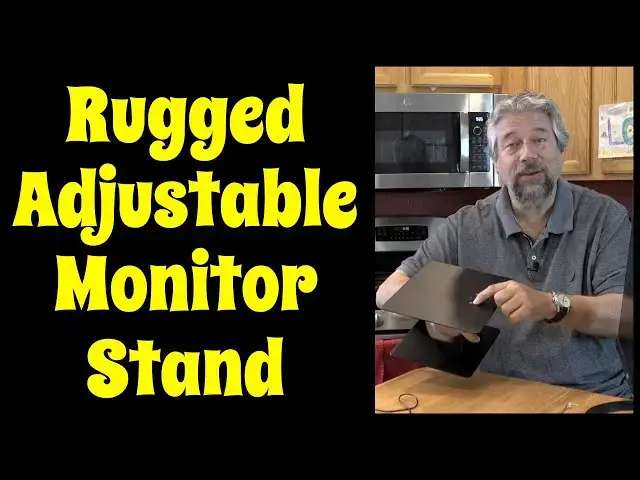
Your monitor or computer screen is probably at the wrong height. Fix that with the tough, rugged, all-metal BoYata Monitor Riser Stand. Tech expert Dave Taylor of https://www.AskDaveTaylor.com/ assembles one and talks through all the great features. Best of all, it's tough and can hold up to 33 pounds (15kg) while remaining completely stable.
Check it out at https://amzn.to/3z25gIq
#monitorstand #ergonomics #boyata #workspace
Show More Show Less View Video Transcript
0:00
This stand will raise your monitor to the perfect height. Let's check it out
0:11
Dave Taylor here and I'm checking out this. This is the Boyota Monitor Riser Stand and it's a
0:16
really nice adjustable metal stand. Now if you're like a lot of people you probably have things too
0:23
low so if you're working on your laptop for example you're probably hunching over and looking down and
0:29
that gives you shoulder aches, gives you headaches, it's more fatiguing. So much better is to raise
0:36
things up so you can sit with a nice erect posture. That is a much better ergonomic position
0:42
That's what the purpose of a monitor riser stand is and the Boyota is a really nice one. As you can
0:47
see it is nice and strong and stable and it supports up to 33 pounds which is 15 kilograms
0:56
So you can put a lot heavier monitor than this little Acer on here but let me take this off and
1:02
show you some other things because it also as you can see lets you put your keyboard in the bottom
1:09
nice and easily too and that's really nice because there's a lot of monitor stands that are like this
1:14
sort of shape but the problem is is that it looks great in the photo but then when you get one you
1:20
find out that your keyboard's an inch too wide. So in this scenario even this super wide keyboard
1:27
works just fine and of course the real cool thing about this is it's adjustable so loosen it up you
1:35
can raise it up and its height goes from 4.3 to 7.5 inches that's 11 to 19 centimeters and then
1:44
you tighten it up you put your monitor back on it and you're ready to go. Now I have a monitor on
1:50
it but I could use a TV I could use like a big iMac or something I could put my laptop on here
1:56
if that's what I wanted to do and I needed the extra space it's really nice it's really well
2:02
designed easy to work with there's no spring in here so you do have to manually adjust the height
2:09
and then you just tighten it up. How's it put together? Well there's two screws on the bottom
2:15
and two screws on the top and let me give you two handy hints after I did everything wrong the first
2:20
time I built it is number one have the control facing outward because your temptation is to have
2:28
the name facing out but then it's really hard to adjust it so I would recommend doing it this way
2:35
and the second thing is on the bottom they have these non-skid pads so that makes it really easy
2:40
to understand orientation but on the top they don't have anything like that so you want to
2:46
look and make sure you assemble it so that the screws have a recessed spot so that they go
2:53
flush and the whole thing is flush with the top. Here's a close-up to show you what I mean by that
2:58
so once you have all that assembled and it does come with its little tiny allen wrench makes it
3:03
easy they even include two extra screws which I really appreciate it's easily built and ready to
3:10
roll and there's really nothing not to like about it it's a really nice solid solution it is fairly
3:17
heavy it's 5.8 or 2.6 kilograms sorry 5.8 pounds so it is not really something you're going to be
3:25
taking to the local coffee shop but who does that I mean that would be really weird so in terms of
3:30
dimensions the top is 9 inches by 11.4 inches yes 23 by 29 centimeters and then the bottom as you
3:38
can see is a little bit smaller it's actually 9.3 inches wide so actually I guess I should do it
3:46
this way so it's 9.3 inches wide and then it is by depth it is 7.8 inches and that's 24 by 20
3:55
centimeters so that's really it I've given you all the specs it is strong it is stable as heck
4:02
you can see here this is going to work really well even if you have a big like 4k monitor like a 28
4:10
inch monitor or something this will work just fine for that and it really will revolutionize
4:15
your workspace and most importantly it'll change your posture which will make you feel better this
4:20
is like a health device right so really one worth checking out it comes in black or silver that's
4:28
really all I have to say about it so other than the price but before I get to the price let me
4:32
ask if you could go ahead and click or tap on that subscribe button really appreciate when you
4:37
subscribe to my channel and let me know give me some feedback a comment tell me what you wish I
4:42
would have shown more of or less of and thumbs up if you feel I earned it that always is appreciated
4:51
cool this is the Boyota monitor riser stand and it's $35.99 although I looked on Amazon just now
4:59
and it's $30.59 in black or silver at amazon.com definitely a game changer if you have a monitor
5:08
or a desktop setup definitely one worth checking out and I love that I can just slip my keyboard
5:13
in here and keep my desk even that much neater so definitely one to check out and I'll catch you
5:19
in my next video
5:42
you
#Consumer Electronics