Up next in 10



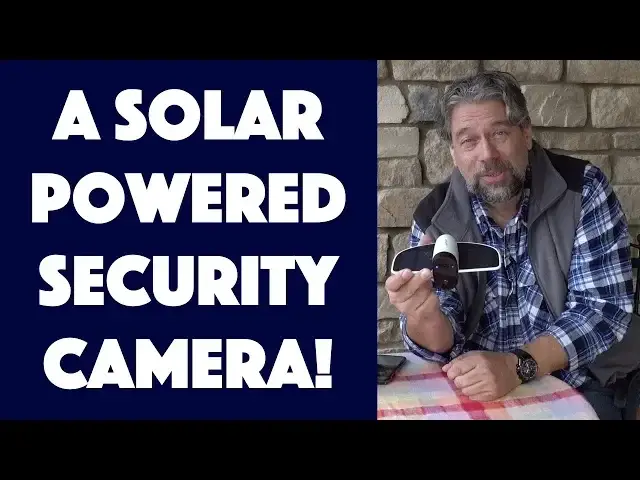
It's In The Trees! Well, it can be. Security cameras are usually clunky affairs that require power or constant recharging, but the Soliom S60 Solar Powered Security Camera sidesteps that by getting its power from the sun. This means you can place it just about anywhere - yes, even in a tree! - as long as it gets at least an hour of direct sunlight every day.
Tech expert Dave Taylor of https://www.AskDaveTaylor.com/ installed a Soliom S60 solar HD security camera on his front porch to see how it worked. His conclusion: The software has a few weirdnesses but overall it's a great solution if you want to just stick a camera up and keep an eye on your home, yard, business or similar.
Check it out on Amazon: https://amzn.to/2DrMa4e
Show More Show Less View Video Transcript
0:00
It's not a plane, it's a solar powered security camera. Let's check it out
0:11
Dave Taylor here and I'm sitting on my front porch because that's where I'm installing this
0:16
This is the really slick Solium S60 solar powered security camera and as you can see
0:23
it's sort of a typical HD security camera but it has the little solar wings
0:28
Now, if you have it in somewhere between one to three hours a day of direct sunlight
0:32
they say you'll never need power. It actually has a 4000 milliamp hour battery on board
0:39
Now, to be fair, when you first get it, you do plug it in to fully charge it but then
0:44
the solar is supposed to keep it charged. What a cool idea. You could actually mount this in
0:48
a tree. How cool is that? Now, it is SD or HD with 160 degree view at 15 frames per second
0:57
writing video in H.264 mode, so pretty widely compatible. There is space on the bottom for a
1:05
micro SD card you can put in from 8 to 64 gig and that gives you lots and lots of recording
1:12
Basically, automatically, every time that it has a motion sensor trigger event
1:16
it immediately writes 15, 30, 60 seconds of video. You can actually adjust that. So
1:22
I have mine set up pointing at my front door. I'm thinking every time someone delivers a package
1:28
every time someone knocks on the door, it will all be captured in this. But more importantly
1:34
there's also a smartphone app that goes with it and that app will give me things like notifications
1:39
of events that occur. Here's what a notification looks like. Probably could do with tweaking the
1:44
wording a little bit but that's okay. So, right now, it looks kind of weird because I'll show
1:50
you. Here, let me just get this in full resolution. So, right now, I will point this here and what you
1:58
see on the screen is you're seeing a screenshot of the regular orientation that gives you the timeline
2:05
You can see there's lots of motion. That's what all the orange means and that's because I've been
2:09
messing around and installing it, right? But if I go into full screen mode, then you get a kind of
2:15
nicer view but all of that, whatever. Really, what I want to do is I want to mount it. I want to
2:20
actually have it working. But before we get there, let me just tell you that comes with basically
2:26
everything you need. So, in the box is the initial charging cable which hopefully you'll only ever
2:32
have to use once. Instructions that are actually pretty well done and let's see. There is a set of
2:40
screws for installation. There is even a screwdriver to go with those screws. There is a
2:45
small little reset thing and there is a mounting pole which I've already mounted. So, let me show
2:54
you. Here's a photo of how the camera is all set up and mounted on the post on my porch. So, now
3:01
let's switch around and you can see this is the live video footage of me talking right now
3:08
Obviously, you're not going to see the camera on the table because the camera is already mounted
3:15
but it's pretty smooth. It's pretty clean actually. So, I really like it. Now, it's IP66
3:21
weather resistant which means it can handle from minus four to 140 degrees Fahrenheit. We have
3:27
gotten colder than minus four once in a blue moon. So, we'll see how that works out. It also means
3:33
that weather resistant. It can handle snow and rain and any other thing that can happen. You
3:37
probably don't want it just sitting out exposed to the elements but you know you got that trade
3:42
off because you want to you know protect it from the elements but you also want to make sure there's
3:47
enough direct sunlight on these little wings to make sure that it gets a full charge every day
3:52
So, trade-offs. Now, it uses what's called a PIR or passive infrared motion sensor and works pretty
4:00
well. You can actually set the sensitivity which I really like because you know if I have a bird
4:05
fly in and then fly back out I don't really need a notification of that but if the UPS guy comes
4:10
and takes that FedEx package I know wouldn't actually happen but if it happened I want to
4:15
catch it on video right that would be cool. Now, in nighttime situations it also has what's known as
4:21
IR starlight night vision. So, there's a whole bunch of little sensors that light up to give it
4:26
some infrared. So, you see a bunch of blue dots on there and it gives you pretty good vision. For my
4:32
situation I always have my porch light on unless maybe it's like late night on Halloween night and
4:37
then I turn it off to get the kids to stop knocking on the door but generally I have a lot of
4:42
illumination even at night so not super critical for this application but it's nice to know that
4:47
it works at night. Also has two-way audio so that can really freak someone out when they go and knock
4:54
on the door and suddenly there's this voice from somewhere saying who are you and what do you want
4:59
or hey John um let me just unlock the door remotely obviously not part of this feature
5:05
and you can come on in I'll be there in five minutes so either way pretty cool and like I said
5:10
micro SD card on the bottom there are really there's not much going on there's a tiny reset
5:17
button there's a power button there's the micro USB for charging it initially and then I suppose
5:24
if you put it in a situation where there's just not enough light you might occasionally have to
5:28
take it down and charge it kind of a bummer but you might consider placement and then micro SD
5:35
card slot and of course there is the standard screw mount for you to put you could put it on
5:41
a tripod but you really want to put it on its mounting device so with that all in mind let's
5:48
go back and do one more view of what it looks like for me to be doing live streaming from this camera
5:55
and I'm just doing that by recording the video that's on my phone so it's a little choppy but
6:00
still quite functional certainly a whole lot better than having nothing right okay cool now
6:07
my opinion of this is they've done a really good job I think they could probably tweak and fiddle
6:12
the interface a little bit but there's some pretty cool features so check this out you can actually
6:17
zoom in that's nice you can take a snapshot you can capture video all of this remotely it saves
6:23
it right on your phone so you can say actually johnny I saw that you weren't home so hopefully
6:30
that's not your life but it could be so I really like a lot of that you know things like the
6:35
notifications could probably be tweaked and when you get a notification if you immediately go to
6:40
the video feed it takes a little while depending on your signal strength and wi-fi strength and
6:45
such for the device for it to actually give you an image and that's something I kind of wish there
6:50
were some options I wish there was a way for it to like say I'm sending you a notification and
6:55
here's a photo and if you want the video stream it's going to take me a couple of seconds now
7:00
remember every time you get a notification alert of motion it's writing to the SD card and not only
7:06
that but it can also work with cloud storage again depending on what kind of wi-fi connection you have
7:12
but by default with the you know when you buy this camera you get up to 20 motion events recorded
7:18
per day so that's actually pretty good and you know if you have a situation where you have more
7:23
than that going on then you can I assume upgrade I actually haven't really looked at that but
7:29
seems like a reasonable assumption so only thing left to talk about is the price and it is
7:34
for surveillance or security camera a little bit spendy because of all the solar stuff
7:40
but it's self-contained which makes it pretty cool now before we get to the price go ahead and hit
7:45
that subscribe button really appreciate when you subscribe to my channel and if you're using a
7:50
security camera tell me what you're using in the comments super interested in what people do
7:54
now this soleom s60 solar powered security camera will cost you $139 at amazon.com
8:03
if you have need for security this is a really nice solution so I suggest you check it out with
8:09
that this is Dave Taylor I'm going to put this back on my wall and that means I'll catch you in my next video
#Consumer Electronics
#Camera & Photo Equipment
#Home Alarm & Security Systems