live_tv
Livestream Starting Soon
00
Hours
:
00
Minutes
:
00
Seconds
Up next in 10



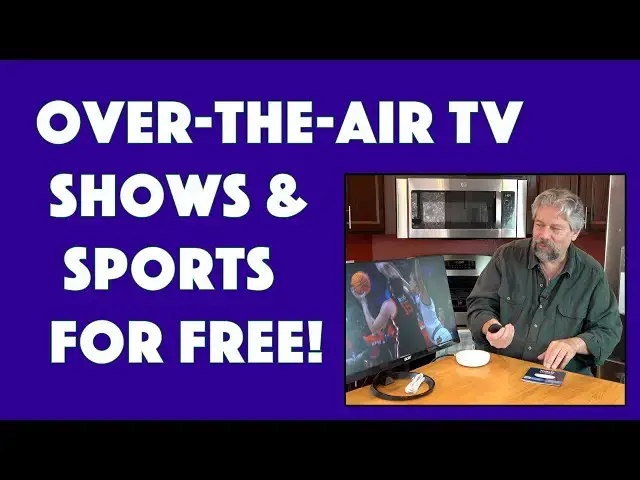
Ready to plug in an antenna and start receiving free broadcast channels again? With the Tablo TV 4th Generation 2-Tuner Device, you can watch ATSC 1.0 channels with zero subscription costs. You might get 40-50 channels, you might receive over 100! Tech expert Dave Taylor checks out the TabloTV 4th Gen tuner and finds quite a lot to like, and a few quirks that you'll want to know about before you make a purchase decision. But moving into the NextGenTV world? Definitely a smart way to save a lot of money on your current media and broadcast channel subscriptions!
Check it out at: https://www.TabloTV.com/
Visit Dave's Q&A Web site at: https://www.AskDaveTaylor.com/
#tablotv #nextgentv #tablotuner #tvtuner #dvr #atsc1 #atsc3 #askdavetaylor
Show More Show Less View Video Transcript
0:00
The best of over-the-air television on any screen in your house
0:04
Let's check it out. Dave Taylor here, and I want to talk about when I was growing up
0:17
all we needed was an antenna, and we could pick up dozens of channels and watch whatever we wanted
0:23
Now, that was really nice. It didn't cost anything monthly, but the choices were fairly limited
0:29
There weren't a ton of channels. And, of course, some channels came in strong and looked really good, and others not so much
0:37
Things like pausing or recording content, that was some years in the future
0:42
I know I've been around a while. But we live in the 21st century, and that is all kind of old school
0:49
But what most people don't realize is that all of those channels are still broadcasting
0:54
and it's all over the air, and it's still free. Now you need a digital tuner, but it's a doable thing
1:02
And in fact, what I'm checking out today is this. This is the Tablo TV fourth generation dual tuner unit
1:10
And it is a pretty amazing device. You plug this into your internet, you plug it into an antenna
1:18
and then it actually is a tuner that can talk on your network
1:23
So I can use a TV or a phone or a tablet
1:27
anywhere in my house and watch a show. So this is powered by Roku, this TV, and I have the Roku
1:36
remote and everything. So they're not actually connected. This is connected via my Wi-Fi
1:42
So from here, I can get to a live programming guide. So this looks just like cable TV or something
1:50
And if I pick a channel, I can choose to watch it. I can record it. I can record a series if it's a show
1:57
But let's try to go and watch this women's college basketball live
2:02
It is a good time to be watching basketball, and it often takes a couple of seconds to resolve the image
2:08
But here we are, and it's really clean. And so there are channels that broadcast in 480P
2:16
I'm going to back up. And there are channels that broadcast in 720 and 1080
2:22
and then there's a whole new standard. It's a complicated world with all of this
2:27
stuff. So what we have is this is an ATSC 1.0 unit. So what that means is it can go up to about
2:37
1080p, which is what you get for a full HD screen like this. So it's going to look really
2:44
good and really crisp, but if you have like an 80 inch television, 1080p is not going to
2:50
really hack it. So there's a new generation of over-the-air high-deaf called ATSC
2:57
3.0, also known as NextGen TV, and that is going to give you higher resolution and better audio
3:06
and it's just coming online, but this box doesn't do it. And part of the reason it doesn't do it, and a lot of TVs don't do it, is because
3:15
ATSC3.0 includes something called digital rights management or DRM, and there's encryption
3:22
and it's complicated, and how do you DVR something that's encrypted, and have to be
3:27
to decrypt it. So Tableau does have an ATSC 3.0 box and all of these features are coming
3:35
but that's not this unit. This unit is more affordable and I will tell you that by FCC law
3:42
ATSC 1.0, which is the protocol this works with, has to stay online until January of 2027
3:50
So yeah, there's sort of some obsolescence here, but that's many years down the road
3:57
And compared to the cost of cable or something like YouTube TV or Sling TV
4:03
those can run you 75, 80, 100, $150 a month. This, once you buy it, it's free
4:12
There are no subscription costs And I watching ABC and NBC and Fox and PBS and all these major broadcast networks with no subscription fee
4:24
Very nice. Now, let me tell you, I have this hooked up to that antenna
4:29
And this is a very fancy antenna. This is a televez 130990
4:34
It is an indoor outdoor antenna. It actually costs more than the tableau did
4:40
But I just happen to have a really nice antenna. you'll need some sort of antenna
4:45
It can be on your roof. You can be the one person in the neighborhood
4:49
with that weird wire mesh on a pole on your roof. That actually works the best because that altitude helps
4:56
But there's a lot of antennas now that can sit by your TV up in your attic on an exterior wall
5:03
facing the right direction. There's a whole universe of getting all this working
5:07
And I will say, to their credit, Tablo, their install app actually helps you
5:13
walk through a lot of this, including best orientation for your antenna, to get the best possible
5:19
results. What does that look like? Well, when it scanned my network here, I'm in Boulder
5:25
Colorado, about 35 miles from Denver, which is where most of the towers are, and it found
5:31
109 channels. 109 channels. Now, some of them are in other languages. There's a bunch of channels
5:39
that are like shopping channels and stuff where it's just like, yeah, it's so not interested in any of this
5:44
But that's okay because then I can actually go into the guide here into settings
5:49
and I can actually turn off the channels I don't want to see. And now my guide, as you can see here, is just shows that I do want to see
5:58
And here's something cool is that you can see I can watch live, I can record things
6:03
I already pointed that out. If I go to this soccer match, which is Man City versus Archie
6:09
then I'm actually recording this at the same time. So if I want to watch it tomorrow or if I want to go and check out the highlights, then I can do that
6:19
And I don't want to watch the ending because I want to see when I am able to watch the whole match
6:25
So the DVR has built in 50 hours of storage on this unit
6:30
So that's a pretty decent amount of programming, especially if you're watching your favorite series
6:36
but you're just time shifting, which is super. which is super common. One of the other cool things this gives you is it gives you
6:43
the ability to pause live TV. So that is like a fancy cable TV feature without
6:50
paying that fancy cable TV bill. So super nice. Tablo also integrates streaming into
6:57
this. So these are actual channels that I get but if I go down far enough then
7:03
what will happen is it'll start getting into internet streaming channels. And
7:08
that's kind of interesting because it gives you ability to supplement things
7:12
And of course, some of the streaming channels might require a subscription. So that's a separate thing
7:18
But Tableau giving you over-the-air channels that you can watch and record
7:23
that works super easy. Now, let me show you that there's the home and it'll show me things that are trending
7:32
It'll show me my recent recordings. You can see them here. and it just makes it a real pleasure to work with
7:40
I can also go and see what shows are on, and it will actually learn what shows do I watch
7:45
So it can show me, hey, look, Sanford and Sun's coming on. You should watch that
7:51
And movies. And so movies, it'll show us this is actually over the air
7:57
and then these are from streaming channels. But it's all nicely integrated, and same with sports
8:03
If I go to sports, I can pick out. actually the kinds of sports I like
8:08
And then if it's over the air, it will show me that. If there's a program that's via streaming, it will show me that all
8:14
Very, very well integrated. And then if we get into settings, then there are a bunch of different settings here
8:21
You can see that, let's see, I can get into scheduling options
8:27
I can go to the guide. I can do a scan again. Okay so now it telling me I have 99 channels let do another scan and just see how long this takes So notice the way that it presents them is also really nice It actually shows the logos and the resolution So I can see that
8:46
I get the CW at 720P, but then there's a lot of things at 480, but then when I go to CBS at channel 4.1
8:55
that's at 1080I. I is interlaced, P is progressive, P is better than I. Both of them are actually
9:02
better bigger numbers are better than smaller numbers but let's go ahead and just
9:07
re-scan and this this takes a couple of minutes but it's pretty fascinating to
9:12
watch so while that's going on me tell you a little bit more about the unit so
9:16
like I said it comes with a 14-day subscription to the program guide let's see
9:22
here we go so now it's starting to scan and find channels so 14-day
9:27
subscription so you get that for free so you don't have to pay for anything so
9:32
you'll have your on-screen guide and it's not just like the next three hours you can say oh wow
9:37
isn't there like the olympics opening ceremony on thursday let me see what's going to be over the air
9:43
and then i can record so it is compatible with roku and fire tv and android tv and google tv
9:51
they also have apps for android and ios and tablo tells me that they're working on apps for
9:59
Apple TV and Samsung and LG and Vizio and those will just show up in those systems as another app
10:07
And that's so slick. Having this be part of Roku is really cool. And let's see, as I said
10:14
it is ATSC 1.0 only. So it is a smidge behind the times technology-wise. But I think for the
10:24
vast majority of people, it's fine. There's a huge amount of debate about ATSC
10:29
3.0 because it's something where people want to have control over their TV experience
10:37
but ATSC3 with that DRM and encryption and having to get a key
10:43
feels like you're losing that sort of open public airwaves. So things might change
10:49
We'll have to see how that plays out. But that's something to be aware of
10:53
Now, let's see. So it got it and, okay, so this time it found 116 channels
10:59
And you can see some of them have check marks and some of them don't
11:03
So the ones without check marks are the ones that I'm saying, just hide it
11:07
I don't want to see it in my program guide. QBC and HSN are both great channels if you're into shopping
11:14
I'm not. So I have them hidden. Now, we've done all that
11:18
So let's see. I think I need to save. There we go
11:24
And this is a great example of it's worth re-scanning occasionally. you can have it be different daytime and nighttime because of the characteristics of the signal on these broadcast networks
11:36
It's like I said, it's a little bit complicated. But let's see
11:40
It looks like we got this. It's updating the guide because now it has to get a new version of that 14-day guide because now it has new channels
11:48
So it's working on it and that's what it's showing me here with the progress. And so my whole experience with this is via the Roku
11:56
And I'll tell you, I'm a big Roku fan. I think it's really fun
12:00
I usually use an Apple TV. I wish Apple TV just hired the Roku interface people
12:05
because Roku's way more fun to use. But be that as it may, it's a very seamless experience
12:12
Now, I have to say, sometimes this tableau doesn't work great. There are some quirks to the whole system
12:20
And I don't know whether it's the tableau. I don't know whether it's the antenna or electrical character
12:26
or the broadcast channel, but sometimes I'll choose a channel and it just won't come in
12:32
And I've also found that it has two tuners. If I have two programs being recorded and then I try to watch a third program, there's not a third
12:42
tuner, but it doesn't say tuners in use, it just gives you a fail message
12:47
And it just like you guys probably need to fine tune that error message so that I realize oh of course I recording I don have an available tuner But the idea that you can set it up to record your favorite programs and it just going to chug along and do it fantastic now the
13:04
unit does have four ports on the back as you can see here it has power and then it has
13:10
Ethernet if you want to directly connect it to your router which is pretty much a recommended setting
13:15
though if you have good Wi-Fi you can certainly start there and see how that works
13:19
And then there's a USBA port. You can use that for plugging in a hard drive for even more DVR recording space
13:27
And then there's finally that coaxial connection for your must have antenna
13:32
You've got to have an antenna. It's not going to work without it. And I should note that with that external storage, that, and this is a little technical
13:42
is that the tableau records things in MPEG 2 and then transcodes them into MPG
13:49
or MPEG 4 on the unit. So its internal storage actually has everything as MP4
13:57
but your external will only be MP2. And so the files will be a little bit bigger
14:03
but that also, if it's external, it gives you the ability to ostensibly
14:08
you could actually unplug it and just watch it on your computer or something or take it with you on vacation
14:13
I would double check that all of the compatibility is there, but that should theoretically work
14:18
but the fact that I can record 50 hours of TV, I can pause live TV
14:24
Let's go back. Looks like we're good. I don't want to exit the app
14:31
Let's just go back to home and go down. So as you can see, it's a really slick experience
14:42
They've done a really nice job. It does have some quirks, like I said, comes with a
14:48
quick start guide you're really going to do most of the setup through an app on your
14:52
smartphone and they did a really nice job with that too so there's really a lot to
14:57
like here and I think the sort of key message here is that there's already all these
15:02
channels in your neighborhood and with an antenna and this unit you can then
15:07
watch them on any of your screens and that's pretty powerful so that's pretty
15:14
much what I got we do need to talk about the price but before we get to the price
15:18
I'm going to invite you to subscribe to my channel. Just click on that subscribe button
15:22
Don't forget to hit that notification bell. And if you found this valuable, a thumbs up
15:26
is greatly appreciated. And let's see, let's go back to the live guide
15:32
because that's kind of fun. And you can see, by the way, is it also
15:36
shows you the little summary of the program too. It's a very slick experience
15:41
OK, price. You want another price. I know that. So this is the Tableau TV fourth generation
15:48
two tuner unit and it is 9995 at tabloTV.com. If you want to get it with their indoor antenna
15:57
it's a little bit smaller than this, and that one actually adds about $30 to the price
16:03
So you can get this with an antenna for $125 at tabloTV.com
16:10
And they also have a unit that's one of these that has four tuners
16:14
So if you're the kind of person that just records a ton of things simultaneously, simultaneously, then four tuners gives you even more flexibility than two. But I would really
16:23
encourage you to just ask yourself the question, do I really need those extra tuners? Because the
16:29
four tuner unit, it's a tricky one, is 13995. So that's $40 more. But then again
16:38
it's only $40 compared to, you're probably paying $150 a month for your cable TV right now
16:44
So this is a glorious alternative. That's everything I got. I'm going to go back to that soccer match
16:51
So I'll hope to catch you in my next video
#TV & Video
#Media Streaming Devices