Up next in 10



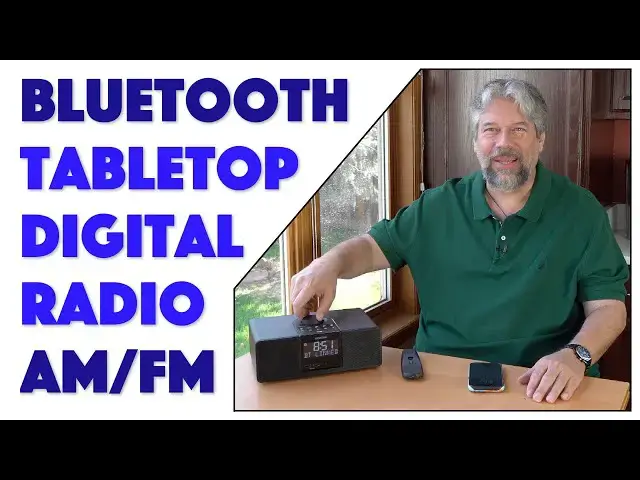
Still listening to your 1980's era clock radio? Time to upgrade! The Sangean AM/FM/Bluetooth Digital Tabletop Radio offers a huge improvement in sound and a lot of smart radio smarts too. Key tech is support for RBDS/RDS, radio broadcast data system, which offers automatic time sync along with display of station name, genre, and track information for FM channels. A sophisticated remote control makes working with the unit a breeze, and a two-AA battery backup ensures your clock never flashes "12:00" after a power outage too.
Check it out at: https://amzn.to/3VeP5nv
Visit Dave's Q&A Web site at: https://www.AskDaveTaylor.com/
#sangean #digitalradio #amfm #clockradio #bedsideradio #askdavetaylor
Show More Show Less View Video Transcript
0:00
Now this is something for your kitchen or bedside table
0:02
Let's check it out. Dave Taylor here, and I'm checking out this really pretty sweet
0:14
This is the Sanjean AM FM Bluetooth digital tabletop radio model, RCR 40
0:21
And basically what they've done is they've said, you know, people have
0:26
little AM FM clock radios on their bedside table or in their kitchen or
0:30
something, let's do something like that, but let's actually give it really good
0:35
sound and it does digital. So it works with Bluetooth and it also works with what's known as
0:41
the radio data system or RDS. So that gives you all sorts of really cool features
0:47
One of which is that if you tune to an RDS station and listen to it for a
0:52
couple of seconds, it will resynchronize your clock to make sure it's at the
0:56
correct time. Super great secret superpower. Now, let me tell you, it's powered by dual 3.5 watt speakers
1:04
In fact, we can pop the grill off and you can see the speakers there
1:08
Although obviously it looks better with the grill on. So let's put this back
1:13
And it has FM RBDS or RDS, depending on what area of the world you're in, but
1:20
it's radio broadcast data system. And when you're listening to FM stations, it'll tell you the name of the song
1:27
It'll tell you the name of the station. It'll tell you what genre
1:31
So some RDS radios, you can say, just find jazz music. So that's really great with cars
1:37
When you're on a long road trip, you can say, get to the next talk radio or get to
1:42
the next country music or whatever it is you prefer. Now that, like I said, the RDS lets you auto calibrate the clock and they have
1:50
some really interesting stuff inside, hidden inside that helps you get better reception
1:56
So this gets really solid AM and FM reception through use of a ferrite rod
2:03
inside for AM and a pigtail antenna, which is what this is for FM
2:08
And you can see, I haven't even unwound it to just let it spread out for best
2:12
possible results. And it still gets really solid FM reception. And I live in an area where it's not so easy to get good radio stations
2:21
So Bluetooth 5.0 NFC. If you have an NFC capable phone, you can just put it here and that will let it
2:28
automatically pair. Super easy to work with. It has AUX in, it has 3.5 millimeter in and out
2:36
So you can use it with headphones if you want. Dual USB charging ports, 10 station presets, 5 AM, 5 FM
2:45
And if you use the included remote control and check that out, look how many
2:49
buttons are on that remote. It's a pretty complicated remote. But if you use this, you can actually access 18 presets
2:57
And I will say the remote makes it a lot easier for some of the more subtle
3:00
settings when you're doing things like trying to, if you want to adjust the time
3:04
yourself rather than use RDS, the remote makes it a lot easier to work with
3:10
One thing I really like is it does have that big, bright display
3:14
So it's really pretty darn easy to work with. So what I want to do is first off, let's do a tour of all of the different surfaces
3:22
So you can see starting on the top, you can see there's a big dial and that's a
3:26
volume control, but if you push it, you can also use it for tuning AM or FM stations
3:32
And then there's a bunch of buttons starting with power and source, and there
3:37
are two different alarms. So you can actually have for two different people in the household
3:42
There's a button that lets you get to all of the settings and information
3:46
And then there are presets. Now the presets also give you additional controls depending on what mode you're
3:52
in, but you can see there's five presets here. And if you're an AM, those are 5 AM stations you program, super easy to
4:01
program, push and hold. And after a couple of seconds, it'll go beep, beep, and then you'll be set
4:05
And that'll be a remembered station. And then finally, the button in the front is the snooze and dimmer button
4:11
And it also has a light sensor. So the display does get dimmer when it's darker
4:17
I've found that in my bedroom late at night, it's a little bit bright
4:21
That's something I hope that they'll fix in the next iteration of this system
4:24
But for now, it's not so bright that I have to cover it up, but you might find
4:29
that you're adjusting the dimmer control, which is why it's so easy to adjust
4:33
Now let's move to the back. On the back, you can see that there's the FM antenna and there's the plug for power
4:41
And then there's the headphone jack and the AUX in. That's pretty much everything
4:46
And then in that little battery compartment, you can put in two AA
4:51
batteries and that gives you a clock backup. So if you lose power, this is such a classic thing
4:57
You lose power for a couple of seconds and then the power comes back on and
5:01
your clock is flashing 12, 12, 12, 12. That's really annoying. So drop in a couple of AA's and you'll be immune from that for a couple of years
5:10
It's a really simple thing. When you are without power, the display is not on
5:15
It doesn't mean it's a fully functional radio. It needs power. But when you get power back, then it does actually remember what the time was
5:23
So that's actually pretty easy to work with. Now, what you really want, I know, is you want to hear it
5:29
So let's turn it on. And so what we're hearing here, this is FM and I'll turn the volume up
5:36
And you can hear there's a lot of bass. Unfortunately, we're not getting music
5:39
So I'll hit one of my other FM presets. Another one. There we go
5:49
So I don't really have the rights to this music, so I can't let you listen to too
5:53
much of it, but you can hear that it's a really good sound. So I can't let you listen to too much of it, but you can hear it's a big, bright sound
6:02
There's a lot of bass. It actually has really nice sound for a device of this nature
6:08
And on the front, let me zoom in. You can see it's RDS
6:12
So RDS again, is that radio data system and turn it off for a second
6:17
So that's radio data system. So that's why it's showing information. Let me turn it on again and we'll turn the volume way down
6:25
So what you'll see is it will show you the name of the station
6:29
It might show you the name of the track. It might show you the name, you know, the, the genre of the music, all these
6:36
different things. RDS is a protocol and different stations implement it differently
6:40
So I really think it's pretty cool when you can look at your radio and it'll show
6:44
you the song that's playing way easier than using Shazam on your phone or something
6:50
So there's that. Now let me turn the volume back up and let's go to AM
6:56
Let's see where we are with AM. I have an AM, I should have an AM preset
6:59
There we go. And this is talk radio, which pretty much like 99% of AM radio now is talk, but
7:09
easy enough to work with. And now let's go to Bluetooth. That's our third choice
7:13
And what will happen is it'll reconnect with my phone and then it should
7:18
actually, I guess it didn't start playing, but that's okay. Cause I'm one button tap away
7:22
And now let's play with the volume again. Cause this one, I do have the rights to, so my phone's all the way up
7:33
And that's pretty damn loud, actually. So if that ain't loud enough for you, I kind of wonder how big your bedroom is or
7:39
how big your kitchen is, but really nice sound. And while we're doing this, I can then go and I can adjust, for example, I can say
7:47
that's a bit too much bass. And let's turn the treble down so we get a lot of mid range
7:52
You can also turn on and off loudness and let's hear how that sounds different
7:58
So that's with it off. And it definitely makes a difference. Loudness generally gives you more of that bass volume, which a lot of people like
8:08
And then finally, the fourth option for source is that AUX input, but I don't
8:13
have anything plugged in, so that's a no. That AUX input, but I don't have anything plugged in, so that's about that
8:20
So let's go back to Bluetooth and I want to show you one more thing is that it
8:25
should go right back to the music. Let's see. Um, it didn't, but that's okay
8:31
Cause I have these buttons so I can do things like pause, play, and
8:36
I can go to the next track. That's about it. It's about as easy as it gets
8:42
Let's go ahead and pause this music. I talk a little bit with less competition
8:46
So in terms of its size, it is pretty hefty. It's a really beautiful design
8:51
It's this dark walnut finish and it is 11 inches by 4.3 inches by 7.1 inches
8:59
And it's 3.9 pounds. It's not particularly heavy, but it's definitely something that you're
9:04
going to put on the bedside table or on your chest of drawers or in your
9:10
kitchen in that perfect spot for some music or something, and then you're
9:14
not going to really mess with it. And then you might use the remote control or you might just turn it on and turn
9:19
it off to your favorite FM or AM station. If you're an NPR fanatic or something, then you can have this set up ready to
9:26
go for NPR, super easy to work with. So only thing we need to talk about the price and it's a really nice price
9:33
But before we get there, I'm going to ask if you could subscribe to my channel, go ahead and click on that subscribe button
9:39
And then also please click on that bell icon. So you get notifications of my new content
9:44
That would be great. If this was useful and informative, you can tell I'm very candid and honest
9:50
I'll tell you the bad, I'll tell you the good, but if you found this to be a
9:53
value, then go ahead and give me a thumbs up or a like appreciate when you do that
9:57
Cool. This, even hold it this way. This is the Sanjeev AM FM, Bluetooth digital tabletop radio
10:05
And it's 199.99 currently discounted on Amazon, way down to 109.40 at amazon.com
10:15
for a hundred bucks, this is a great way to upgrade the quality of your sound in
10:21
your bedroom, in the guest room, in your kitchen, in your utility room, you could
10:28
put this on your office desk. It'll look perfectly great. Even if you're an exec, this is going to look fine as an executive device or
10:35
something really nice. Sound gets plenty loud, depending on the input source you're using
10:41
I find all of the tuning super easy to work with. I've already got a pre-programmed for the relatively small number of FM
10:49
stations we have here in Boulder, Colorado, but it's ready to go
10:53
So this is going into my bedroom and it's going to replace an older clock radio
10:58
And even just to call this a clock radio, it feels kind of old school. It's like we're sort of diminishing just how sophisticated it is
11:05
So that's everything. Definitely one to check out. That's all I got
11:09
So I'll catch you in my next video
#Audio Equipment
#Radio Control & Modeling
#Home Appliances
#Other