Up next in 10



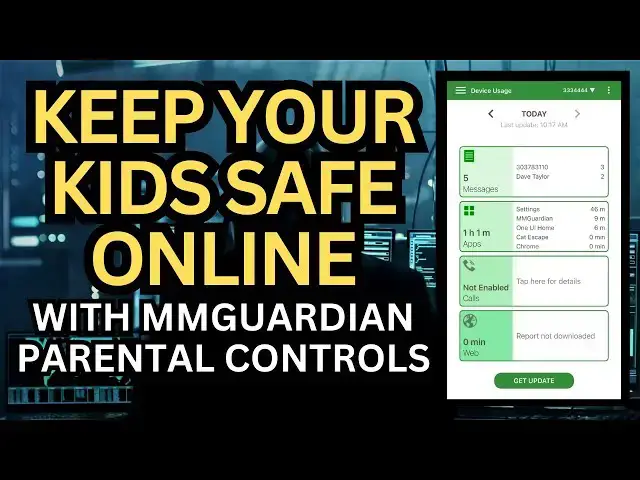
The vast majority of the online world is safe, friendly, fun, and interesting, but there are bad people in the digital universe too. They might be one of your child's peers who is a cyberbully, a friend of a friend who's not above some dealing after school, or even a predator who seeks unsupervised children who are susceptible to their dangerous allure. Parenting in the digital age is tough! Fortunately, MMGuardian is on your side and now has Android smartphones with built-in parental controls that can't be thwarted or bypassed. Parent and tech expert Dave Taylor has a close look at the MMGuardian software suite, as included with its Samsung Galaxy A15 5G Android smartphone. Includes extensive and detailed demo.
Check it out at: https://www.mmguardian.com/
Visit Dave's Q&A Web site at: https://www.AskDaveTaylor.com/
0:00 Introduction
1:35 Intro to the Samsung Galaxy A15
3:14 MMGuardian Basic Features
4:42 Number / Text Blocking Demo
6:43 App Controls Demo
9:21 Managing Time Limits and Lockout Times
11:35 Commentary
15:32 Pricing and Conclusions
#mmguardian #parentalcontrols #digitalparenting #onlinesafety #askdavetaylor
Show More Show Less View Video Transcript
0:00
this child ready phone is protected by
0:02
remote parental controls let's check it
0:05
[Music]
0:11
out Dave Taylor here and I want to talk
0:14
about phones and children generally not
0:16
a great equation so 63% of parents
0:20
believe that the time they their
0:23
children spend online is negatively
0:26
impacting their health and 66% of
0:29
children report that they have had
0:31
experiences with cyber bullying or other
0:34
harmful online activities so yes your
0:38
kid probably wants to keep up with all
0:40
the other kids and get a phone when
0:42
they're in first grade or some other
0:44
really remarkably early age but I think
0:47
it's really important as modern parents
0:49
in a digital age to set guard rails and
0:53
controls and manage the whole experience
0:56
so that you're confident and know that
0:58
your child is isn't getting up at 2:00
1:01
in the morning to play games or texting
1:03
with some adult that you don't even know
1:06
I mean there's so many alarming things
1:07
that can be happening they could just be
1:09
bullying other kids there's so much that
1:12
happens that's behind the scenes that we
1:14
don't see and with three kids of my own
1:17
I can tell you if you say I would like
1:19
to go through your phone now and see
1:21
what's going on there's a lot of
1:23
resistance so having the ability to go
1:27
ahead and manage all of that remotely is
1:29
is pretty darn slick and that's what I
1:32
have here this is the Samsung Galaxy a15
1:38
5G Android
1:40
phone with protection by mm Guardian
1:44
mobile phone parental controls so the
1:47
phone itself looks exactly the same this
1:50
came from mm Guardian with cell service
1:53
from US Mobile I'll come back to that in
1:54
a little bit and then my iPhone I
1:57
actually have set up as the parent phone
2:01
so I go into my iPhone and I get all
2:05
sorts of controls more importantly I
2:07
also get updates and
2:10
notifications so if someone I don't like
2:12
texts my child I can block that number
2:15
and see what message they sent them I
2:18
can also just monitor all this stuff but
2:21
there's also Ai and the software and it
2:24
can do the monitoring now you can
2:26
install it on iPhones or Android phones
2:29
but your best bet is really to get the
2:31
Android phone directly from mm Guardian
2:34
cuz then it's really deep into the
2:36
Android operating system and they have a
2:38
lot of tamperproof features I can't
2:41
reset this phone to not have their
2:43
software at this point in fact I asked
2:45
them I said well when we're done if I
2:47
want to just go back to having a normal
2:49
phone which maybe I would do when my
2:51
child hits a certain point in maturation
2:54
or they demonstrate that they have
2:56
really good choices that they make then
2:59
they said they still have to do that
3:01
remotely I can't do that from the parent
3:03
app that's how tightly locked down this
3:05
is and that's important because you
3:07
don't want to install an app on their
3:09
phone that's then easy for them to just
3:11
circumvent or delete that obviously is
3:13
not helpful so this lets you manage and
3:16
control the phone remotely you get
3:19
detailed activity reports you have
3:22
location monitoring that cannot be
3:24
disabled you get safety alerts about
3:27
bullying and drugs and sexting and
3:30
violence and suicide and online
3:32
predators and we parents don't want to
3:34
think about that we don't want to think
3:36
that our poor little middle schooler
3:38
who's so lovely at home or maybe really
3:41
a teenager who's very testy at home is
3:43
actually doing a drug deal or being
3:45
asked by one of their friends hey man
3:47
you want to come party we have stuff and
3:50
the AI is smart about this it can even
3:53
recognize commonly used Emoji sequences
3:56
and warn you that this might be sexting
4:00
even though it's just emoji and
4:03
especially when you get into things like
4:05
violence and suicide and unfortunately
4:08
your child might be part of the problem
4:11
not a victim so that's also stuff that
4:13
it would be aware of and it monitors all
4:16
texts and all social media interaction
4:18
for compatible apps you can check out
4:21
what they're working with today on their
4:24
website as I said it's tamperproof but
4:26
what I really want to do is I want to
4:28
show you a demo so so I have three
4:30
phones for the demo these two the child
4:33
phone the parent phone and a phone from
4:36
someone I don't like and I don't want to
4:38
communicate with my child so let's do
4:41
that demo this is the child phone this
4:43
is the Samsung Galaxy a15 from mm
4:47
Guardian this is an iPhone it's the
4:49
parent phone so I'm going to go ahead
4:51
and launch the mm Guardian app and give
4:54
me a second let me try face ID again
4:57
there we go so now I'm logged in to my
5:00
parent app I don't have to be it's
5:02
always running and then this is someone
5:05
who wants to communicate with my child
5:07
but I have blocked them so on this phone
5:10
let's go ahead and send a message to the
5:14
child and this number is blocked so I'm
5:16
just going to
5:17
say
5:19
hey and let's watch what happens so this
5:22
looks like it was delivered this doesn't
5:25
get a notification but this does it says
5:28
prohibited SM alert please tap here to
5:31
view details so it not only shows me the
5:35
blocked number but it also shows me that
5:38
actual message text meanwhile on the
5:41
child phone let's go into messages and
5:43
let's see this child actually has an
5:47
entry for this person so you can see
5:50
possibly the very first message before I
5:52
blocked it says hi Buckaroo and then all
5:55
of these other messages look like they
5:57
were delivered but they weren't now
6:00
let's have our child send a message to
6:03
this
6:05
person
6:06
hey
6:08
send maybe
6:10
send right so it doesn't send so what
6:15
happen What's Happening Here is that
6:17
this is blocked from communicating with
6:20
this person so this is ideal they think
6:23
that something's not working right it's
6:25
how it goes they never get a message any
6:29
message they send never makes it to the
6:31
child phone and the parent phone
6:34
actually gets the notification this is
6:36
exactly what you want now let's go back
6:39
to home
6:40
screens and now in the app let's just
6:44
look at a couple things so first off we
6:46
can do device usage I always start by
6:48
tapping on get update so you can see
6:51
there's five messages the phone's
6:53
already been in use for an hour and that
6:56
includes let's see one UI home which is
6:59
Samsung and weather and Samsung wallet
7:03
and call blocking or filtering no calls
7:05
have happened no use of the web let's go
7:09
back
7:10
here and where this gets really
7:12
interesting is that you can get into
7:14
things like I'm just going to lock the
7:15
phone so I could just tap on lock now I
7:18
could also specify a duration so for
7:22
example you did not clean your room you
7:24
now lose use of your phone for an hour
7:26
that would be really easy to do without
7:28
having to touch their phone and without
7:30
having to go through that but then we
7:32
get into phone rules and I can set up
7:35
time limits for the phone so we can say
7:38
let's see on weekdays from 9:30 p.m. to
7:42
6:30 a.m. we want the phone locked and
7:45
on weekends from 11:00 p.m. to 6:00 a.m.
7:48
we want the phone locked so we're going
7:50
to do both and now super important
7:54
send and send success so now this phone
7:58
will automatic Ally lock on those times
8:01
and it's different on week nights and
8:03
weekend nights now ideally you would
8:06
remember to go ahead and say oh it's the
8:10
holidays let me change this a little bit
8:12
but that would be up to you to decide if
8:14
you want to do that and then here you
8:16
can see like Candy Crush Saga which is
8:18
my child's favorite game I have it
8:20
blocked so they can't play it at night
8:23
so that would be if I decided not to do
8:25
a full lock I could do that and then if
8:28
we go down here hair salon is just like
8:31
this massive time sync so now on the
8:33
child phone let's try to launch hair
8:36
salon and it's blocked so the kid sorry
8:42
can't play that whether they're at
8:43
school or at home or whatever time of
8:45
the day it is have to close this so
8:48
that's blocked but I can also block
8:50
things by time like I said so Candy
8:53
Crush Saga I could block by time cat
8:55
escape I can just say you know what no
8:58
that's another one you're spending way
8:59
too much time on again send it to the
9:02
phone it's successful and so cat escape
9:06
is also blocked sorry sorry sorry honey
9:10
whereas other games like yatsi hey you
9:12
want to play yatsi you can play yatsi we
9:14
don't have any problems with that yet so
9:17
that's good now let's see what else we
9:20
can look at
9:21
here so that's app control you can
9:24
specify your own time limit so you can
9:26
manage what you consider is a reasonable
9:29
device bedtime you can do web filtering
9:32
so I can turn on web filtering and I can
9:35
specify categories or I can specify
9:38
websites I don't want my child to see um
9:42
I'm going to turn that back off we're
9:43
not going to send it because I'm not
9:44
changing that setting and contact block
9:47
that is blocking this phone so that's
9:50
easy enough to set up and that might be
9:52
something where if there's some cyber
9:55
bullying or anything like that that
9:57
would be where I'd set that up and then
9:59
and here's textt monitoring so text
10:01
monitoring is monitoring for things that
10:04
are common phrases that a predator might
10:07
ask or a bully might say um and it can
10:11
also do things like picture analysis so
10:14
let's say that my son has a little
10:17
girlfriend and she likes to send
10:19
pictures of herself when she's just in
10:21
her underwear which is obviously
10:22
inappropriate and sexting and illegal
10:26
and the app can actually notice that and
10:29
actually you can block that but it will
10:31
also save a copy of the photo in the
10:35
parent app so I could then go back and
10:37
review that and then say yeah we need to
10:40
talk to her parents too cuz this is a
10:42
bigger issue and it's not okay and then
10:46
we get into individual apps and you can
10:48
specify even more with lock settings and
10:52
then there's location history and most
10:55
importantly the child can't block any of
10:58
this they can't can't reinstall the
11:00
Android OS on the Samsung Galaxy a15 or
11:05
A35 so that it doesn't have any of these
11:07
filters or anything and again the goal
11:10
here is to keep your child safe this is
11:12
all about safety so that they could just
11:15
use their device and not have to worry
11:18
about it and it works when it needs to
11:20
work and then there are some things that
11:22
at certain times if they get up at 2:00
11:24
in the morning they can't like jump on
11:26
to fortnite for half an hour so all that
11:29
just seems fantastic it's really really
11:31
great now let me jump back on camera I
11:34
will admit that the user interface is a
11:37
little bit tricky to figure out and I
11:39
even made errors as I did the demo
11:41
because I haven't spent a lot of time on
11:43
it but they have a lot of parents
11:46
protecting a lot of children on their
11:48
mobile devices through their software
11:51
and as you spend a little more time with
11:53
it you'll get the basics down pretty
11:55
easily they also have a web- based
11:57
interface but I can tell you that
11:59
probably could do with a facelift and
12:00
they're aware of that so it's not the
12:03
most beautiful user interface it's
12:05
probably better just to stick with your
12:07
parental phone for management but as you
12:09
saw it's really easy to just say this
12:12
phone needs to be locked between 11:00
12:16
p.m. and 7: a.m. or it might have apps
12:19
that like you can't play any games
12:21
during school time and it will also C
12:25
you know capture things like oh well you
12:27
just installed a new game G but it's
12:29
automatically still in that category so
12:32
it's automatically still blocked so
12:34
really they've spent a lot of time and
12:37
they've been in this field for years and
12:39
years and they've really understood a
12:41
lot from user feedback of how kids try
12:44
to circumvent and sidestep all of these
12:46
features and their goal is not to take
12:49
away autonomy and agency from a child
12:52
their goal is to give you the ability to
12:55
decide how wide a horizon you want your
12:58
child to have and this is something
13:00
you'll change over time if I have a
13:02
child in elementary school and I give
13:04
them a phone which we didn't do for the
13:07
record but if I were to give them a
13:09
phone I would lock it way down just so
13:12
they don't have to make that decision
13:14
they just know their phone is their
13:16
friend and it's safe and it's okay and
13:19
they can text Mom and Dad anytime they
13:21
want and they can text Uncle Joe but
13:24
that guy Mike who's a friend of a friend
13:26
of a friend yeah they just don't show up
13:29
and they can't seem to communicate with
13:31
them and that's okay and then as your
13:33
child gets older and they become more
13:35
mature and they are more able to make
13:37
smart decisions you can start taking off
13:40
a lot of these controls and maybe still
13:43
monitoring things and then at a certain
13:44
point you might turn off all the
13:46
monitors and alerts and you might say
13:48
have at it and I would like to sit down
13:51
with you occasionally and talk about
13:52
what you're doing on your phone and
13:54
that's exactly what we did with my
13:55
children we didn't give anyone a phone
13:57
until they were a tween actually no
13:59
until I think 13 that was like the big
14:02
thing when they turned 13 is they got a
14:04
phone and then we just had an agreement
14:06
that we would sit down with them and go
14:09
through their messages and go through
14:11
their social media and talk about person
14:14
by person who is this person how do you
14:16
know them and why are you communicating
14:18
with them and every single time our
14:21
children especially at the beginning
14:23
they had friend of a friend of a friend
14:25
who was someone they had no idea who
14:26
this person was and why they were in
14:28
communic a with them so we would shut
14:31
those people down together they would
14:34
understand what had happened and then
14:36
over time I realized that my children
14:38
were able to do this themselves and to
14:41
self-regulate as therapists would say
14:44
and so then they had less and less
14:45
controls until finally it was like do
14:48
your thing and hopefully it'll go okay
14:50
and I'll tell you it didn't always go
14:52
okay and we definitely had some issues
14:54
and there was one time I had to hack
14:56
into one of my kids' phones to find
14:58
something that was very alarming that we
15:00
had to deal with immediately and had I
15:03
not have done that had I have had
15:04
something like this that would have been
15:07
much easier and I would have caught it
15:08
much earlier so uh just like adults our
15:13
kids have this extraordinary device in
15:16
front of them but it's up to us as
15:18
parents to make sure they are using it
15:20
safely and that's exactly what this is
15:23
about so definitely something you should
15:26
seriously consider and check out for
15:29
your children's mobile devices so we
15:32
should talk price before we get there
15:35
I'm going to ask you to subscribe to my
15:37
channel click or tap on that subscribe
15:39
button hit that Bell icon for
15:41
notifications give me a thumbs up if you
15:43
found this valuable and I hope that you
15:45
did so they have two phones that have
15:49
the MMG Guardian app built in and this
15:52
is the less expensive of them this is
15:54
the Samsung Galaxy a15 5G Android phone
15:59
as you can see it is an entirely capable
16:02
phone with a big bright screen you can
16:05
watch movies on it you can play your
16:07
favorite games there's so much you can
16:09
do it's really fun and they certainly
16:13
are not going to feel like a second
16:14
class citizen whenever all their young
16:17
friends put down their phones on the
16:18
table and theirs is like wow yours is
16:20
Big it's cool right so it there's
16:23
nothing that makes it obvious that they
16:24
have this monitoring software which is
16:26
great so the a15 through mm Guardian
16:30
with their software installed is
16:33
$229 if your child needs or you want to
16:36
get them a more capable phone they also
16:39
offer the Samsung Galaxy
16:41
A35 at 339 and that's a faster phone
16:45
it's a nicer phone but again you know if
16:48
we're talking like a fourth or fifth or
16:50
sixth grader how much phone do they
16:52
really need to be able to be functional
16:54
in their young lives something to
16:56
consider and then the mm Guardian
16:58
service is $9.99 a month in addition to
17:01
the cost of the hardware you can learn
17:03
about all of their pricing and options
17:05
at MMG guardian.com I do want to also
17:08
mention that this phone has cell service
17:11
through US Mobile which is a MM Guardian
17:14
partner and it is $10 a month for cell
17:17
service that includes unlimited text
17:20
talk 4G and 5G access and two gigabytes
17:24
of data per month which is a whole heck
17:26
of a lot less than I'm paying with AT&T
17:29
so all told that this would be a 229
17:33
investment and then 20 bucks a month for
17:36
my child to have sell service and for me
17:39
to have the Peace of Mind knowing that
17:42
I'm able to Monitor and keep track of
17:44
what the heck they're doing and that is
17:46
worth a lot and in this day and age it's
17:49
up to us to keep our children safe
17:51
because you don't want to be one of
17:52
those stats you want your child to go
17:55
blissfully through their childhood
17:56
without any major stresses so that's all
18:00
I got I hope this was a value to you and
18:02
I'm happy to see you in my next video
18:09
[Music]
#Text & Instant Messaging
#Voice & Video Chat
#Mobile & Wireless
#Mobile Apps & Add-Ons
#Mobile Phones
#Kids & Teens
#Monitoring Software